Podcast to Video: A Creator's Workflow for 2026
You do podcast to video well when you stop treating it like a captioned audio file and start treating it like a multi-platform video release. The core decision is whether you’re recording for audio first and hoping the clip works later, or designing the capture so the full episode can become short, native video across YouTube, LinkedIn, TikTok, and Instagram without a messy rebuild.
Table of Contents
- What Podcast to Video Actually Means in 2026
- Plan the Recording so the Video Pipeline Can Actually Work
- The Transcript-First AI Pipeline That Replaces Manual Editing
- Edit for Broadcast-Quality Audio and Captions
- Platform Specs and Safe Zones for Each Channel
- Distribution Cadence That Preserves Algorithmic Freshness
- FAQ on Turning a Podcast Into Video
What Podcast to Video Actually Means in 2026
Podcast to video is not an audiogram with a waveform on top. In operator terms, it is the process of turning one recorded conversation into a repeatable video pipeline, with the full episode, clips, captions, titles, and exports shaped for each channel.
That matters because the work starts earlier than the edit. A podcast-to-video workflow is a capture-design problem first, then a transcript-first production problem. If the recording is framed badly or the conversation is hard to parse, the AI tools that come later only help you move a weak source file through the pipeline faster.
Video now sits inside the core podcast workflow, not beside it. SiriusXM Media reported that 57% of podcast consumers watched a video version of a podcast in the past week, 85% had done so within the past 30 days, and 53% said more than half of their podcast time last week was spent watching video rather than listening to audio-only formats. The same source found podcast consumers spent an average of 6.8 hours weekly with podcasts, with 39% spending over six hours and one in four spending 10+ hours.
The line between a clip hack and a real workflow
A quick audiogram still has a place for low-lift distribution, but it does not create a real video-first podcast workflow. A real workflow assumes the episode will be repurposed into multiple assets, each with its own title, framing, caption treatment, and platform fit.
That difference shows up in downstream response. Analysts at Podcast Studio Glasgow report that video podcasts convert at 2 to 3 times the rate of audio-only podcasts, with completion rates of 60% to 70% versus 40% to 50%, show-note click-through of 35% to 45% versus 8% to 12%, and demo-request conversion of 8% to 12% versus 2% to 3%. The same source also cites 2.5x to 3x higher website traffic per episode and 3x to 4x longer average time on site for video episodes.
Practical rule: if the episode only works as one long upload, you do not have a podcast-to-video system yet. You have a video file.
For the planning side, the bigger picture is content reuse. A strong repurposing strategy starts with a long recording, then breaks it into assets that can travel across channels. If you want that framework, start with quso.ai’s repurposing strategy guide.
Plan the Recording so the Video Pipeline Can Actually Work
The cheapest fix is to avoid creating a weak source file in the first place. If the framing is cramped, the lighting changes mid-recording, or the subject sits too close to the edge, every automated cut gets harder to clean up later.
Capture design beats editing effort
Recent creator guidance points to the same operational truth. Record in 4K, keep the subject centered, frame wider than feels natural, and use a single medium shot at eye level with consistent lighting. That gives you room to crop for vertical and square formats later without chopping off faces or captions.
This is the part many teams miss. The bottleneck is usually capture design, not the tool that trims the clip. If the source footage is weak, automation just helps you produce mediocre output faster.
A bad camera setup doesn’t become a good clip because the cut is smart.
Before you hit record, use a short checklist:
- Framing: keep the host centered with space around the shoulders for later crops.
- Lighting: hold it consistent from the first minute to the last.
- Resolution: capture in 4K if you want flexible crops.
- Shot choice: use one clear medium shot instead of a busy multi-angle setup.
- Posture and eyeline: lock the camera at eye level so the clip doesn’t feel slanted or defensive.
If your recording habits are already set, this is the moment to adjust them. It saves more time than any cleanup pass later.
The Transcript-First AI Pipeline That Replaces Manual Editing
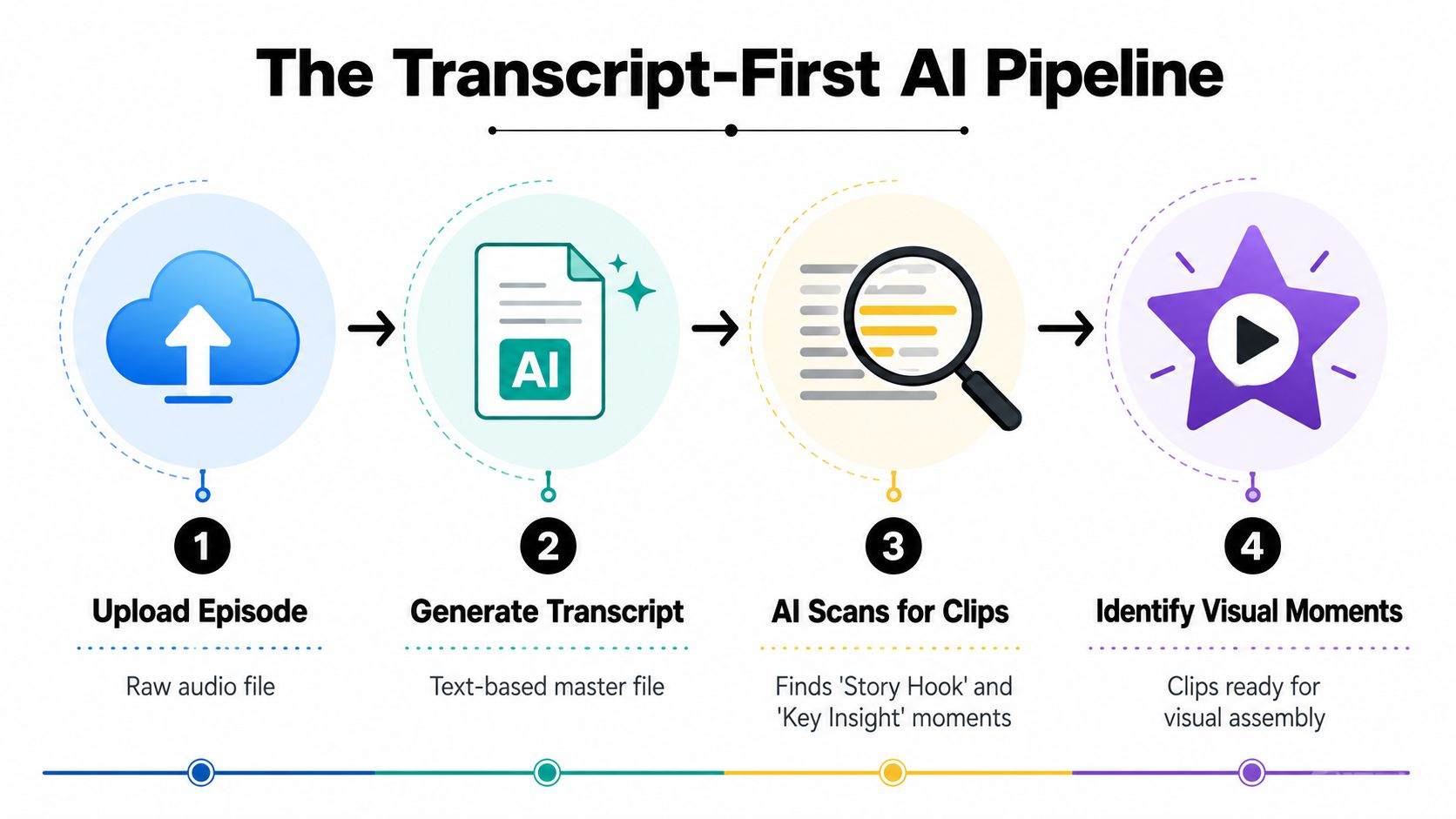
The fastest way to turn a podcast into video is to treat the transcript as the editing surface. Upload the episode, generate the transcript, let AI scan for clip-worthy moments, and only then open the visual work.
That sequence replaces timeline scrubbing with selection. A neutral workflow source says transcription for a 60-minute episode can take 2 to 5 minutes with 95% to 98% accuracy for clear speech, then moment detection can produce 15 to 25 candidate clips that are narrowed manually to 8 to 12 strong clips (Clip Forge).
Why transcript-first works better than scrubbing the timeline
When the transcript is clean, the editor can scan for turns, hooks, contradictions, and quote-worthy lines without listening to the whole episode again. That changes the job from technical searching to editorial judgment.
One practical workflow layer for this is quso.ai, which is built to repurpose long video into short-form clips, auto-caption them, and queue them for scheduling. That’s the part that collapses the manual steps once the source footage is strong enough to work with.
Use the transcript to rank moments, not just find them. The best clips usually have a clear claim, a self-contained example, or a sharp transition that still makes sense when someone sees it cold in a feed.
Don’t edit for the full episode first and the clip second. Edit for the clip first, then decide whether the full episode needs a separate version.
If you’re also planning text treatment, keep the transcript organized in the same workflow as subtitles. For a companion process on captioning, see quso.ai’s subtitle workflow guide.
Edit for Broadcast-Quality Audio and Captions
Once the right segments are selected, finishing work matters more than cosmetic polish. Podcast clips lose credibility fast when the audio feels muddy, the captions are hard to read, or the on-screen text gets buried under platform UI.
Finish for clarity, not just style
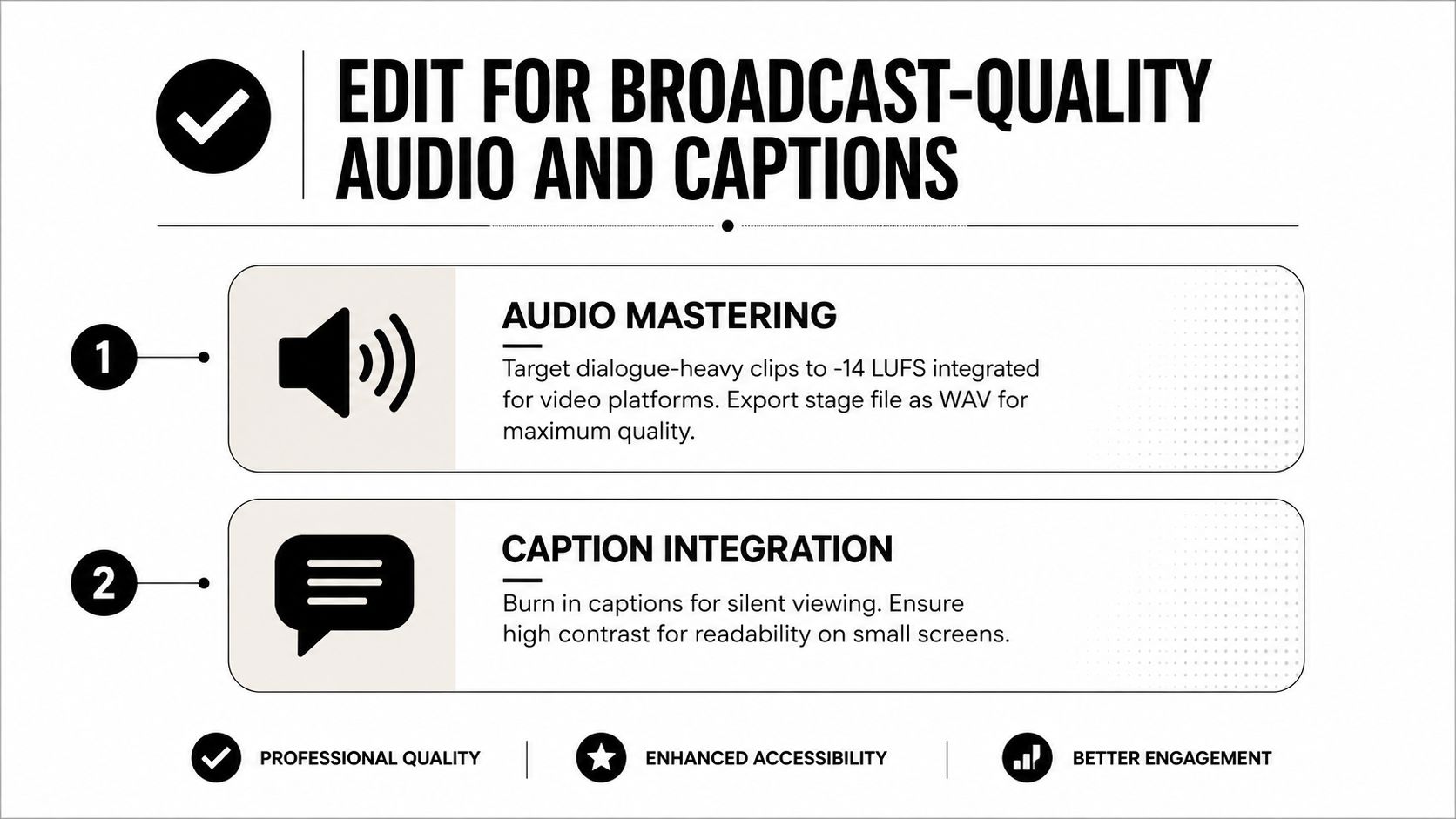
The most actionable technical targets are straightforward. Master dialogue-heavy clips to -14 LUFS integrated for video platforms, export the stage file as WAV 48kHz/24-bit, and deliver the final file as H.264 or H.265 with AAC-LC 48kHz audio (Overly). That keeps the clip stable across exports instead of compounding losses at each stage.
Captions are not decoration. They support silent viewing, improve readability on small screens, and give the viewer a second way to follow the point when audio is off. Keep the text high-contrast and place it inside the platform safe zone, not right on the edge where buttons, usernames, and progress bars tend to crowd the frame.
A consistent lower-third or light watermark helps the clip hold together when it’s reposted elsewhere. It’s a small branding move, but it makes the asset feel intentional instead of recycled.
Platform Specs and Safe Zones for Each Channel
Different channels reward different shapes, and the safe-zone mistake is where most clips fall apart. A video can be technically exported correctly and still look broken if captions or faces sit under the interface chrome.
A compact export reference
| Platform | Aspect Ratio | Resolution | Clip Length | Safe Zone Note |
|---|---|---|---|---|
| YouTube long-form | 16:9 | 1080p or higher | Full episode or chaptered segments | Keep titles and lower-thirds away from the bottom edge. |
| YouTube Shorts | 9:16 | 1080 x 1920 | Short-form clips | Leave room for on-screen controls and the caption block. |
| LinkedIn native video | 1:1 or 9:16 | 1080p | Short, utility-led segments | Keep the main text area centered so UI doesn’t cover the hook. |
| TikTok | 9:16 | 1080 x 1920 | Fast, self-contained clips | Keep critical text above the lower UI stack. |
| Instagram Reels | 9:16 | 1080 x 1920 | Short-form clips | Protect the lower and right edges from interface overlap. |
For a broader export checklist across channels, use quso.ai’s social video specs guide.
Match the format to the intent
A long YouTube episode should feel like a complete viewing object. Shorts, TikTok, and Reels should feel like one idea with a hard edge, not a chopped segment that depends on prior context. LinkedIn usually rewards cleaner, more legible framing and fewer visual distractions.
The practical move is to export once, then adapt the crop and text placement by channel instead of pretending one layout fits all. That keeps the video readable when the app overlays its own buttons, labels, and controls.
Distribution Cadence That Preserves Algorithmic Freshness
Bulk-posting all your clips on the same day usually wastes strong material. A better cadence is 2 to 3 clips per day over 4 to 5 days, because staggered release gives each piece its own window and keeps the audience from feeling flooded.
The reason is operational. Video clips only work if they are given time to earn clicks, watch time, and engagement on their own. If you drop everything at once, the best hook can get buried under the rest of the batch, and weaker clips can drag down the overall push.
Queue it instead of sprinting it
Scheduling matters as much as clipping. A queued calendar keeps the publishing rhythm steady, which is easier for teams to manage and easier for the audience to follow.
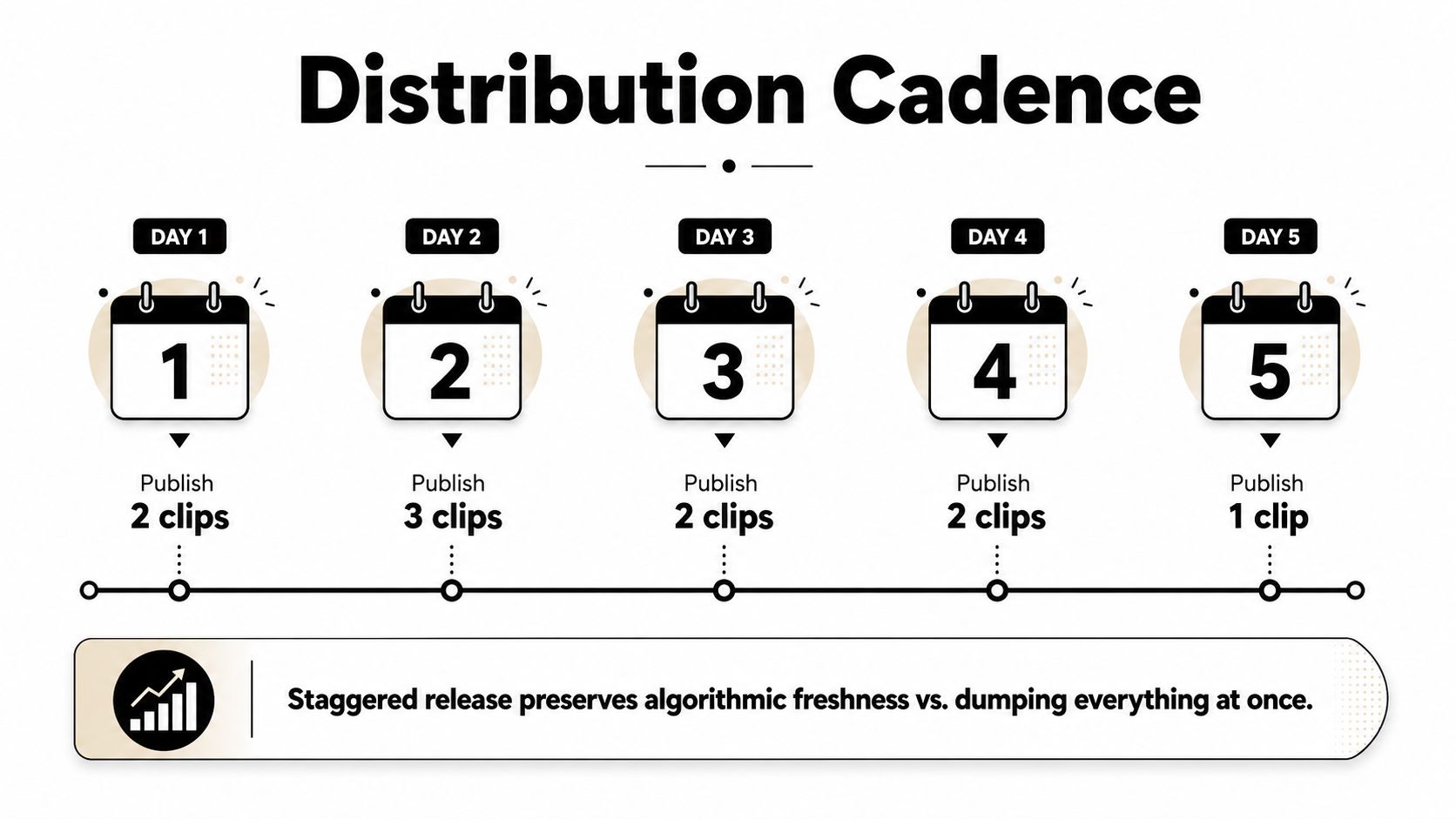
A practical release pattern often looks like this:
- Day 1: publish the strongest hook and one supporting clip.
- Day 2: release a second angle that deepens the same theme.
- Day 3: post a contrarian or tactical cut.
- Day 4: add a proof point or example-driven segment.
- Day 5: close with a summary clip or sharp takeaway.
Staggered release preserves algorithmic freshness better than dumping everything at once.
The broader point is operational. If the recording is framed well, the transcript is clean, and the edits are caption-ready, scheduling becomes the final step instead of the hardest one.
FAQ on Turning a Podcast Into Video
Is podcast to video worth the extra production cost?
It can be, but only if the recording and distribution are disciplined. Podnews reported that average monthly production costs rise from $388 to $1,267, and per-episode costs rise from $67 to $244, which is a 3.6x increase; it also reported that audio attention costs about $0.56 per listener hour versus $0.99 for video, making video attention 77% more expensive (Podnews). That means the format can pay off, but the workflow has to earn its keep.
Can I turn a podcast into video without a camera-ready setup?
Yes, but source quality matters a lot. If the framing is weak, the subject isn’t centered, or the lighting is inconsistent, most conversion tools will only move a poor asset through the pipeline faster. The safer move is to fix capture design first, then repurpose.
How long does conversion usually take?
A clean transcript-first workflow is much faster than manual scrubbing. For clear speech, one workflow source says transcription can take 2 to 5 minutes for a 60-minute episode, and the AI can surface 15 to 25 candidate clips before a human narrows them to the best few (Clip Forge). The human review still matters, but the search time drops sharply.
Does reposting the same clip across platforms count as unique distribution?
Not by itself. The clip can travel, but the title, crop, safe-zone placement, and pacing should change by channel. A vertical cut for TikTok isn’t the same delivery as a LinkedIn native post or a YouTube Short, even if the core moment is identical.
Should I make the full episode a video or just clip it?
If the recording is strong enough, do both. The full episode can live on YouTube as a native video while shorter cuts handle discovery, recall, and repeat exposure across social feeds.
If you’re turning long recordings into a repeatable video workflow, quso.ai can handle the repurposing, captions, and scheduling layer without forcing you to rebuild every cut by hand. Visit quso.ai if you want a cleaner path from one episode to a queued set of short-form clips.