Malayalam Subtitle Generator
Generate Malayalam subtitles from your video’s audio, keep long words readable on vertical video, and download the video with captions burned in or an SRT file.
Creating an account is free. See pricing for your country.
The short answer
quso.ai writes Malayalam subtitles from the speech in your video: choose Malayalam (മലയാളം) when you upload, correct any line in the editor, and pick one of 10 caption styles. Download the video with captions burned in, or export an SRT file on a paid plan.
Updated
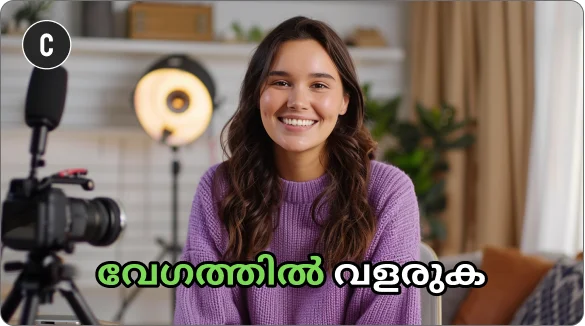
What you get with Malayalam subtitles in quso.ai
Timed subtitles from the audio
Choose Malayalam (മലയാളം) when you upload and quso.ai writes the subtitles with start and end times for every line.
Edit every line
Fix a word, change the timing, delete or add a line. In the transcript, Correct everywhere fixes a repeated word in one go.
10 styles, your font
Pick a caption preset, then upload your own font and set colors, outline and background. Download the video with captions burned in, or an SRT file on a paid plan.
How to add Malayalam subtitles to a video
- Upload the video. Drop in an MP4, MOV, M4V or WebM file, or paste a YouTube link.
- Choose Malayalam (മലയാളം). The language has to match the speech in the video.
- Check the text. Read the first minute in the Subtitles panel and fix anything the AI misheard.
- Style and download. Pick a caption style and font, then download the video with the captions burned in (720p with a watermark on the free plan, 1080p on paid plans) or, on a paid plan, the SRT file.
Malayalam subtitles: what to check
- Long words need a smaller size. Malayalam joins words and suffixes into long single words. On a 9:16 frame, set the caption size a step smaller than you would for English so one word fits on a line.
- One Word styles can overflow. Preview One Word and Two Word before you choose them; a line-based style such as Basic Subtitles is the safe default for long words.
- Manglish lines. Many Malayalam videos switch into English. Read the first minute and fix repeated words with Correct everywhere.
- Check the font. If letters look broken, upload a Malayalam font such as Noto Sans Malayalam or Manjari.
What the subtitles look like
A subtitle line from a video spoken in Malayalam, as it looks in an exported SRT file:
1
00:00:00,000 --> 00:00:02,400
ഞങ്ങളുടെ ചാനലിലേക്ക് സ്വാഗതം.
Font: A Malayalam font such as Noto Sans Malayalam or Manjari.
Frequently Asked Questions
Which caption style works best for Malayalam?+
How do I add Malayalam subtitles to a video?+
Can I download Malayalam subtitles as an SRT file?+
Can quso.ai translate a video into Malayalam?+
Is it free?+
Malayalam Subtitle Generator
Generate Malayalam subtitlesPart of quso.ai's AI Subtitle Generator, which writes subtitles in 99 languages.