Urdu Subtitle Generator
Generate right-to-left Urdu subtitles from your video’s audio, set a Nastaliq font, and download the video with captions burned in or an SRT file.
Creating an account is free. See pricing for your country.
The short answer
quso.ai writes Urdu subtitles from the speech in your video: choose Urdu (اردو) when you upload, correct any line in the editor, and style the captions with your own font. Download the video with captions burned in, or export an SRT file on a paid plan.
Updated
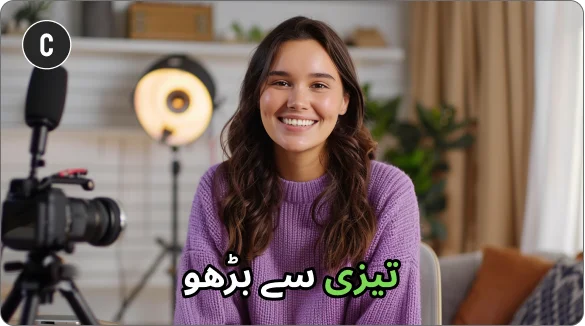
What you get with Urdu subtitles in quso.ai
Timed subtitles from the audio
Choose Urdu (اردو) when you upload and quso.ai writes the subtitles with start and end times for every line.
Edit every line
Fix a word, change the timing, delete or add a line. In the transcript, Correct everywhere fixes a repeated word in one go.
10 styles, your font
Pick a caption preset, then upload your own font and set colors, outline and background. Download the video with captions burned in, or an SRT file on a paid plan.
How to add Urdu subtitles to a video
- Upload the video. Drop in an MP4, MOV, M4V or WebM file, or paste a YouTube link.
- Choose Urdu (اردو). The language has to match the speech in the video.
- Check the text. Read the first minute in the Subtitles panel and fix anything the AI misheard.
- Style and download. Pick a caption style and font, then download the video with the captions burned in (720p with a watermark on the free plan, 1080p on paid plans) or, on a paid plan, the SRT file.
Urdu subtitles: what to check
- Urdu reads right to left. Preview a few lines in the editor before you export, especially lines with an English word or a number in them, since mixed-direction text is where punctuation tends to land in the wrong place.
- Use a Nastaliq font for viewers who expect it. Most Urdu readers are used to the slanted Nastaliq style. Upload a font such as Noto Nastaliq Urdu in the Subtitles panel. Nastaliq is tall, so raise the line spacing and keep captions off the bottom edge.
- Choose Urdu, not Hindi, for Urdu script. Spoken Urdu and Hindi overlap a lot. Choose Urdu when you want Urdu script on screen and Hindi when you want Devanagari.
- English words are common. Urdu vlogs and podcasts often switch into English. Read the first minute and fix repeated words with Correct everywhere.
What the subtitles look like
A subtitle line from a video spoken in Urdu, as it looks in an exported SRT file:
1
00:00:00,000 --> 00:00:02,400
ہمارے چینل پر خوش آمدید۔
Font: A Nastaliq font such as Noto Nastaliq Urdu, or a Naskh font if you want something more compact on small screens.
Frequently Asked Questions
Which font should I use for Urdu subtitles?+
How do I add Urdu subtitles to a video?+
Can I download Urdu subtitles as an SRT file?+
Can quso.ai translate a video into Urdu?+
Is it free?+
Urdu Subtitle Generator
Generate Urdu subtitles todayPart of quso.ai's AI Subtitle Generator, which writes subtitles in 99 languages.