10 Podcast Content Ideas to Repurpose in 2026
584.1 million people listened to podcasts in 2025, and 55% of Americans were monthly listeners. That scale means the best podcast content ideas aren’t just topics, they’re systems for turning one episode into clips, captions, and scheduled posts that travel farther than the original recording.
Stop brainstorming, start repurposing. If you’re a creator, marketer, or B2B team, the fastest path isn’t inventing more episodes from scratch. It’s building a workflow that pulls multiple assets out of one strong recording, then distributes them where people already consume short video and social content. That’s where podcast content ideas become operational instead of abstract.
Broad demand also gives you room to niche down hard. With about 4.7 million podcasts registered worldwide and podcasts taking 9% of Americans’ total audio consumption time, there’s plenty of audience volume, but the winners are still the shows with a clear angle, strong clip potential, and a repeatable repurposing process. For teams that want to turn a single long episode into a week or more of platform-native content, that’s the game.
Table of Contents
- 1. The Short-Form Goldmine
- 2. Captions as Content
- 3. The Batching Blueprint
- 4. Platform-Native Formats
- 5. Analytics & Metrics
- 6. Building a Creator Studio
- 7. The Niche Angle
- 8. Trend Jacking Within Your Format
- 9. The Re-Record
- 10. Cross-Platform Strategy
- 10-Point Comparison: Podcast Content Ideas
- Your Next Step: Systemize Your Content
1. The Short-Form Goldmine
A strong episode should give you multiple clips, not one. The best moments usually come from a question, a tension spike, or a sharp opinion that can stand alone in 15 to 60 seconds. If you’re clipping a podcast, a webinar, or a long YouTube recording, look for the moment the speaker changes tone, gets specific, or says something a viewer would repeat to someone else.
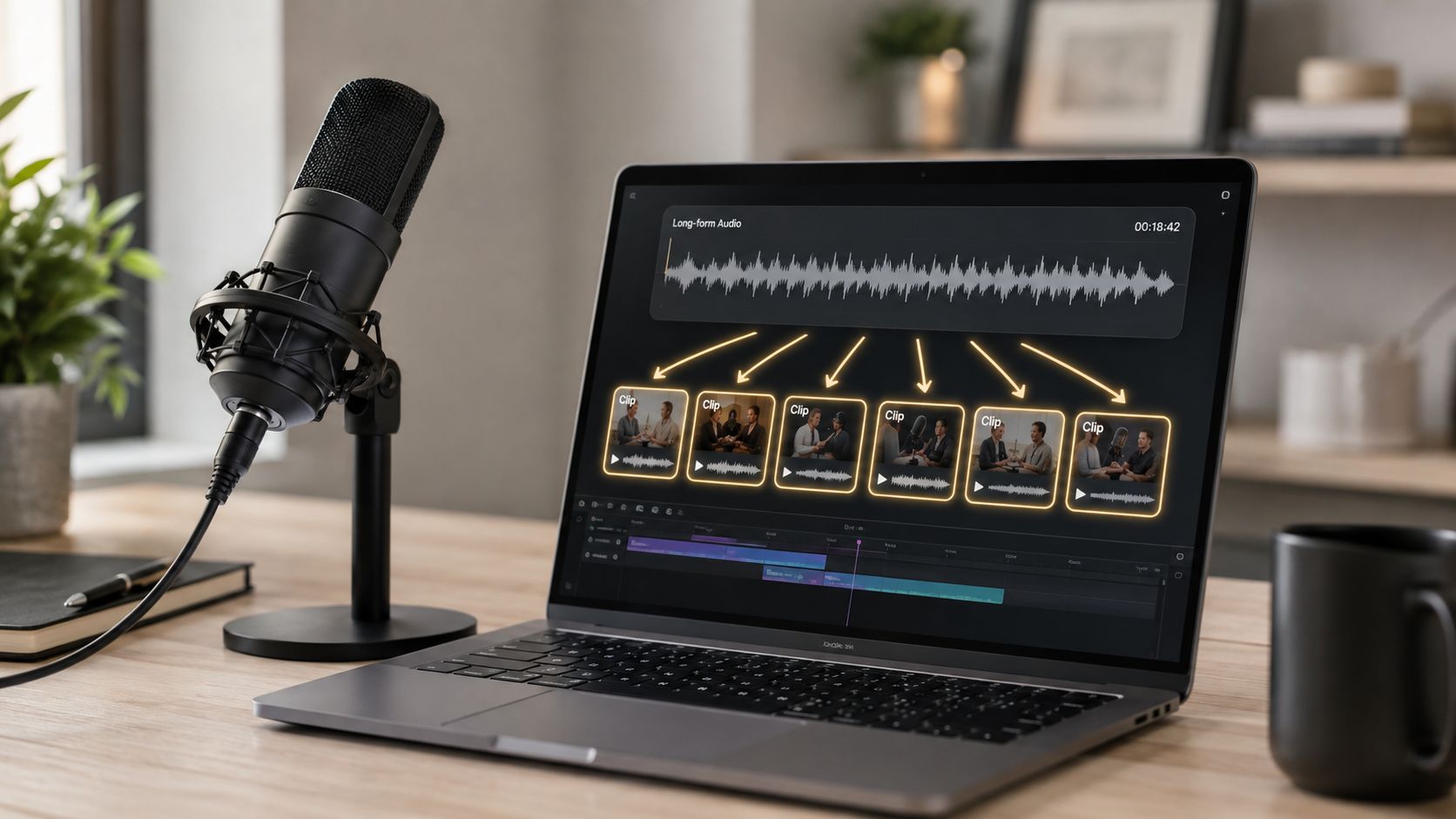
The clip formula is simple. Hook fast, build tension, land the payoff. A listener question often makes the cleanest boundary because it gives you a natural start and stop point. A shift in tone also works well, especially when someone moves from background setup to a strong claim or an unexpected example.
Practical rule: batch-select clips after recording, not in the middle of it. You want enough distance to judge which moments are actually useful, not just memorable to you.
Repurposing beats one-off posting because you can test multiple angles from the same moment. One clip can be framed as a hot take, another as a how-to, and a third as a mistake to avoid. For practical workflow support, quso.ai’s podcast-to-video workflow is built for turning longer recordings into short clips without rebuilding the whole edit from scratch.
2. Captions as Content
Captions aren’t decoration. They’re part of the content itself. On mobile, a lot of viewers watch without sound, so the text on screen becomes the delivery mechanism, not just a support layer.

Auto-captioning changes the job. It reduces friction for the viewer and gives you another place to reinforce the hook in the first few seconds. On fast-moving platforms, that matters because the opening line and the visible text need to work together.
Use captions like this:
- Keep the text inside the safe zone: leave enough room so UI elements don’t cover the lower frame.
- Use high contrast: white text with a dark outline is easy to read on mobile.
- Fix brand terms quickly: auto-captions are fast, but they still need a human check.
- Match the hook: the first line of captions should echo the spoken opening, not repeat a generic title.
LinkedIn, TikTok, and Shorts all reward content that’s easy to consume, but the formatting details differ. How to add subtitles to YouTube Shorts is a useful reference if you’re building a caption workflow that has to survive mobile viewing, platform controls, and quick-scrolling audiences.
3. The Batching Blueprint
The fastest teams don’t record, edit, and publish one episode at a time. They batch the work. That means recording in blocks, pulling clips in batches, and scheduling weeks of content around a single production session.
A simple batching rhythm looks like this. Record when your energy is high. Clip immediately after while the context is still fresh. Schedule the output so you’re not scrambling every morning to post something new. The point is to separate creation from distribution.
Operational rule: build a two-week buffer before your first post goes live. That gives you room for fixes, emergencies, and stronger topic picks.
Scheduling doesn’t have to be as complicated as it often seems. Many post too often on a single platform and too little everywhere else. A better rhythm is staggered publication across the week, with each platform getting a steady cadence instead of a dump of content. If you need a broader framework, this repurposing strategy guide can help you build a repeatable release process around one recording session.
4. Platform-Native Formats
One clip should not be exported the same way everywhere. TikTok, Reels, YouTube Shorts, and LinkedIn reward different pacing, hook timing, and frame treatment. If you push one file to all of them, you waste reach and weaken the clip on every platform.
Start with the platform, then edit backward. TikTok needs a fast hook and a frame that feels native to the feed. Reels needs clean mobile readability and a pace that holds attention after the first glance. LinkedIn works better with a tighter business angle and text that makes the point immediately.
Use a checklist before export:
- Aspect ratio: confirm the file fits the platform format.
- Hook timing: trim the first seconds so the point arrives fast.
- Caption placement: keep text clear of UI overlays.
- CTA style: change the ask depending on where the clip will live.
Polish is not the goal. Native fit is. A clip that looks designed for the app will usually get more attention than a cleaner version that feels generic. Short-form formatting is not just about the edit, it is about visibility inside the interface, so build the frame, captions, and on-screen text around how people consume it.
5. Analytics & Metrics
Views are not enough. A clip that gets attention but drives no action is a weak asset. You need to know which clips bring followers, which ones drive clicks, and which ones move people toward demos, emails, or subscribers.
The best measurement habit is simple. Tag each clip back to its source episode, then review performance after the platform has had time to settle. Don’t panic on day one. Judge the clip after it has had enough time to earn real traction.
A clip with modest views and strong retention can beat a bigger clip that never converts.
Look at the outcome that matters for your channel. For a B2B team, that may be demo requests. For a creator, it may be follower growth or subscriber lift. For an e-commerce brand, it may be product clicks or email signups. The metric only matters if it matches the business goal.
Build a basic scorecard for every clip:
- View count: does the clip get initial traction?
- Retention: do people stay with it?
- Shares and comments: does it push people to react?
- Conversion: does it move viewers toward the next step?
That’s the difference between content that looks busy and content that earns its place in the funnel.
6. Building a Creator Studio
You don’t need to do every part of the workflow yourself. You need a clean process, clear rules, and one person who knows what good looks like. Once that’s in place, outsourcing clip selection, captions, or scheduling becomes much easier.
Start with one role, not three. If the edit is the bottleneck, hand off clipping first. If publishing is the bottleneck, hand off scheduling. If your voice gets lost, write a tighter style guide before you delegate anything else.
A workable system looks like this:
- Write the hook rules: explain what makes a clip worth publishing.
- Track timestamps live: use a shared sheet during recording.
- Review weekly: keep the editor aligned with what performed well.
- Hold a buffer: never outsource from a zero-day content deadline.
Voice gets preserved through process, not memory. If your team knows which moments matter, what the captions should sound like, and how the final post should be framed, you can scale without turning the show into generic content.
7. The Niche Angle
Broad topics are harder to clip well. Specific topics give you sharper hooks, clearer audience intent, and fewer weak episodes that try to speak to everyone. A show built around one problem, profession, or identity usually clips better than a vague show about “success” or “marketing.”
Specificity matters because it gives your team a real workflow. If someone searches your topic and every clip feels generic, the topic is too loose. If the phrasing on the clip is instantly recognizable to your buyer or audience, you have enough focus to turn one episode into many assets without repeating yourself.
Use a simple validation pass before you build the episode around an angle:
- Search the topic on TikTok and YouTube: if the top clips are weak, the niche may be too small or too thin.
- Map the core problem: keep the focus on one repeated pain point.
- Build angle variants: record around a central topic with multiple clip-ready subtopics.
- Label every clip clearly: use the niche keyword in the headline.
- Test the research load: if your team can’t quickly confirm what the audience wants, bring in Hire Virtual Assistants to handle the research and validation steps.
That approach also makes repurposing faster. Once the topic map is clear, one episode can produce a batch of shorts, quote cards, captioned posts, and platform-specific cutdowns without sounding repetitive.
8. Trend Jacking Within Your Format
Trends work when they fit your voice, not when you chase them blindly. A strong trend-jack uses a current format, sound, or meme structure without breaking the trust you’ve already built with your audience.
The best move is speed with boundaries. Keep a quick remix-ready clip format on hand, then test whether a trend fits your topic. If the joke or sound makes no sense in your niche, skip it. If it naturally sharpens the point, post while the trend is still early.
Practical rule: if you can’t adapt the trend within your normal content voice, don’t force it.
Short-form repurposing helps. A founder quote, customer reaction, or product insight can often be reframed into a trend format without inventing new material. That keeps the content useful while still riding the distribution wave.
A good trend workflow is simple. Check what’s moving. Decide fast. Publish fast. Then move on. The goal isn’t to become a trend page. It’s to use trends as a distribution layer for topics you already own.
9. The Re-Record
Some topics deserve a second pass. If a clip or episode still performs, don’t treat that as a one-time win. Treat it as a signal that the topic has more life in it, especially if you can improve the delivery, update the examples, or tighten the framing.
The best re-records aren’t copies. They’re upgrades. You keep the core idea, then add a new angle, a better example, or a clearer explanation. That keeps the topic familiar without feeling stale.
A clean re-record usually has three things:
- A proven topic: the original content already found an audience.
- A clear upgrade: better pacing, better examples, or sharper delivery.
- A fresh label: frame it as an updated take or part two.
Don’t re-record too soon. Give the audience time to cool off and grow. Then return to the topic with stronger production and a cleaner hook. This is one of the easiest ways to get more value from topics that already worked.
10. Cross-Platform Strategy
One episode should become a content system, not a single post. Record once, then break it into platform-native assets for TikTok, YouTube Shorts, LinkedIn, Instagram, and email. Copying the same clip everywhere wastes the episode and ignores how each channel works.
Build the stack by function. Short clips drive discovery. Captions keep people watching. LinkedIn should carry the business point. Email should expand the idea for readers who want context and action. One recording becomes a multi-channel campaign only when each version is shaped for the channel it lands on.
Use a simple workflow and assign each output a job:
- TikTok: fast hook, tight clip, direct point.
- YouTube Shorts: strong opening, mobile-friendly captions.
- LinkedIn: sharper takeaway, business framing, less fluff.
- Instagram: visual clarity, readable captions, simple CTA.
- Email: a short embed plus a practical takeaway.
Do the clipping, captioning, and scheduling together. That cuts waste and keeps production moving. A tool like quso.ai fits that setup because it handles long-video repurposing, auto-captions, and cross-platform scheduling in one workflow. For a deeper look at platform-specific growth, the AdStellar AI social media guide offers additional frameworks.
10-Point Comparison: Podcast Content Ideas
| Item | Implementation complexity | Resource requirements | Expected outcomes | Ideal use cases | Key advantages |
|---|---|---|---|---|---|
| The Short-Form Goldmine: Mining Long-Form Content for Viral Clips | Medium, needs a defined workflow and editing skills | Editing tools, clip-finding methods, possible automation, editor time | 8–15 short clips per long-form asset, wider reach, less creation time | Podcasters, webinar hosts, long-form creators wanting repurposing | High clip yield from one recording, reduces creator burnout |
| Captions as Content: Why Auto-Captioning Changed the Algorithm Game | Low–Medium, set up auto-caption plus QA process | Auto-caption tools, caption editors, styling and design time | Higher watch-through, better discoverability and SEO | Muted-viewing audiences, accessibility-focused content | Boosts retention and searchability, accessibility compliance |
| The Batching Blueprint: Recording, Repurposing, and Scheduling in Parallel | Medium, requires upfront planning and calendar discipline | Batch recording setup, scheduling tools, coordination with editors | 50–70% weekly time savings, consistent multi-week content pipeline | Regular publishers, networks, creators aiming for consistency | Efficiency at scale, reduces context switching |
| Platform-Native Formats: Why TikTok, Reels, and YouTube Shorts Need Different Clips | Medium, multiple edits per clip and format checks | Editors, export templates, platform-specific tooling | 40–60% higher engagement when customized per platform | Multi-platform distribution where format matters | Prevents cropping and UX issues, signals platform-native optimization |
| Analytics & Metrics: Which Clips Actually Drive Views, Engagement, and Revenue | High, requires tracking, tagging, and analysis skills | Analytics platforms, UTM tagging, data and time for analysis | Identify clips that drive followers, conversions, revenue | Monetization-focused creators, performance marketers | Data-driven optimization, reduces wasted effort on vanity wins |
| Building a Creator Studio: Outsourcing Clips, Captions, and Scheduling Without Losing Voice | High, SOPs, hiring, and quality controls needed | Budget for freelancers or agencies, collaboration tools, training time | Faster clip throughput, consistent voice, scalable output | Creators ready to scale production and delegate work | Speeds delivery, maintains brand voice at scale |
| The Niche Angle: Finding Your Unique Clip-Worthy Topic in a Crowded Space | Low–Medium, research and positioning work upfront | Competitive research tools, audience validation through forums and search | Higher engagement quality and stronger audience loyalty | Experts, specialists, creators seeking higher conversion | Greater engagement per view, easier monetization fits |
| Trend Jacking Within Your Format: Riding Sounds, Challenges, and Moments Without Losing Credibility | Medium, requires daily monitoring and rapid execution | Trend alerts, quick-edit templates, team readiness | Short-term spikes, 5–20x reach when timely | Growth-focused creators seeking virality windows | Rapid reach growth, high visibility to non-followers |
| The Re-Record: When and How to Revisit Topics Without Looking Repetitive | Medium, editorial judgment and differentiation needed | Production upgrades, editing for fresh framing | Renewed reach and relevance for proven topics | Evergreen topics with past high performance | Raises the ceiling for proven content, uses existing ideas well |
| Cross-Platform Strategy: How to Use a Single Podcast Episode for Multiple Channels | High, coordination across platforms and formats | AI clipping, captioning, scheduler, templates, team | 30–50+ pieces from one episode, consistent multi-channel presence | Podcasts and webinars aiming to maximize a single asset | Massive repurposing efficiency, broad platform coverage |
Your Next Step: Systemize Your Content
Having good podcast content ideas is only half the job. Growth comes from turning those ideas into a repeatable production system. If you keep brainstorming without a workflow, you’ll stay busy and stay inconsistent. If you build a system, one episode can keep working long after the recording session ends.
Pick two moves and commit to them on your next episode. Maybe that means batching clips and scheduling them across the week. Maybe it means tightening your captions and changing how you edit for each platform. Maybe it means choosing a narrower topic so the clip angles are stronger from the start. Don’t try to fix everything at once.
The better path is simple. Record with repurposing in mind, pull the best moments into short-form assets, and review what drives clicks, followers, and replies. Keep the topics specific, keep the format native to each platform, and keep the workflow consistent enough that you can repeat it next week without stress.
If you’re still doing this manually, you’re paying a time tax on every episode. A tighter system gives you more output from the same recording, which is the point.
Use one episode as your test case, then turn it into clips, captions, and scheduled posts you can reuse. If you want a faster way to do that, visit quso.ai and see how its clipping, auto-captioning, and scheduling workflow fits this kind of repurposing system.





