Instagram Reels Length: Limits and Best Durations
Up to 3 minutes in the Reels camera, and up to 15 to 20 minutes through upload flows, is the 2026 technical ceiling. For reach, start with 45 to 90 seconds, then cut shorter when the idea lands without the extra context.
That distinction is the part most creators miss. Maximum Instagram Reels length tells you what the app may accept. It doesn’t tell you what new viewers will finish, share, or watch twice. Instagram expanded the container, but discovery still favors concise clips, and Reels longer than 3 minutes aren’t placed in the Reels tab, according to Socialinsider’s 2026 guide to Instagram Reels length.
For creators, social media managers, and B2B marketers, the practical answer is simple: treat long video as raw material. Pull out the strongest moments, cut them into focused clips, add captions, protect the platform’s safe zones, and schedule each version separately.
Table of Contents
- What Instagram Reels Length Looks Like in 2026
- Maximum Reels Length by Upload Method
- Why Maximum Length Is Not the Same as Ideal Length
- Best Reel Duration for Each Content Type
- How to Trim Long Video into Reel-Length Clips
- Editing and Captions That Make Any Reel Length Work
- FAQ on Instagram Reels Length and Reach
What Instagram Reels Length Looks Like in 2026
In-app recording generally supports up to 3 minutes, while uploaded footage can reach 15 minutes, and some newer creation flows support up to 20 minutes. The exact ceiling depends on the account, app rollout, and whether you’re recording inside Instagram or uploading a finished file, as summarized in Zeely’s breakdown of Reels creation limits.
That creates two different planning rules. A longer upload may preserve more context for existing followers, but it loses the strongest discovery surface once it passes the 3-minute boundary. If your goal is non-follower reach, the upload ceiling is mostly irrelevant. Your useful ceiling is the longest version people will complete.
Practical rule: Use the maximum length for flexibility, not as a target.
A podcast interview, webinar, or product walkthrough shouldn’t become one oversized Reel just because Instagram accepts it. Extract several complete ideas instead. One clip can answer a question, another can show the result, and a third can handle the objection that would’ve made the original recording drag.
Your framing also matters. Before you edit, plan for vertical 9:16 composition and keep faces, product details, and text away from areas covered by interface controls. The Instagram Reel dimensions guide is useful when your source footage was recorded horizontally or needs reframing.
Maximum Reels Length by Upload Method
Your maximum Reels length depends on how you create and upload the post. Treat the limits below as technical ceilings, not targets.
| Upload Method | Max Length | Where It Surfaces |
|---|---|---|
| In-app Reels camera | Up to 3 minutes | Reels surfaces, feed, and eligible recommendations |
| Camera-roll upload through the Reels composer | Up to 15 minutes | Feed and account surfaces, with distribution depending on length and retention |
| Newer Reels camera rollout | Up to 20 minutes for some accounts | Longer-form Reel upload surfaces, with discovery constrained beyond 3 minutes |
The reach cutoff matters more than the largest upload number. Reels longer than 3 minutes aren’t placed in the Reels tab, limiting discovery among people who do not already follow you. A 15-minute file can upload successfully and still be a poor discovery asset.
Use longer uploads for repurposing, not for padding one idea. Start with the full interview, webinar, or walkthrough, then trim it into separate clips with one clear payoff each. If a segment needs more than 3 minutes, split it into a sequence rather than forcing the entire recording into one Reel.
If you’re uploading a file longer than 10 minutes, preserve the original frame rate and export a clean vertical version when possible. Remove unnecessary borders, tiny text, and low-quality re-encoding. A long video already demands attention, so keep the picture easy to watch.
For a platform comparison, this guide to choosing video duration for TikTok and Instagram provides useful context. Set the upload method around the job: use the Reels camera for short-form capture, and use the composer when you are cutting a longer source into focused clips.
Why Maximum Length Is Not the Same as Ideal Length
A longer Reel isn’t automatically a stronger Reel. The useful question is not “How long can Instagram accept?” It’s “How much time does this idea need before the payoff is complete?”
Independent analysis points to a narrower performance window than the technical ceiling. One recent guide identifies 45 to 60 seconds as a practical sweet spot, while the broader verified guidance supports 45 to 90 seconds as a strong starting range. Reels above 3 minutes also lose Reels-tab placement, so extra runtime can cost discovery before the viewer even evaluates the content. See the supporting analysis from Moonb on Instagram Reel length.
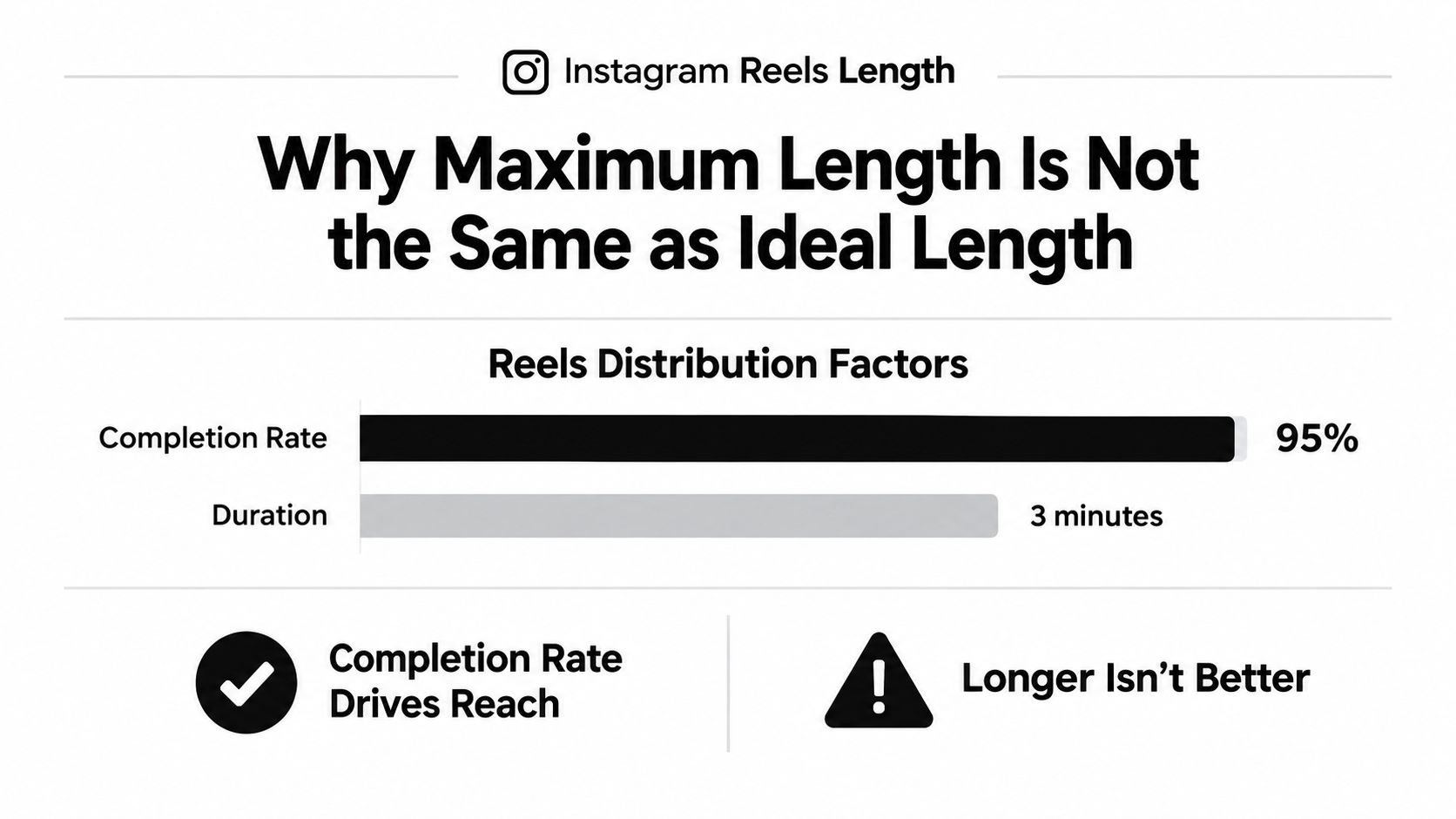
A three-minute upload often contains a useful 45-second idea surrounded by setup, qualifications, and trailing thoughts. Viewers don’t owe that context their attention. If the first answer is complete, the rest becomes a retention liability.
Open Instagram Insights and compare average watch time with the Reel’s total runtime. If viewers consistently leave before the explanation reaches its conclusion, cut the next version aggressively. If they stay through the payoff, you can test a longer edit without padding it.
Use the shortest complete version as your default. A longer cut earns its place only when every extra sentence adds context, proof, or a necessary step.
Best Reel Duration for Each Content Type
Match the duration to the payoff, not to a platform myth. A visual tutorial can move quickly because the viewer can see each step. A talking-head argument needs enough room to establish the claim, support it, and finish before the energy drops.
| Content Type | Sweet Spot | Maximum Useful |
|---|---|---|
| Visual tutorial or how-to | 30 to 60 seconds | 90 to 120 seconds when every step is necessary |
| Talking-head commentary | 45 to 75 seconds | 90 seconds for one tightly developed argument |
| Podcast clip | 30 to 45 seconds | 60 seconds if the setup directly supports the quote |
| Product demo | 15 to 30 seconds | 45 to 60 seconds for a complete feature walkthrough |
| Behind the scenes | 60 to 90 seconds | 90 seconds when the sequence has a clear payoff |
| Livestream or webinar highlight | 30 to 60 seconds | Split into multiple clips instead of uploading the full recording |
Podcast clips are especially easy to overrun. Start with the strongest sentence, remove the host’s warm-up, and cut immediately after the reaction or conclusion. A quote without a payoff is just an excerpt. A quote with a sharp reaction becomes a complete Reel.
Product demos need a different edit. Show the problem first, reveal the product action, and finish on the outcome. Don’t spend most of the clip navigating menus that the viewer doesn’t need to see.
For a broader operating checklist, use these Instagram Reels best practices. The same principle applies across every format: if a sentence doesn’t move the viewer toward the promised payoff, remove it.
How to Trim Long Video into Reel-Length Clips
Long video is not a finished Reel. It’s a source file containing several possible Reels, and your job is to separate the complete ideas.
Start by listening for moments that stand on their own. Look for a strong opinion, a surprising answer, a visible transformation, a clean explanation, or a story with a definite ending. Mark the start and end points, and reject anything that needs five minutes of setup to make sense.
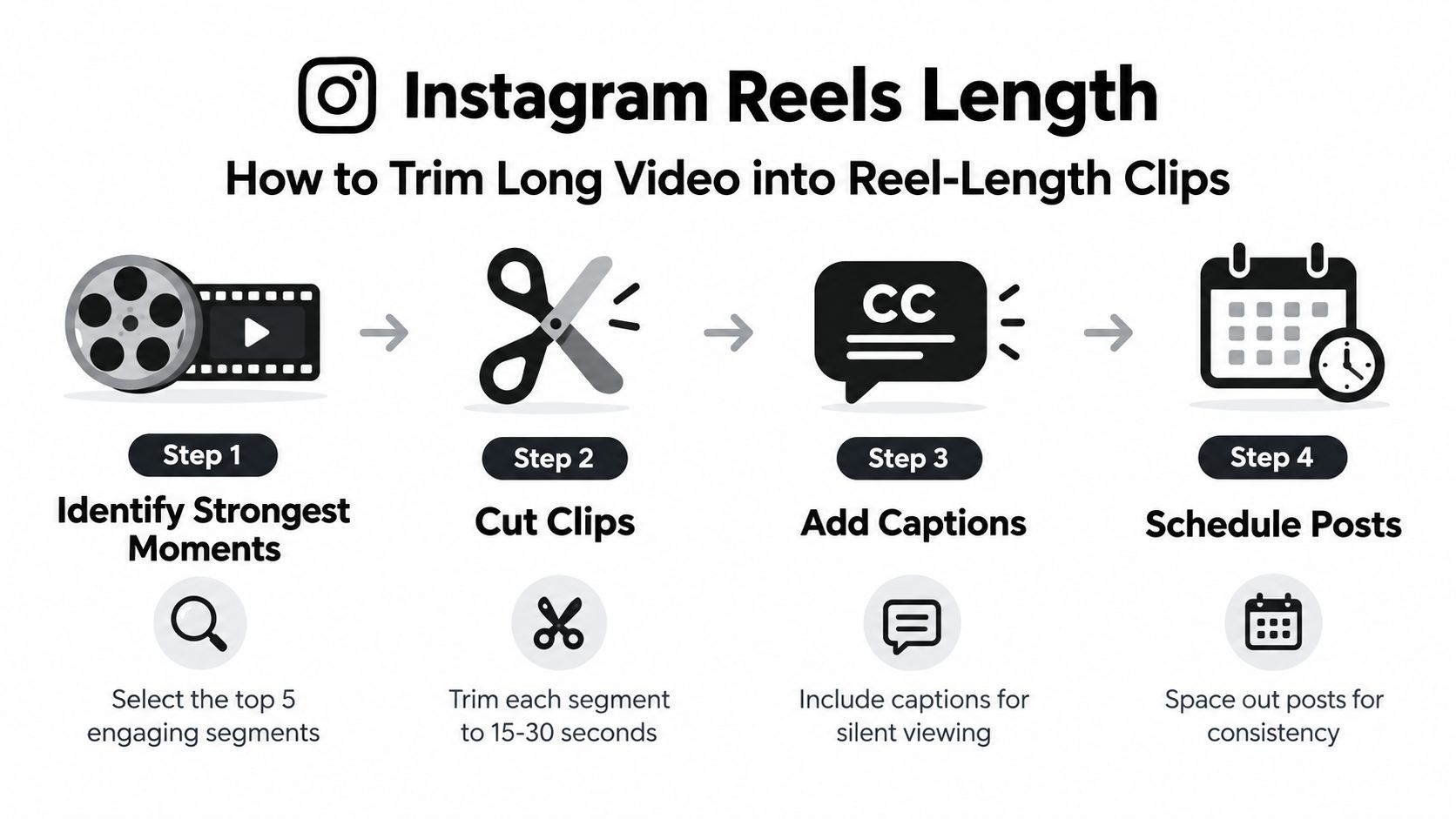
Use this workflow:
- Find the strongest moments. Identify complete arguments and visual hooks. Don’t choose clips only because the speaker sounds energetic. Choose moments with a clear promise and payoff.
- Cut each idea into its own file. Start with a concise version, commonly within the 30 to 90-second range. Remove greetings, repeated points, dead air, and trailing conclusions.
- Reframe for vertical viewing. Convert the composition to 9:16, keep the speaker centered, and protect important demonstrations from being cropped.
- Add captions and schedule the clips. Generate readable captions, place a strong text hook at the opening, then queue each clip for separate publishing rather than releasing the entire batch at once.
The supplied visual shows a shorter 15 to 30-second cut as one possible workflow. Use that range for simple tips, quotes, and quick product moments. Use the longer end only when the idea needs the extra room.
A long recording should produce multiple tests, not one bloated upload. With an AI repurposing workflow, you can identify moments, create vertical clips, apply captions, and queue the finished variations without rebuilding each edit manually. See how to make Reels from existing video for the practical production flow.
Editing and Captions That Make Any Reel Length Work
Duration can’t rescue weak pacing. A short clip with a slow opening still loses viewers, while a longer clip can work when each beat earns its place.
Put the hook in the first two seconds. Use movement, a visible result, a strong statement, or on-screen text that tells the viewer why the clip deserves attention. Don’t open with a logo animation, a greeting, or a sentence that takes several seconds to reach the point.
Then edit around meaning. Cut on movement when possible, remove pauses that don’t add tension, and use B-roll or a reframed shot when the speaker’s delivery becomes visually static. A cut should clarify the idea, not advertise the fact that an editor is working.
Captions need their own production pass:
- Keep the text readable: Use short phrases and a high-contrast treatment that works on a phone.
- Limit the stack: Avoid covering the speaker’s mouth or filling the frame with multiple competing text elements.
- Protect the bottom safe zone: Keep captions clear of the lower interface area, where usernames, descriptions, and other controls can overlap the frame.
- Protect the right side: Leave room for the action buttons and avoid placing key words or product details against that edge.
- Check the upper area: Don’t put the hook where account or audio information may cover it.
Captions should be burned into the composition only after you’ve checked their position on a phone-sized preview. Auto-captions can save time, but they still need review for timing, spelling, and line breaks.
End with a payoff that makes the next action obvious. That can be a conclusion, a visual result, a question worth answering, or a reason to save the clip. Don’t add a generic call to action after the idea has already ended. It makes the last seconds feel bolted on.
The best edit is the one that makes the chosen duration feel inevitable. Every second should either hook, explain, demonstrate, or resolve.
FAQ on Instagram Reels Length and Reach
How long can an Instagram Reel be in 2026?
Instagram’s in-app Reels camera supports up to 3 minutes. Upload flows can support up to 15 minutes, and some accounts have access to 20-minute uploads. Treat these as upload ceilings, not target runtimes. Your reach length is the shortest version that delivers one complete idea.
Is a 90-second Reel better than a longer Reel?
A 90-second Reel wins when it explains one substantial idea without pauses or repetition. Start substantial content at 45 to 90 seconds, then use Insights to see whether viewers reach the payoff. If retention drops early, cut the setup. If viewers stay through the ending, test a longer version.
Does aspect ratio affect Instagram Reels reach?
Yes. Use 9:16 vertical video so the subject fills the screen and important details stay clear of Instagram’s interface. Horizontal or square footage often creates unused space and makes the subject harder to watch.
Do captions matter more on longer Reels?
They matter more as runtime increases because viewers need help following the argument. Keep captions concise, sync them with speech, and keep them clear of the bottom and right-side interface areas. Check the finished text on a phone before publishing.
Why does a Reel have flat reach even when the length is correct?
Length is only one variable. Review the opening, especially the first 3 seconds, then check whether viewers reach the central payoff. This hack for Reels views adds practical ideas for improving the edit and opening.
A 15-minute recording should become a content batch, not one Reel. Split it into complete ideas, create shorter and longer variants, caption each cut, and publish the versions that earn their runtime.
quso.ai turns long recordings into short-form clips, formats them for vertical platforms, adds auto-captions, and helps schedule finished Reels. Upload a podcast, webinar, interview, or product demo to quso.ai, then cut and publish the strongest complete moments.





