How to Create Social Media Videos That Actually Perform

More than 5.42 billion people actively favor short and long-form video across major social platforms, so if you want to create social media videos that reach people consistently, you need a system built for volume, not one-off edits. The practical workflow is simple: ideate for repurposing, script hooks instead of full monologues, batch production with simple gear, use AI to edit and caption, then publish natively in the right format.
Most advice on this topic still points people toward hacks: fancy transitions, complicated shot lists, trend chasing, and endless manual editing. That works for a few posts. It doesn’t work for a creator, social media manager, or B2B team that needs clips every week without burning hours on every asset.
The better approach is operational. Build one solid long-form recording, then turn it into multiple platform-ready posts. That’s the only setup that scales when your real constraint isn’t ideas. It’s time.
Table of Contents
- Your System to Create Social Media Videos at Scale
- Ideation and Scripting for Maximum Engagement
- Simple Production That Delivers High Quality
- AI-Powered Editing, Captioning, and Repurposing
- Platform-Specific Publishing and Optimization
- Frequently Asked Questions
Your System to Create Social Media Videos at Scale
If you want to create social media videos consistently, stop treating every post like a separate production. A workable system beats better gear almost every time.
Video is already the default format. More than 5.42 billion global users actively favor short and long-form video clips across major social platforms, which is why teams that still rely on static posts usually feel like they’re fighting the feed instead of working with it. The shift is broad enough that consistency matters as much as creativity, as outlined in this video consumption breakdown.
A scalable workflow has five parts:
-
Ideate for repurposing
Start with topics that can support a longer conversation and break into standalone clips. -
Script hooks, not paragraphs
The first line has a job. The rest can be guided by bullet points. -
Batch production with simple gear
Phone, mic, light, stable frame. That’s enough. -
Use AI to edit, caption, and clip
Manual cropping and subtitle cleanup are where production time disappears. -
Publish natively with platform specs in mind
Format, framing, captions, and safe zones all affect whether the post lands cleanly.
Operator rule: The fastest way to miss your posting schedule is to build a workflow that only works when you have extra time.
For broader planning, it helps to connect this workflow to a repeatable video content strategy for social channels.
Ideation and Scripting for Maximum Engagement
Volume problems usually start in planning, not editing. If an idea only works as one complete video, it creates extra production work later because there are no clean moments to reuse.

Start with the anchor asset
Build around one source recording with enough substance to split into multiple posts over time. That could be a webinar segment, podcast episode, training lesson, product walkthrough, or a sharp opinion on a common mistake. The job of the anchor asset is simple: give you one strong recording session that can supply weeks of short-form output.
I use a structure with a tight opening and three distinct points. That format makes clipping easier because each section can stand on its own. An 8 to 12 minute recording built this way usually gives you several usable shorts without forcing the editor to rescue weak material.
The planning filter is straightforward:
-
Single takeaway per segment
Each section should answer one question or make one claim clearly enough to become its own clip. -
A point of tension
Good clips often come from disagreement, a trade-off, or a correction to bad advice. -
Specific language
Name the tool, step, mistake, or decision. General commentary sounds fine in a long video and falls flat in a short one.
Weak ideas create dependency on editing. Strong ideas survive with a basic cut, clean captions, and a clear first line.
If you need stronger openings, this list of video hook ideas for short-form content is useful for pressure-testing whether a topic has enough tension to earn attention fast.
Script the hook, not the whole video
Overwritten scripts usually hurt delivery. The speaker starts reading instead of explaining, pacing gets rigid, and the edit has fewer natural cut points.
Write the first line with care. Then outline the body in bullets.
That approach keeps the opening sharp and leaves enough room for natural phrasing, pauses, and emphasis. Those small variations matter because they create cleaner clip boundaries later. You are not just recording a full video. You are recording a source file that needs multiple extraction points.
One practical rule matters here. Many viewers watch social video with the sound off, so the hook has to work visually as well as verbally. Strong first-line captions are part of the script, not something to patch in after the fact, as shown in this practical breakdown of caption-first short-form editing.
A simple hook framework:
| Hook type | What it does | Example style |
|---|---|---|
| Contrarian | Challenges weak common advice | “Stop filming separate videos for every platform.” |
| Mistake-based | Calls out a common failure | “Your clips are losing because nothing useful happens early.” |
| Outcome-first | Leads with the result | “Here’s how to turn one webinar into a month of posts.” |
For the body, keep three bullets on screen or on paper:
- Point one makes the claim.
- Point two explains the trade-off or why the common approach fails.
- Point three gives the next action.
That structure holds up in long-form and clips cleanly in short-form. It also makes review faster because each segment has a job. When a section rambles, you can spot it immediately and re-record only that part instead of scrapping the whole take.
Simple Production That Delivers High Quality
Production quality matters, but not in the commonly perceived way. Viewers will tolerate a basic setup. They won’t tolerate muddy audio, bad lighting, or a frame that feels careless.

Use a small setup that removes friction
A smartphone is enough for most social video workflows. The primary task is removing reasons not to record.
A lean setup looks like this:
-
Phone camera
Use the rear camera if you can monitor framing. If not, the front camera is fine if the image is clean and stable. -
Lavalier mic
Audio upgrades perception faster than almost anything else. -
Window light or ring light
Sit facing the light source, not with it behind you. -
Tripod
Stability makes even simple footage look intentional.
A lot of creators overspend on cameras and underspend on repeatability. That’s backwards. If the setup takes too long to build, you won’t use it often enough.
For a cleaner recording process, this video production workflow guide is the kind of checklist worth keeping nearby.
Record for clips, not just for the full video
When you’re filming an anchor video, leave room for the edit. That means slightly slower pacing, cleaner pauses between points, and visual framing that survives a vertical crop later.
Three recording habits help:
-
Pause between thoughts
It gives you natural cut points. -
Keep the speaker centered with vertical crop in mind
If you’re too wide or off-frame, resizing later gets messy. -
Avoid clutter near the bottom and edges of frame
That’s where platform UI often overlaps once the clip is published.
Safe zones matter more than people think. Bottom captions can get covered by interface elements. Top text can collide with usernames or platform chrome. If the key sentence sits too low, the clip may still be technically correct and practically unreadable.
A visual walkthrough helps here:
The production target isn’t “cinematic.” It’s clean source material that can survive cropping, captioning, and reposting without extra work.
AI-Powered Editing, Captioning, and Repurposing
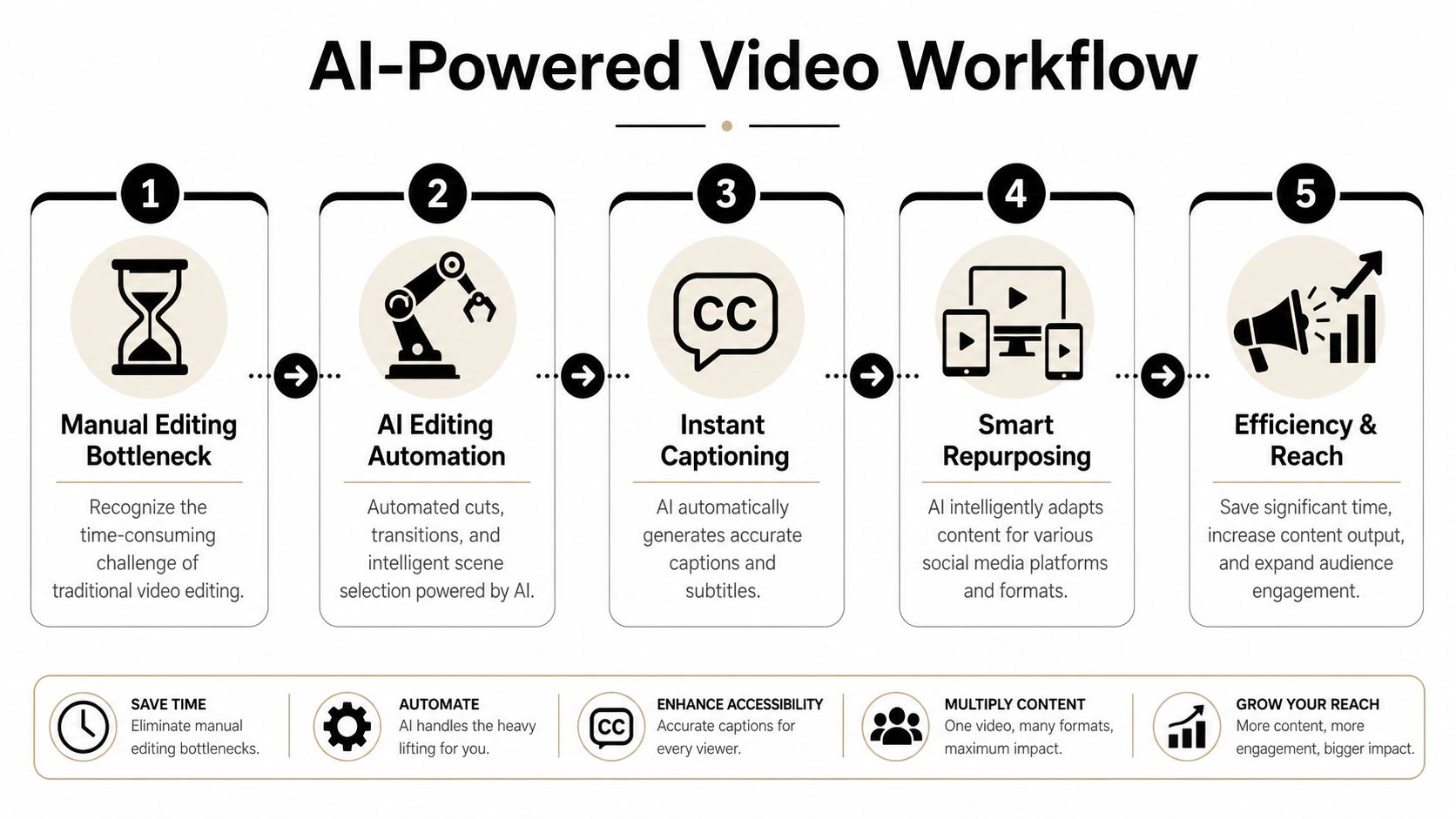
Editing is usually where a repeatable video system slows down. Recording one solid long-form video is manageable. Turning that recording into a steady backlog of usable short clips is the part that either scales or collapses.
Start with an anchor video that can be mined later
Repurposing works best when the source video has clear sections, clean transitions, and one point at a time. If the original recording rambles, no editing tool will save much time.
A practical structure is simple. Open with a fast hook, then move through a few distinct points that can stand on their own as clips. That gives the editor obvious extraction points instead of forcing someone to search through filler for usable moments.
I treat the workflow like this:
-
Anchor video
One useful long-form recording with a clear topic and segmented points -
Core clips
Short videos built from single claims, stories, or answers -
Platform versions
Variations of the same clip with different framing, captions, and opening text
That middle layer matters most.
Teams waste time when they jump straight from long-form recording to platform-specific editing. Pull the best clips first. Then adapt them for each channel.
What to edit for
Social editing has four jobs. If one fails, the clip usually underperforms even if the idea is strong.
Reframe for vertical viewing
Short-form video needs to feel native in a vertical feed. That usually means 9:16 at 1080 x 1920, with the subject centered well enough that cropping does not cut off gestures, facial expression, or visual context.
Cut to a single point
One clip should carry one idea. If a segment includes two arguments, split it into two posts. The shorter version is often stronger because the viewer understands the payoff faster.
Add captions that are readable, not just accurate
Auto-captions are a starting point. They still need cleanup for punctuation, speaker intent, line breaks, and safe-zone placement. This guide on how to add subtitles to YouTube Shorts covers the formatting side well.
Rewrite the first line on screen
The spoken intro is often too slow for short-form. I usually tighten the opening text so the claim lands in the first second or two, even if the speaker takes longer to say it out loud.
Where AI helps most
AI is useful in the expensive, repetitive parts of the workflow. Transcript-based clipping, silence removal, speaker tracking, vertical reframing, caption generation, and batch exports are all good candidates.
One platform can remove several separate steps at this stage. quso.ai fits that job when the input is long-form video and the output is a queue of short clips ready for review. It handles clipping, captions, reframing, and scheduling prep in one workflow, which cuts down tool switching and manual export work.
The trade-off is straightforward. AI is fast at pattern recognition and formatting. It is weak at judgment.
Use AI for:
- First-pass clip pulls
- Caption drafts
- Aspect ratio conversion
- Batch prep for multiple posts
Keep human review for:
- Choosing the strongest opinion or teaching point
- Fixing weak hooks
- Checking text placement against platform safe zones
- Making sure each clip says one clear thing
That distinction matters if you want output you can publish, not just output you can generate.
Repurposing also changes how you package the same idea for different audiences. A direct educational clip may work on LinkedIn with cleaner captions and a slower hook. The same source moment can be recut for creators or musicians with a stronger visual opening and different text framing. If you need examples of audience-specific packaging, these Instagram marketing strategies for artists are a good reference point for how positioning changes even when the underlying content angle stays similar.
Platform-Specific Publishing and Optimization
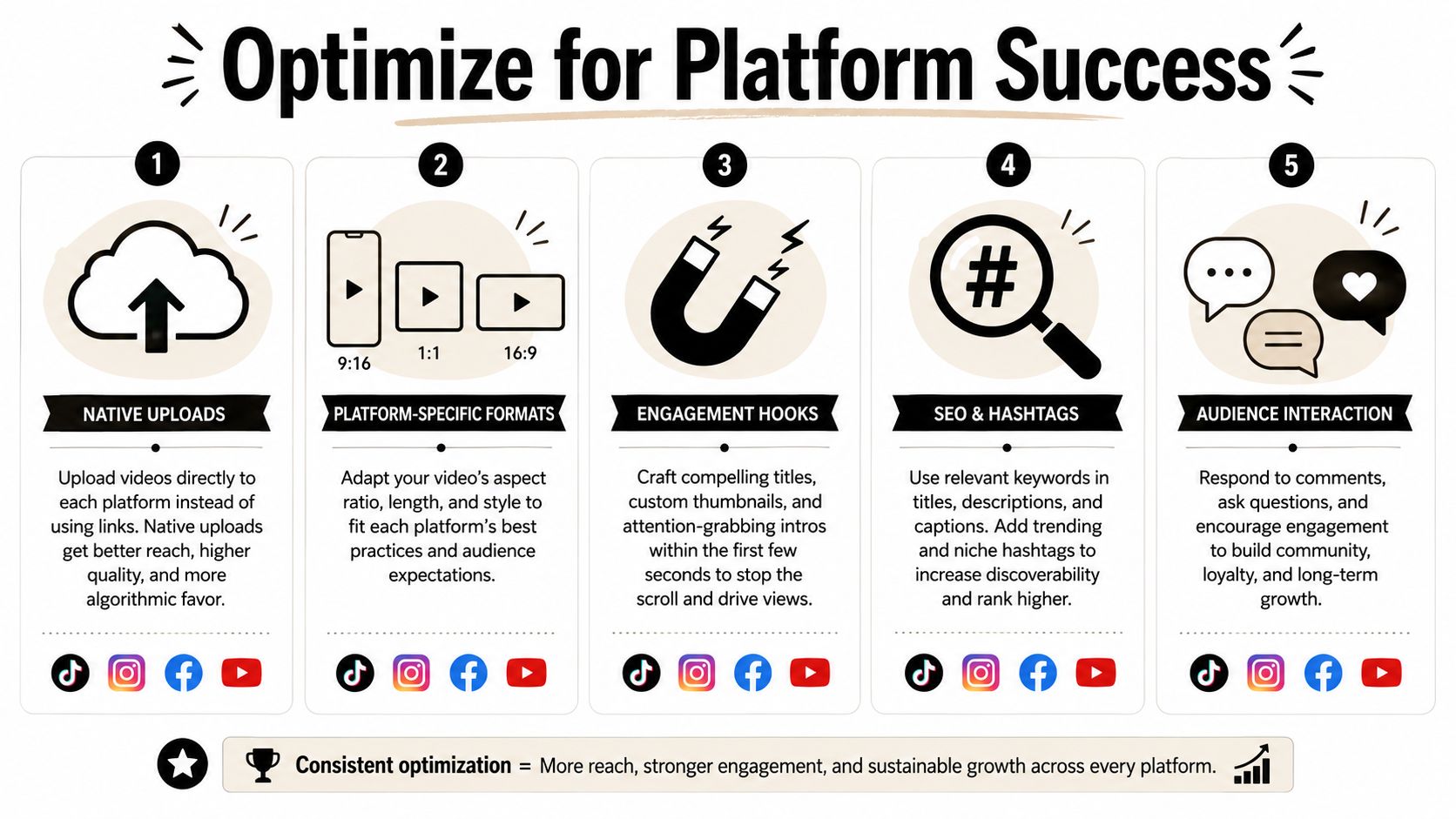
Content publishers often lose reach at the final step because they treat publishing like file transfer. It isn’t. Every platform has its own packaging rules, and native upload still matters.
Native upload is not optional
If you’re still posting a YouTube link into Facebook and calling that video distribution, expect weaker results. Based on a study of over 6 million Facebook posts, native video uploads on Facebook generated 109.67% higher average interaction rates and 477.76% higher share rates than videos shared from external platforms, according to Vidpros’ summary of the Facebook video study.
That doesn’t mean every platform behaves identically. It does mean the operating principle is clear: upload directly where you want the video to perform.
A practical publishing checklist by platform
Use this as a final pass before you hit publish.
| Platform | What matters most | Safe zone reminder |
|---|---|---|
| TikTok | Fast hook, native 9:16 framing, caption readability | Keep key text away from bottom interface and edge clutter |
| Instagram Reels | Clean opening frame, readable captions, strong first line | Avoid placing important text near top overlays or lower action area |
| YouTube Shorts | Search-aware title and opening clarity | Leave space for captions and don’t crowd the lower frame |
A few practical differences matter:
-
TikTok
Trend alignment helps, but clarity still wins. Use native vertical framing and make the opening understandable without audio. -
Instagram Reels
Visual polish matters a bit more. Cover frames, opening captions, and on-screen text placement carry a lot of weight. -
YouTube Shorts
Think about search intent more than trend mimicry. The title and topic packaging should make sense even outside the feed.
Keep captions high enough to stay visible, but not so high that they collide with usernames or top UI. Safe-zone mistakes ruin otherwise strong edits.
If you’re posting in visual niches, this piece on Instagram marketing strategies for artists is a useful outside reference because it focuses on how presentation choices shape response on Instagram, even if your niche isn’t art.
The final check is simple: native upload, vertical frame, readable captions, clean safe zones, platform-specific packaging.
Frequently Asked Questions
What length should social media videos be?
Short-form works best when one clip covers one idea. If you’re repurposing a longer source, clips in the 15 to 60 second range are a practical target when you’re pulling highlights from a structured long-form video, as noted earlier in the repurposing section.
Do I need to show my face to create social media videos?
No. Faceless videos can work if the value is clear. Screen recordings, narrated slides, product demos, tutorial overlays, and text-led explainers all work if the hook lands quickly and the captions carry the point.
How do I find topics that turn into multiple clips?
Start with recurring questions from customers, clients, comments, sales calls, demos, webinars, or podcasts. The best topics have natural sub-points, disagreement, or step-by-step advice that can stand alone in short form.
How often should I post?
Pick a cadence you can sustain from one recording workflow. Consistency beats short bursts of overproduction. If your system can’t survive a busy week, it’s too fragile.
What’s the biggest mistake when publishing short-form videos?
Ignoring safe zones. A strong clip loses impact when captions, headlines, or proof points sit under platform UI or get cut off near the edges.
If your current workflow breaks at the editing and repurposing stage, quso.ai is worth trying for the specific job of turning long videos into short clips, adding captions, and getting posts scheduled without a manual production pileup.





