How to Repurpose Podcast Content: A 2026 Workflow
How to repurpose podcast content starts with one transcript, a few strong moments, and a distribution plan. In practice, one episode should become short clips, captioned social posts, quote graphics, and a scheduled backlog so the content keeps working after launch day.
Table of Contents
- Why Repurposing Is a System Not a Task
- How to Identify Clip-Worthy Moments
- The Technical Workflow for Creating Social Clips
- Building Your Content Distribution Engine
- Beyond Video Clips Other High-Value Formats
- Frequently Asked Questions
Why Repurposing Is a System Not a Task

Manual repurposing can swallow 10 to 19 hours per episode, which is why it breaks down when teams treat it as a one-off job instead of a repeatable operating model (Rise25). In a market with nearly 4 million active podcasts and more than 28,000 new shows launched every day, an episode that only lives in one feed is easy to overlook (Riverside).
The advantage comes from turning one recording into many assets
Building a workflow that transforms one recording into a usable asset library is beneficial. One episode can become 10 to 20 or more pieces of content depending on how you distribute it, and repurposing can expand reach by 12x while reducing per-piece cost by 80% compared with starting from scratch for every channel (Rise25).
Practical rule: if the episode is already recorded, the expensive part is done. The value now comes from extraction, formatting, and distribution.
That matters because discovery does not happen in one place. People find ideas in search, on social feeds, in inboxes, and through recommendations that do not care whether the original file was audio or video. A better workflow also makes it easier to reuse the transcript as the source material for clips, posts, and written assets, which is why teams that want a structured approach often start with a content repurposing strategy and then adapt the same logic to podcast output.
The shift is simple. Stop asking, “What clip should I make today?” Start asking, “What system turns this episode into enough channel-native assets to stay visible all week?” That mindset is what makes podcast repurposing economically worth doing, especially if you are managing your own publishing cadence or running content for a B2B brand.
Teams also get more reuse when they plan the episode for downstream distribution before they record. That includes deciding where a quote will fit on a vertical cut, where the caption must stay clear in a small mobile frame, and which segment can later turn archives into high-performing ads without needing a full re-edit. Those choices belong to the system, not the edit session.
How to Identify Clip-Worthy Moments
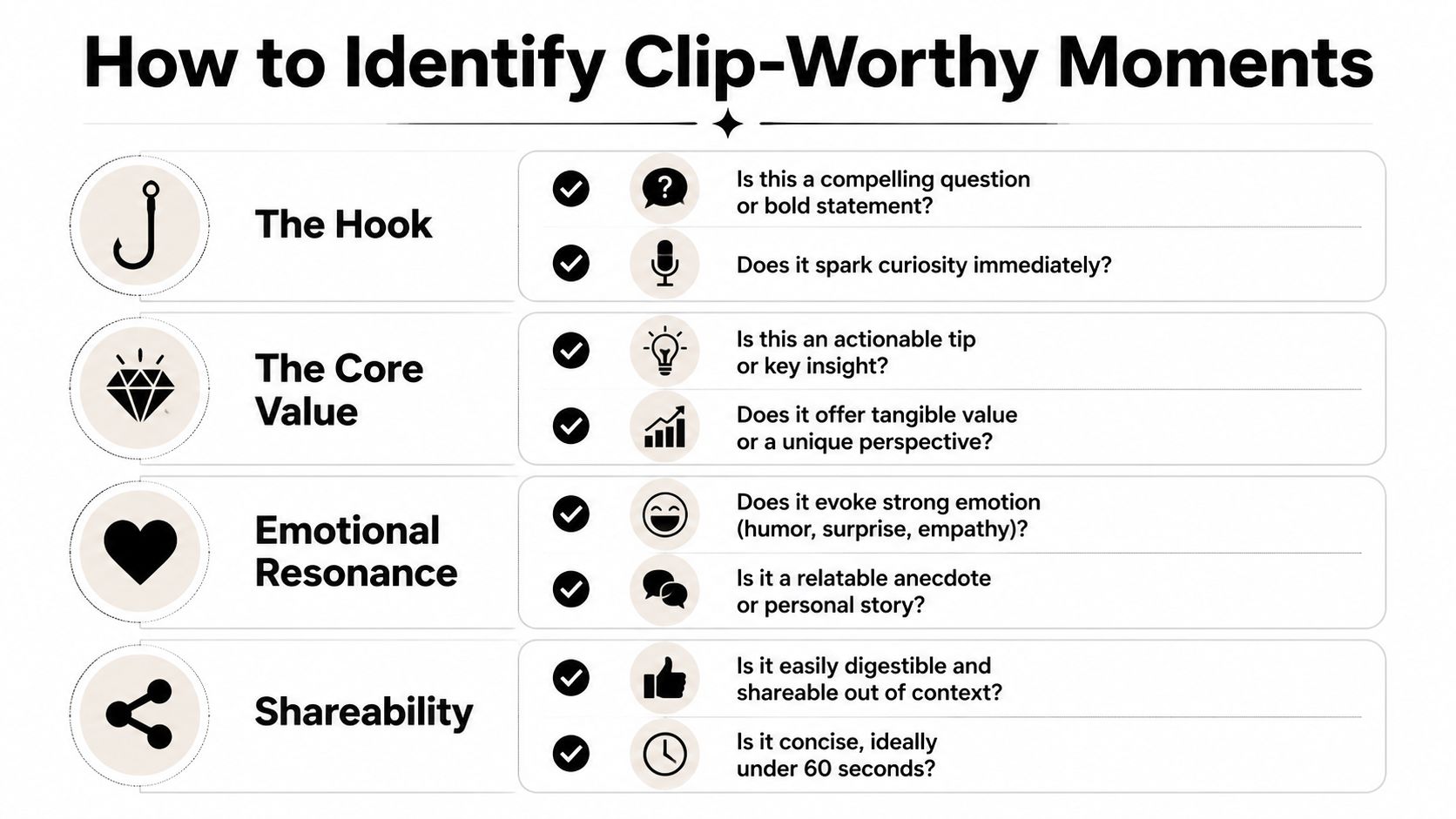
Start with the transcript, not the timeline. A strong clip usually carries one idea, one payoff, and one clear reason to keep watching, so the first job is to mark moments that stand on their own. Short-form guidance usually points to 30 to 60 second segments, and anything that tries to cover too much should be split before it ever reaches the edit queue (Flexwork Studios).
What to mark in the transcript
Look for moments that have utility or tension built in. Strong opinions, surprising data points, guest reactions, actionable steps, and relatable stories usually perform better than vague summaries because they already contain a hook.
Use a simple checklist:
- Bold claims or sharp opinions. These create curiosity fast and give the clip a clear point of view.
- Specific how-to steps. Action beats abstraction when the goal is to earn a save or share.
- Emotional reactions. Laughter, surprise, agreement, or disbelief makes a segment feel human.
- Concrete examples. A real story is easier to watch than a general principle.
- Standalone clarity. If the clip only makes sense after five minutes of setup, cut it tighter.
The transcript pass is also where supporting context gets mapped. The repurposing workflow from Content Allies recommends timestamping standout moments before turning them into clips, blog sections, and social assets, then exporting the final edits in platform-specific formats such as vertical for YouTube Shorts and Instagram Reels, or square for LinkedIn.
A good clip should still make sense if someone sees it cold in a feed with no prior relationship to the show.
That is the filter. If the moment needs too much setup, keep trimming until the core idea is obvious in the first few seconds. The goal is not to preserve every interesting sentence. The goal is to isolate the sentence that can carry the rest of the asset.
The Technical Workflow for Creating Social Clips
Once you’ve marked the right moments, the technical work is straightforward. Transcribe first, cut second. That gives you a reusable map of the episode, so you’re not hunting through the file every time you want a new asset.
Format for the platform before you export
Use the frame the platform expects. Vertical 9:16 fits YouTube Shorts and Reels, while square 1:1 is still the safer default for LinkedIn when you want the video to sit cleanly in feed. The reason matters more than the format itself. A clip that looks native to the platform is easier to consume, and easier to stop on.
Captions are essential. A practical workflow guide notes that 85% of viewers watch social video without sound, so the text has to do real work, not just decorate the frame (Content Allies). That also means placing captions inside the safe zones, away from the bottom edge where platform UI can cover them, and far enough from the sides that buttons, profile elements, or cropping don’t hide key words.
Build once, then reuse the structure
Template discipline pays off. Keep the same caption style, font treatment, and brand frame so every clip doesn’t need a fresh design decision. If the clip needs a lower-third, use one consistent layout. If a speaker name appears, keep it in the same place every time.
For teams that want the process compressed into one pass, ImagineVid AI production guide is a useful reference for thinking about production as a repeatable pipeline rather than a single edit. The same logic applies here. Find the moment, cut the clip, caption it, brand it, and prepare it for posting without rebuilding the workflow each time.
If you’re comparing tools, the internal page on best podcast clip generators to create scroll-stopping content is the most relevant next read.
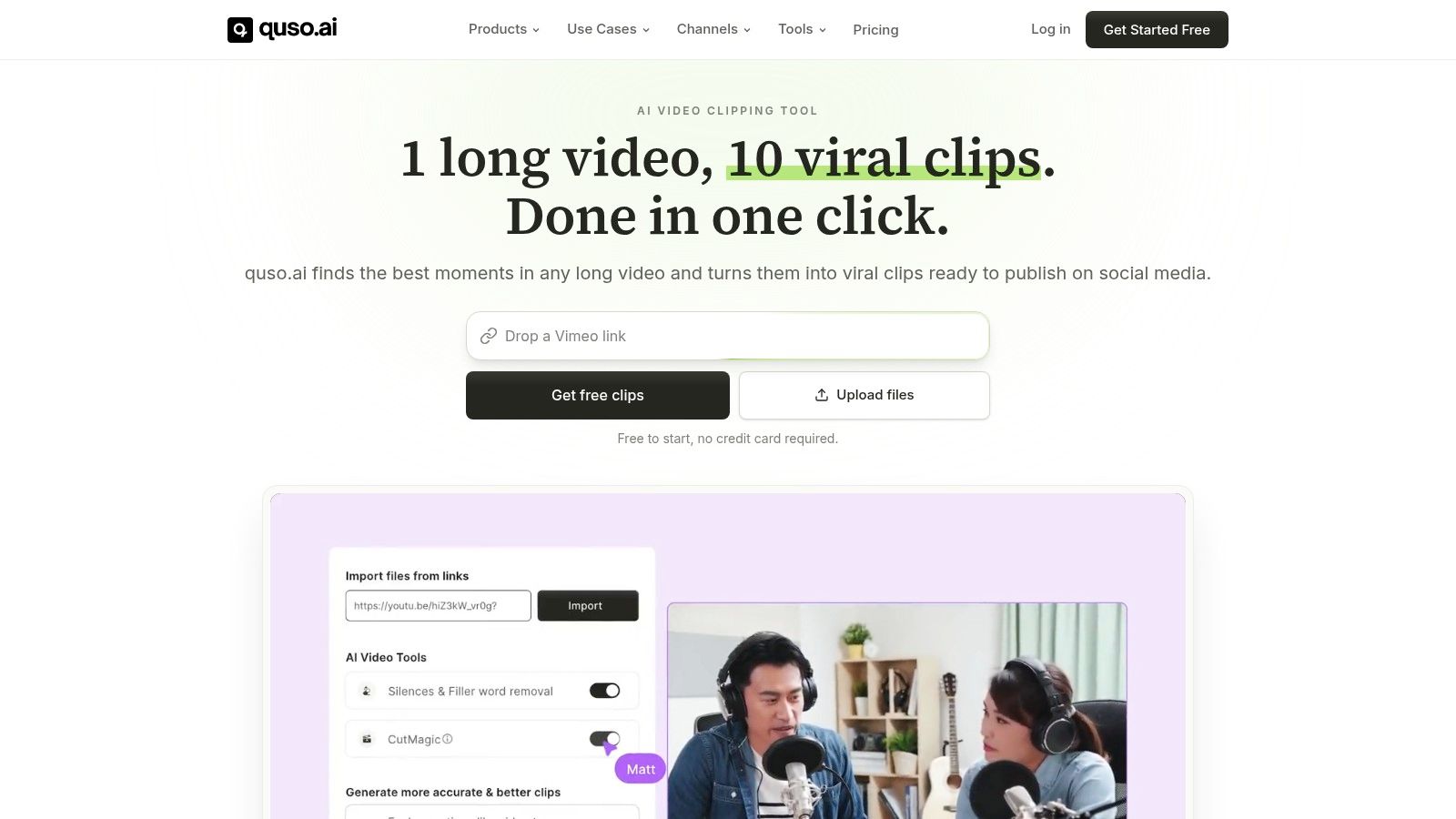
For a practical quso.ai use case, this is the part where a single upload can be turned into clips, captions, and a scheduled queue without bouncing between tools. That’s the operational advantage. Less re-editing, fewer handoffs, and a cleaner path from transcript to publishable asset.
Building Your Content Distribution Engine
Creating the clips is only half the job. Distribution turns a recording into a week of presence, and strong teams treat it as a distributed production system instead of a posting scramble. A structured workflow lets you spread the work across the week while keeping the feed active, without forcing one long editing session.
The practical pattern is simple. Pull 5 to 7 standout moments from one episode, then map them into 3 to 5 LinkedIn posts and 2 to 3 clips or audiograms before you schedule anything. Queue posts 7 to 10 days ahead so the episode keeps compounding after launch instead of fading the moment it goes live, as outlined by Postory.
Schedule for continuity, not just launch day
Many creators leave value on the table at this stage. They post the episode once, maybe clip one quote, and then move on. That approach makes the podcast feel like a one-day event. A distribution engine makes it feel ongoing.
A practical scheduling rule from podcaster workflows is to spread content across the week so the transcript powers clips, LinkedIn posts, X threads, and weekend scheduling cycles, as noted by Postory. The point is not to be everywhere at once. It is to stay visible without constant manual work.
Don’t publish a clip and hope it travels. Put the clip into a sequence that carries the episode forward.
A useful discussion of this issue is why podcasters need more than Spotify, because discovery reaches beyond one listening app and your repurposed assets should reflect that reality.
If you’re working in a team, this is the easiest place to build consistency. One person can mark the moments, another can format the clips, and scheduling can happen in one batch. The system stays intact even when episode volume increases.
Beyond Video Clips Other High-Value Formats
The transcript is a motherlode asset, not just a clip source. Once it exists, it can feed formats that fit different audience preferences and different stages of attention. That matters because not every good idea needs motion to work.
Audiograms are the fallback when you have a strong moment but no usable video. They’re lightweight, easy to consume, and useful for turning an audio-first show into something that can still live on social feeds. Quote graphics work when the line is sharp enough to stand alone visually, especially for platforms where a clean statement can travel farther than a full conversation.
Turn the episode into written and visual assets
A blog post is the third high-value format because it gives search engines a place to understand the episode more thoroughly. If you want to see that workflow in practice, the internal guide on how to turn podcast into a blog is the right companion piece. It’s the same source material, just reshaped for reading instead of watching.
The strongest repurposing operators don’t ask whether the episode can become “more content.” They ask which format gets the same idea in front of the right audience fastest. A quote graphic may be better for quick attention, a blog section for search, and an audiogram for a low-lift social post.
That’s the core advantage of transcript-first thinking. You’re not producing isolated assets. You’re building a library of channel-native outputs from one recording session, which is exactly what a practical content system should do.
Frequently Asked Questions
How many clips should you make from one podcast episode
There is no fixed count that works for every show. A better rule is to pull a small set of strong moments, then decide which ones deserve to become clips, posts, or graphics. In practice, repurposing works best when you start with a few transcript highlights and only promote the ones that hold up on their own.
Can you repurpose an audio-only podcast
Yes. Audio-only episodes still give you the same raw material, the transcript, the quotable lines, the actionable steps, and the guest reactions. That material can become audiograms, blog posts, quote graphics, and social captions without a video file.
What’s the difference between an audiogram and a full video clip
An audiogram is built around audio, waveform visuals, and captions. A full clip uses the actual video footage from the conversation. Audiograms help when the conversation is strong but the visual material is limited. Full video clips usually work better when body language, facial expressions, or guest reactions add meaning to the moment.
Should you repurpose old podcast episodes
Yes, especially if the topic is evergreen. Older episodes often contain useful ideas that never received much distribution the first time around, and repurposing them gives your back catalog a second life. Revisit the strongest transcript moments, refresh the framing if needed, and schedule them like new assets.
What should you do if a clip has too many ideas
Cut it down until it has one core point. That is the cleanest way to keep a short-form clip understandable on its own. If a segment covers several ideas, split it into multiple assets instead of forcing one clip to carry everything.
If you want to turn one episode into clips, captions, and a scheduled content queue without rebuilding the process every week, visit quso.ai. It is built for repurposing long video into short-form assets and scheduling them across social platforms. Use it when you want the transcript to become a repeatable publishing system, not another manual task.





