Convert Your Podcast to a Blog Post: Step-by-Step Guide
Your podcast episodes contain hours of valuable content that most of your potential audience will never hear. Not because they are not interested, but because they prefer reading, cannot listen at work, or simply never discovered your show through search.
Converting podcast episodes into blog posts solves all three problems at once. This guide walks you through the complete process—from selecting the right episodes and generating transcripts to formatting for readability and promoting your finished posts across multiple platforms.
Why convert your podcast into a blog post
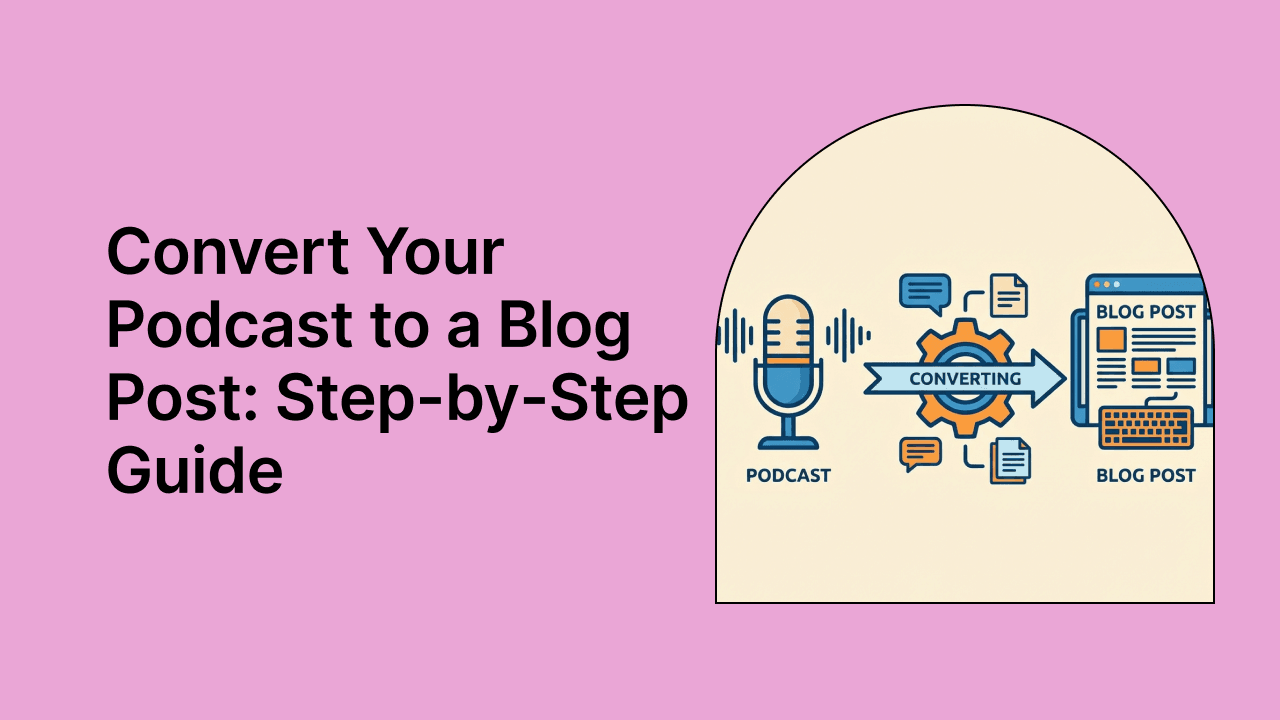
Turning a podcast into a blog post comes down to one core process: transcribe your audio, edit the transcript into an engaging article, add visuals and SEO elements, then embed the audio player. AI tools speed up transcription, but you will still want to refine the draft, add your own insights, and optimize for search engines.
The payoff is straightforward. Your content reaches more people without requiring you to create something entirely new.
Reach audiences who prefer reading
Not everyone listens to podcasts. Some people prefer reading because of their learning style, hearing difficulties, or simply being in a quiet office where playing audio is not an option.
A blog post version of your podcast meets readers where they are. You are not replacing your audio; you are expanding who can access it.
Improve search engine visibility
Google indexes text, not audio files. Your podcast episodes remain invisible to search engines unless you publish written content alongside them.
A well-structured blog post gives search crawlers something to work with. Your podcast topics can then rank for relevant keywords and drive organic traffic back to your show.
Increase content shareability
Text is easier to quote, reference, and share than audio. A reader can copy a specific passage, link to a particular section, or screenshot a key point for social media.
Podcast episodes, on the other hand, require listeners to commit time before they can share a specific insight. Blog posts remove that friction entirely.
Extend the lifespan of your episodes
Podcast episodes often see a spike in downloads at launch, then taper off. Blog posts behave differently. They can continue driving traffic for months or even years through search.
An episode you recorded last year can still attract new readers and listeners today.
Best tools to turn podcasts into blog posts
The right content repurposing tool can cut hours from your workflow. Here is a quick comparison of popular options:
| Tool | Key features | Best for |
|---|---|---|
| quso.ai | AI Content Repurposing, blog generation, social clips, scheduling | All-in-one workflow from podcast to multi-platform content |
| Podsqueeze | Podcast-specific blog generation, show notes, SEO-focused output | Podcasters wanting dedicated podcast-to-blog conversion |
| Descript | Transcription, text-based audio editing, filler word removal | Creators who also edit their audio in the same tool |
| Otter.ai | AI transcription, speaker identification, searchable notes | Quick transcription with collaborative features |
1. quso.ai
quso.ai's AI Content Repurposing tool transforms podcast episodes into blog posts, show notes, and social content from a single upload. You upload your audio or video, and the platform generates written content while also creating clips for social media.
The advantage here is consolidation. Rather than juggling separate tools for transcription, blog writing, clip creation, and scheduling, you handle everything in one place.
{{cta-richtext}}
2. Podsqueeze
Podsqueeze focuses specifically on podcast content. It analyzes your episode, identifies keywords, and generates a structured blog post with headings and subtitles.
The tool is built for podcasters who want a dedicated solution without broader content repurposing features.
3. Descript
Descript combines transcription with text-based audio editing. You can edit your podcast by editing the transcript. Delete a sentence of text, and the corresponding audio disappears.
If you already use Descript for podcast editing, generating a transcript for your blog post is a natural extension.
4. Otter.ai
Otter.ai provides AI-powered transcription with speaker identification. It works well for interview-style podcasts where you want to distinguish between multiple voices.
The transcripts are searchable and shareable, though you will still want to edit them into proper blog format.
How to convert a podcast episode to a blog post
Here is the step-by-step process for turning your audio into a polished blog post.
1. Select the right episode to convert
Not every episode makes a great blog post. Look for episodes with evergreen topics, clear takeaways, or high listener engagement.
Avoid time-sensitive content that will date quickly. An episode about "marketing trends for Q1 2024" has a shorter shelf life than "how to write compelling email subject lines."
2. Generate a transcript using AI
Upload your audio file to an AI transcription tool. Most tools produce a rough transcript within minutes.
Review the output for speaker labels, timestamps, and transcription errors. AI often struggles with proper nouns, so guest names, book titles, and brand names frequently require manual correction.
3. Edit the transcript into written content
A raw transcript is not a blog post. Spoken language is full of filler words, tangents, and incomplete thoughts that work fine in conversation but read poorly on screen.
Transform conversational speech into polished prose:
- Remove verbal tics: Cut filler words like "um," "you know," and "like"
- Restructure rambling sections: Reorganize scattered thoughts into logical flow
- Condense where possible: A 50-word spoken explanation might become a 15-word written sentence
4. Add structure with headings and subheadings
Break your content into scannable sections with descriptive H2 and H3 headers. Each section addresses a single topic or question.
Headings serve two purposes. First, they help readers find what they are looking for. Second, they signal to search engines what your content covers. Think of headings as an outline that sells the content beneath.
5. Enhance with visuals and media
Add relevant images, graphics, or screenshots to illustrate your points. Visual elements break up text and give readers a more dynamic experience.
Embed the podcast player so readers can listen while reading, or switch to audio if they prefer. Keeping both formats connected gives your audience options.
6. Optimize for SEO
Add target keywords naturally throughout your post. Write a compelling meta description that encourages clicks from search results.
Include internal links to related content on your site and external links to sources you mention. Search engines use link signals to understand your content's context and authority.
7. Publish and embed your podcast episode
Publish on your blog and embed the audio player at the top or bottom of the post. Add links back to your podcast feed so readers can subscribe.
Including a clear call-to-action encouraging readers to listen to the full episode or subscribe to your podcast helps bridge the two formats.
Should you use a full transcript or key takeaways
You have two main approaches when converting podcast content to written form.
| Approach | Best for | Considerations |
|---|---|---|
| Full transcript | Interview episodes, educational content | Longer, requires more editing |
| Key takeaways | Solo episodes, actionable topics | Shorter, more scannable |
Full transcripts work well for interviews where the guest's exact words carry weight. Readers may want to reference specific quotes or follow the conversation's natural flow.
Key takeaways work better for actionable content where readers want quick answers. You distill the episode into its most valuable points without requiring readers to wade through the full discussion.
Many creators publish both: a key takeaways blog post for general readers and a full transcript for accessibility and SEO purposes.
How to format your podcast blog post for readability
Spoken content does not automatically translate to readable written content. Here is how to bridge that gap.
Use short paragraphs and white space
Keep paragraphs to two or three sentences maximum. White space helps readers scan and reduces visual fatigue.
Long blocks of text feel intimidating. Short paragraphs invite readers to keep going.
Add bullet points and numbered lists
Convert any lists mentioned in your audio into visual bullet points. Break down processes into numbered steps.
Lists add breathability and make information easier to digest at a glance.
Include pull quotes from your episode
Highlight memorable quotes in styled blockquotes to break up text and add visual interest. Pull quotes also make excellent social media snippets.
Pull out short, pithy statements that capture key insights. A well-chosen quote can convince a skimmer to read the full section.
Insert relevant images and graphics
Add stock photos, custom graphics, or screenshots to illustrate your points. If you reference data or statistics, consider creating a simple chart.
Images also help with social sharing. Posts with visuals tend to get more engagement than text-only content.
How to promote your podcast blog post
Creating the blog post is only half the work. Distribution determines whether anyone actually reads it.
Share on social media with native clips
Create short video clips featuring key moments from your episode. Native clips drive traffic back to the full blog post while performing well as standalone content.
Tools like quso.ai's Intelliclips can automatically identify the most engaging moments for short-form video.
Add to your podcast show notes
Link to the blog post from your episode show notes. Linking creates a natural pathway for listeners who want to reference the content later.
Many podcast apps display show notes prominently, making this an easy win.
Include in email newsletters
Feature the blog post in your email newsletter with a compelling excerpt and link to read more. Your email subscribers already know and trust you, so they are likely to click through.
Cross-link between blog posts and episodes
Build internal links connecting your blog and podcast content. Reference related episodes in your blog posts and link to relevant blog posts in your show notes.
An interconnected approach helps both search engines and readers discover more of your content.
Repurpose your blog and podcast across multiple platforms
Once you have both audio and written versions, you can extend your reach even further.
Create social media clips from key moments
Short-form video performs well across platforms. Extract 30 to 60-second clips highlighting your most valuable insights.
quso.ai's AI Clips Generator can identify engaging moments automatically, saving hours of manual scrubbing through footage.
Generate audiograms for audio-first platforms
Audiograms combine audio clips with waveform visualization and captions. They work well on platforms where users scroll with sound off but might stop for an interesting visual.
Transform blog posts into LinkedIn articles
Republish your blog post on LinkedIn with minor adjustments for the professional audience. Tag any guests or sources you mention.
LinkedIn's algorithm tends to favor native content over external links, so publishing directly on the platform can increase visibility.
Build an email series from episode content
Turn comprehensive blog posts into multi-part email sequences. Email series nurture your audience over time while repurposing content you have already created.
Turn your podcast into a content engine with quso.ai
Converting podcasts to blog posts is one piece of a larger content workflow. The real efficiency comes from consolidating transcription, blog generation, social clips, and scheduling into a single platform.
quso.ai's AI Content Repurposing tool handles the complete pipeline. Upload your podcast episode, and the platform generates blog content, social media clips, captions, and more. Then use the Social Media Scheduler to distribute everything across seven or more platforms.
{{cta-richtext}}