How to Get More Views on Instagram Reels in 2026
Instagram Reels aren’t a side format anymore. They average 16,153 views per post versus 198 views for standard photo posts, an 81-fold increase in visibility, according to Vidico’s roundup of Instagram Reels statistics. If you want reach beyond your current audience, Reels are how to achieve it.
How to get more views on Instagram Reels comes down to five levers: retention, on-screen text, distribution, technical setup, and iteration. Not hacks. A repeatable system that gives each Reel a real chance to reach non-followers instead of dying in your follower bubble.
Table of Contents
- Your Guide to Getting More Views on Instagram Reels
- Engineer High-Retention Reels from Hook to Loop
- Master On-Screen Text and Hashtag Strategy
- Systemize Your Posting and Distribution Workflow
- Optimize Technicals and Use Growth Features
- Analyze Performance and Iterate for Growth
- Frequently Asked Questions About Instagram Reels Views
Your Guide to Getting More Views on Instagram Reels
A small percentage change in retention or replays can be the difference between a Reel stalling and a Reel reaching far beyond your followers. That is why accounts that grow on Reels do not rely on one-off ideas. They build a repeatable production system.
If you want more views on Instagram Reels, treat Reels as a weekly engine, not a creative gamble. The strongest accounts publish with a clear workflow. They source clips from longer videos, package each Reel for fast comprehension, push distribution on purpose, and review results in batches so the next set improves. That approach scales better than chasing trends post by post.
This matters even more for creators, marketers, and small teams managing multiple channels. Filming every Reel from scratch is slow, expensive, and hard to sustain. Repurposing solves that, but only if the process is tight. Pull strong moments from interviews, webinars, podcasts, tutorials, or UGC. Cut them into short assets. Add the right hook, structure, text, and posting cadence. Then reuse the same framework every week.
If you need stronger top-of-funnel creative, study proven video hook ideas for short-form content and build them into your editing template instead of reinventing openings every time.
Reels also work better when they support account growth as a whole. If you want to connect short-form views to profile visits, follows, and broader content strategy, read this guide to discover organic Instagram marketing.
Practical rule: Stop asking which Reel might go viral. Build a system that helps you publish strong Reels every week, review what earns distribution, and turn winning patterns into a repeatable workflow.
Engineer High-Retention Reels from Hook to Loop
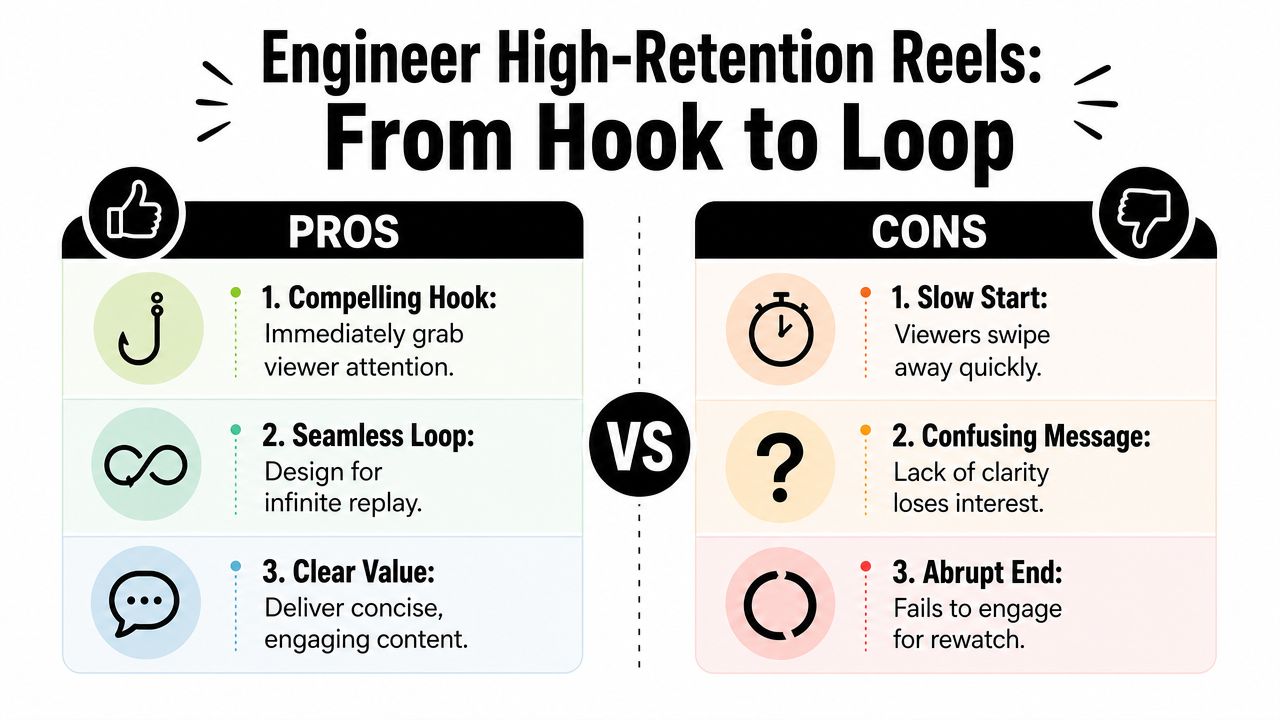
Retention decides whether a Reel gets pushed past your existing audience. To maximize Instagram Reels views, aim for a low skip rate and target an average view duration of 20 to 30% of the total video length. For a 60-second Reel, that means an average view duration of 12 to 18 seconds, based on guidance summarized from this Reels retention breakdown.
Build the first three seconds for the scroll stop
The opening frame has one job. Make the viewer understand why they should stay.
That usually means one of three things:
- A clear outcome: “3 mistakes killing your demo-to-trial conversion”
- A strong contrast: before versus after, wrong way versus right way
- Immediate motion: camera movement, visual change, or a fast cut that interrupts the scroll
Slow intros hurt distribution. So do vague openings like “Hey guys” or a talking head taking too long to get to the point.
If your hooks are weak, study proven video hook ideas for short-form content and adapt them to your niche instead of reinventing the structure every time.
Tighten the middle and earn the replay
The middle should deliver one idea, not five. Educational Reels often underperform because they’re overloaded, not because the topic is bad.
A simple structure works:
- State the problem
- Give the fix
- Show the result or key takeaway
Keep visual changes moving. The verified guidance here is practical: introduce movement within the first second and use dynamic cuts or angle changes every few seconds to reset attention. Static shots make skipping easier.
If viewers can’t tell what they’ll get in the first moments, they leave before the content has a chance to prove itself.
The end matters too. Abrupt stops reduce replays. Clean loops, payoff text on the final frame, or a closing line that visually reconnects to the beginning can buy another watch.
Master On-Screen Text and Hashtag Strategy
A large share of Reels views happen with the sound off. If the message only works through audio, you lose people before the clip has a chance to build watch time.
Use text as a retention tool
On-screen text should help the viewer process the Reel faster. Good text reduces friction. It tells people what they are watching, why it matters, and what to look at next.
Dynamic captions and text overlays can increase replays and completions because viewers often scan, re-read, and stay longer to catch each beat, as noted in this breakdown of Reels caption tactics. The strongest text layers add context instead of repeating what the camera already shows.
Use text for one clear job at a time:
- Clarify the takeaway: state the point in plain language
- Guide the sequence: show step 1, step 2, step 3
- Create an information gap: hold back the payoff until the next cut
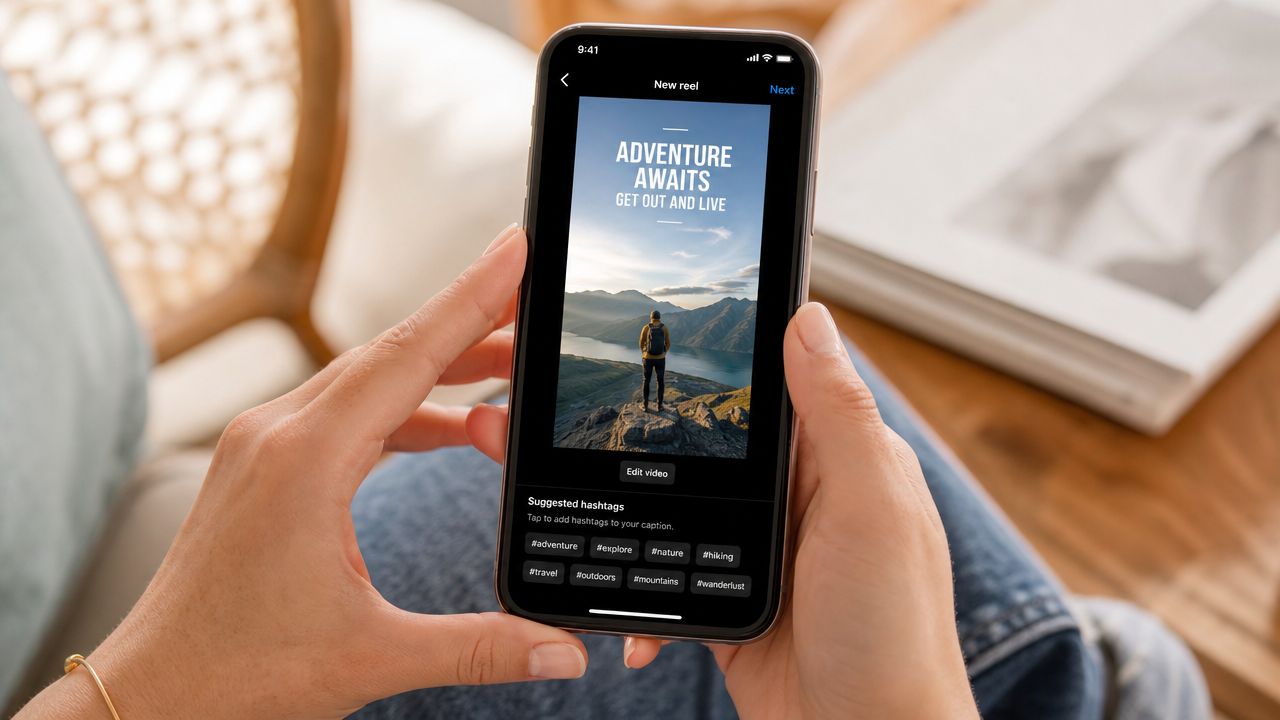
Placement matters more than many teams realize. Keep key text out of the top and bottom UI zones, and test covers on an actual phone screen before publishing. A strong hook hidden behind the username bar is still a weak hook in practice.
This also matters for repurposing. If you are clipping long-form content into Reels, build text templates once and reuse them across formats. The workflow gets faster, and the packaging stays consistent across every post in your content pipeline. If your team is batching distribution, a documented social media scheduling workflow for recurring posts helps keep those text treatments consistent instead of reinventing them for every Reel.
Treat hashtags and captions like discovery inputs
Hashtags still help with categorization, but they do not carry the whole load. Instagram also reads the caption, on-screen text, and the overall topic of the video to decide who should see it.
The practical approach is simple. Put hashtags in the caption, keep them relevant to the actual clip, and skip broad trending tags that attract the wrong audience. I usually see better reach from tight topical alignment than from stuffing in every large hashtag in the niche.
A workable mix looks like this:
| Tag type | What to use it for |
|---|---|
| Broad niche tags | Main topic category |
| Specific use-case tags | Audience intent and subtopic |
| Community tags | Industry or creator cluster discovery |
Captions should support search and click-through, not read like filler. Name the topic clearly, include the phrase your audience would search, and match that wording to the text on screen. That alignment gives Instagram more context and gives your team a repeatable packaging system for repurposed clips.
A quick walkthrough can help if your team needs examples of packaging decisions in motion.
Systemize Your Posting and Distribution Workflow
Accounts that publish Reels consistently outperform accounts that post in bursts, then disappear. The gap usually comes down to workflow, not creativity. Teams that build a repeatable system can produce more shots on goal, test more hooks, and keep distribution steady without turning every Reel into a custom project.
Build from long-form instead of filming from scratch
Repurposing is one of the fastest ways to raise output without raising production time. Jenn’s Trends points out that many strong Reels start as long-form content, then get repackaged with a sharper hook, tighter pacing, and captioning built for silent viewing.
That matters because most brands already have source material. Webinars, demos, podcasts, sales calls, tutorials, founder clips, and customer interviews all contain Reel-worthy moments. The job is not to film more by default. The job is to identify segments with a clear takeaway, cut them for retention, and package them in a way Instagram can distribute.
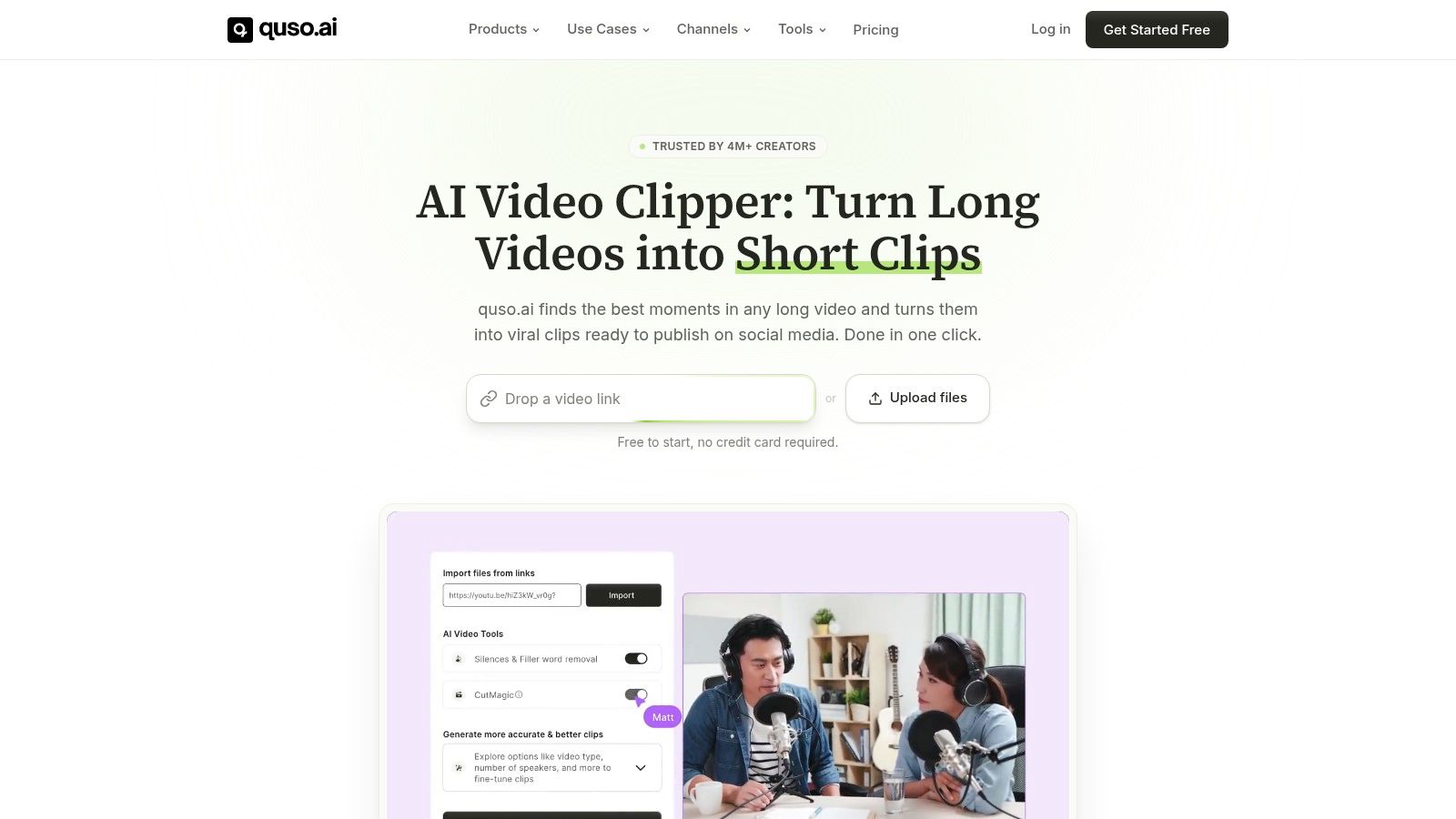
quso.ai fits that workflow in a practical way. It helps teams turn longer videos into short clips, add captions, and queue posts without rebuilding every asset from scratch.
The strongest teams do this in batches. One recording session can produce five to fifteen usable Reel cuts if the source is organized well. That gives you a repeatable content engine instead of relying on isolated viral hits.
Create a distribution routine around every post
Publishing is only half the job. Distribution needs a process too.
Early engagement still influences reach, so every Reel should have a support sequence attached to it. Share the Reel to Stories right after publishing. Add a poll, question box, or slider if it fits the topic. Then stay close to comments during the first hour so replies do not sit cold while the post is gaining its first wave of impressions, based on AmpiFire’s Reels distribution advice.
Use a simple operating rhythm:
- Before publishing: finalize the caption, queue the Reel, and prep the Story share
- At publish: post the Reel and send it to Stories immediately
- First hour: reply to comments and DMs tied to the post
- Later that day: log early signals so strong topics and weak hooks are easy to spot in future batches
Scheduling gains importance at scale. A documented social media scheduling workflow keeps publishing cadence, approvals, and Story distribution organized, especially when one source video feeds multiple Reels across the month.
Done well, this system compounds. You spend less time chasing new footage and more time improving packaging, timing, and distribution across a growing clip library.
Optimize Technicals and Use Growth Features
A strong Reel can lose reach before the first view if the file is exported poorly or published without the right native signals. Technical cleanup is not glamorous, but it is one of the easiest ways to protect distribution across a high-volume Reels workflow.
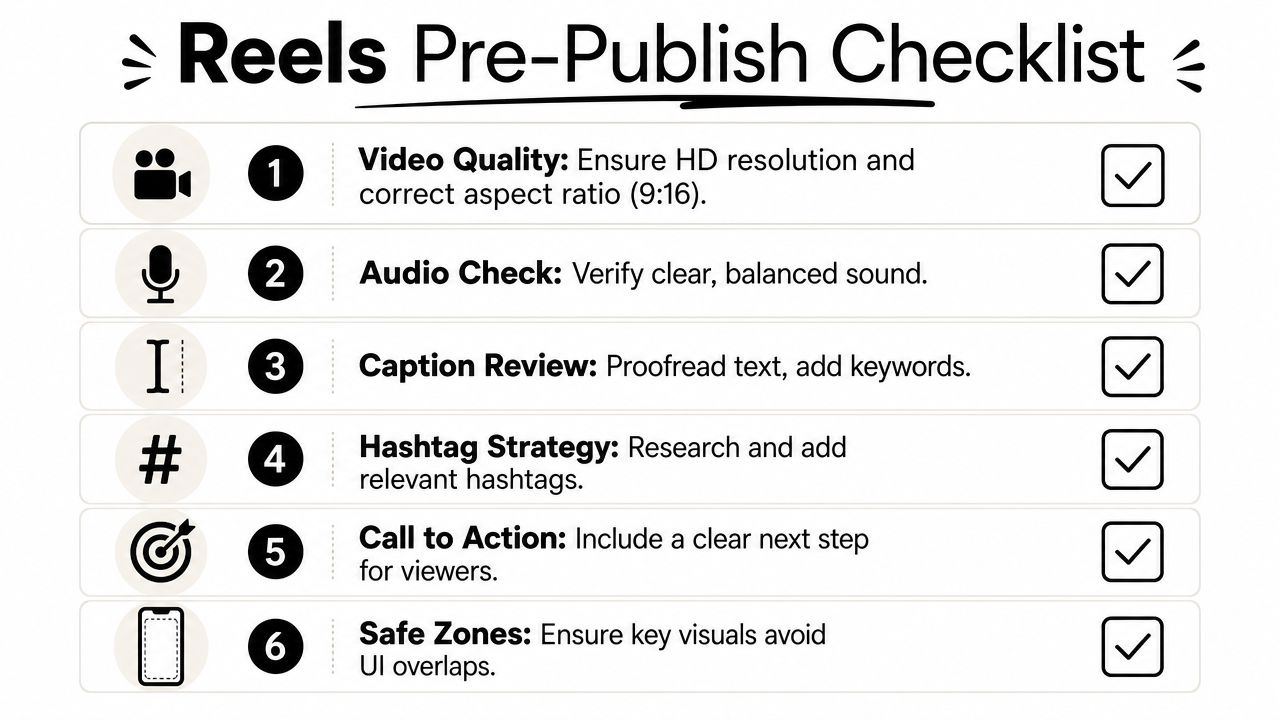
Run a pre-publish check every time
Always follow the same technical standards. Upload Reels in 9:16 at 1080 x 1920 pixels and keep the export sharp, vertical, and free of platform watermarks or black borders.
That matters even more when you repurpose one source asset into multiple cuts. A clip may perform well on TikTok or YouTube Shorts, then lose momentum on Instagram because the framing is off, text sits under the UI, or the export carries another platform’s branding. Small technical misses stack up fast when you publish in batches.
Use a short pre-publish checklist:
- Frame check: vertical, clean, and full-screen
- Safe zone check: hook text, subtitles, and CTAs stay clear of interface overlap
- Export check: no watermark, no black bars, no compression artifacts
- Metadata check: caption and topic labels match the actual subject of the Reel
If your team cuts once and distributes everywhere, save time by standardizing exports and templates. This guide to Instagram Reel dimensions helps keep those specs consistent across editors, freelancers, and approval rounds.
Use native discovery features
Instagram gives you a few built-in ways to widen reach, and they work best when paired with a repeatable content system instead of one-off posts.
Collab posts are the clearest example. If two accounts share a Reel, both audiences see the same asset on their profiles, which can improve early velocity without creating a second post. I use this most on interviews, creator partnerships, customer clips, and co-branded educational content. The trade-off is control. Both brands need aligned messaging, clean creative, and a clear reason for the overlap.
Topic signals matter too. Select relevant topics during upload, keep visible text tightly tied to the subject, and make sure the caption matches what the video delivers. Instagram needs enough context to place the Reel in front of the right non-followers.
If you also run paid social, compare your organic packaging with strategies for better Reels ads. The same weak points usually show up in both places. Bad framing, delayed hooks, cluttered text, and soft visual openings hurt performance whether the views come from recommendations or budget.
The goal is simple. Build a publishing workflow where every Reel clears technical checks, carries the right discovery signals, and can be repurposed cleanly at scale. That is how repurposing turns into a growth engine instead of a pile of recycled clips.
Analyze Performance and Iterate for Growth
A Reel with high views can still be a weak asset.
The job here is not to celebrate spikes. It is to figure out which creative inputs produced the result, document them, and feed that learning back into your next batch. Teams that grow Reels consistently do this with a simple review system, not instinct alone.
Watch the metrics that predict lift
Review each Reel in a fixed order so you do not overvalue vanity numbers.
- Average view duration: Did people stay long enough for the idea to land?
- Saves: Did the Reel feel useful enough to revisit?
- Shares: Did it give viewers a reason to pass it along?
- Non-follower views: Did Instagram keep distributing it beyond your current audience?
I put saves and shares above raw likes for one reason. They travel better across future posts. A Reel with moderate views and strong saves often points to a repeatable topic. A Reel with big reach and weak downstream signals often means the packaging worked better than the substance.
If you run paid and organic in parallel, compare retention drop-off, opening frames, and text density across both. The same creative issues tend to show up in both channels, which is why I often review organic posts alongside strategies for better Reels ads.
Review patterns across batches, not single posts
One Reel is a data point. Ten Reels built from the same system are a pattern.
Track the variables that change from post to post:
- Hook type on the first frame
- Topic or audience pain point
- Format such as tutorial, opinion, list, or reaction clip
- Text treatment such as dense captions or minimal copy
- CTA such as save this, send this, follow for part two, or no CTA
This matters more if you repurpose content at scale. Once clips are coming from podcasts, webinars, UGC, customer calls, or long-form videos, random review breaks down fast. Use a spreadsheet, Airtable, or your content tool to log each Reel, its source asset, edit style, publish date, and outcomes. That gives you a clean feedback loop. You stop guessing which edits work and start building a playbook your team can reuse.
The trade-off is speed versus precision. A lightweight tracking system is enough to find winning patterns. If the system gets too detailed, the team stops using it. Keep only the fields that inform your next edit, next caption, or next repost decision.
Frequently Asked Questions About Instagram Reels Views
How long should an Instagram Reel be for more views
Completion rate drives distribution. In practice, shorter Reels usually give you a better shot at strong retention, more replays, and a cleaner loop.
A good working range is short enough to deliver one idea fast. If a Reel needs more time, earn it with pacing, captioning, and a clear payoff. I would rather see a creator publish three tight repurposed clips from one source video than one bloated edit that loses viewers halfway through.
Do hashtags still help Instagram Reels get views
Yes, but they help with classification more than reach on their own.
Use hashtags to reinforce the topic, not to cast a wide net. If the Reel is about email deliverability, your on-screen text, spoken words, caption, and hashtags should all point to that same subject. That alignment gives Instagram stronger context and makes repurposed content easier to organize inside a repeatable workflow.
Why are my Reels getting views but no followers
Views and follows come from different strengths.
A Reel can earn views because the hook is strong or the topic is broad. Follows happen when viewers can tell what your account consistently delivers next. If you repurpose content across podcasts, webinars, customer calls, and tutorials, this matters even more. The clips need shared themes, recurring series titles, and recognizable framing, or you end up with reach that does not compound.
Should I post Reels at a specific time
Yes, but timing is a secondary lever compared with retention and topic fit.
The goal is to publish when your audience is most likely to give you early engagement. General timing studies can give you a starting point, as noted earlier, but your own audience behavior should still guide final scheduling decisions. The practical fix is to build a posting system, test a few time blocks for the same content type, and keep the slots that produce faster saves, shares, and profile visits.
Can I get more views without filming new content
Yes. For many teams, repurposing is the only sustainable way to increase Reel volume without burning time on constant production.
Start with long-form assets you already have, then turn them into multiple short clips built around one takeaway each. Strong first-frame packaging, readable captions, and clean vertical formatting matter more than filming something new every day. This is how creators and marketers turn content into a repeatable growth engine instead of relying on one-off posts.
If you already have podcasts, webinars, demos, or talking-head videos, quso.ai can help turn that footage into Reels with captions and scheduled publishing, without rebuilding your workflow from scratch.





