How to Schedule Social Media Posts: A 2026 Workflow
Part of the Social Media Scheduling guide →
You open Instagram, LinkedIn, X, and Facebook to post “something quick,” then lose an hour rewriting the same caption four times, resizing creative, checking whether a post should go out today or tomorrow, and wondering if you already missed the right window. That routine doesn't just waste time. It creates uneven posting, rushed creative, and a calendar that falls apart the moment client work or a live campaign gets busy.
A workable social strategy starts when posting stops being a daily decision. If you want to learn how to schedule social media posts without turning your week into admin, build a system that handles planning, creation, publishing, and review in one repeatable flow. The teams that stay consistent usually aren't posting more impulsively. They're reducing decisions, batching work, and using scheduling as part of distribution, not just convenience.
Table of Contents
- Beyond Post and Pray Building a Scheduling System
- Start with evidence, not ideas
- Build a calendar people will actually use
- Batching is where the time savings happen
- Start with baseline timing, then narrow from there
- Match posting frequency to platform speed and team capacity
- Build time tests around content type, not just clock time
- Consistency beats perfect timing
- What a scheduler should remove from your day
- A practical bulk scheduling flow
- Instagram is the platform that trips teams up
Beyond Post and Pray Building a Scheduling System
“Post and pray” usually looks the same across teams. Someone remembers to post. Someone else scrambles for a caption. The asset lives in the wrong folder. Approval is stuck in chat. By the time the post goes live, it's disconnected from the campaign it was supposed to support.
That approach breaks because scheduling is no longer just about saving clicks. Current guidance from Sprout Social and Buffer frames timing as a data-driven distribution decision, with posting windows and cadence tied to audience activity and platform behavior, not random calendar habits. That's the fundamental shift. You're not filling empty slots. You're matching content to when people are most likely to see it and respond.
A system fixes three problems at once:
- It removes daily guesswork. Your team stops asking what to post today.
- It protects quality. Posts get written, reviewed, and formatted before the deadline pressure hits.
- It makes analysis possible. When publishing follows a planned structure, you can compare what worked.
Practical rule: If your posting process depends on remembering, it isn't a process yet.
A strong scheduling system has four moving parts. Planning, batching, scheduling, and review. Miss one, and the others get messy. Teams often jump straight to tools, but the tool only helps after you decide what deserves to be scheduled and why.
This matters even more when social content supports broader acquisition work. If your organic posts feed retargeting, launches, or offer validation, they need to align with campaign timing. If paid is part of the mix, this companion resource on mastering AI Meta ads is useful because it shows how content planning and ad execution start working better when timing is treated as a system instead of a last-minute task.
The practical mindset is simple. Schedule for consistency. Review for relevance. Adjust for performance. That's what makes publishing feel calm instead of reactive.
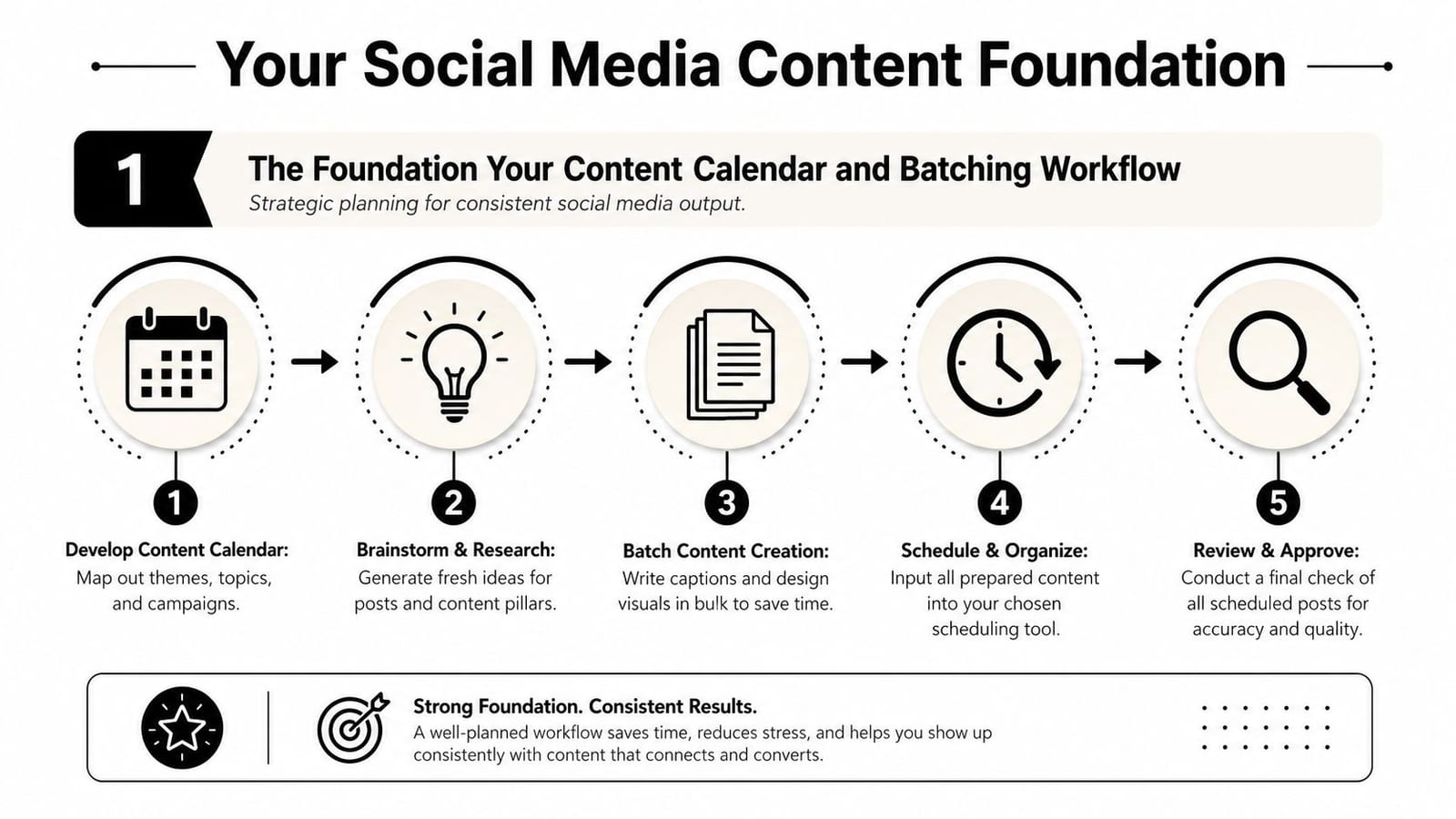
The Foundation Your Content Calendar and Batching Workflow
Most scheduling problems start before the scheduler. If the calendar is vague, the assets are scattered, or every platform gets treated like the same channel, publishing becomes cleanup work.
Start with evidence, not ideas
The simplest reliable planning method is to review your last 90 days of content, then build from what your own audience has already shown you. Monday.com recommends using the last 90 days of post data to set baselines, mapping audience activity by platform, creating platform-specific calendars with fields like date, time, copy, asset links, and approval status, and then running monthly optimization reviews based on engagement rate per post, reach by time of day, and content-type performance in its social media posting schedule guide.
That gives you a grounded way to answer the questions that matter:
- Which topics repeat well
- Which formats travel across platforms
- Which posts need custom copy
- Which approval steps slow publication
A lot of marketers skip this and build a calendar from inspiration alone. That feels productive for a week, then the pipeline dries up.
Build a calendar people will actually use
The best content calendar is not the most detailed one. It's the one your team updates without complaining.
Keep the structure practical. A shared calendar should include:
| Field | Why it matters |
|---|---|
| Date | Locks the publishing sequence |
| Platform | Prevents one-size-fits-all posting |
| Post angle | Clarifies the point before copywriting starts |
| Caption draft | Reduces last-minute rewriting |
| Asset link | Stops file-hunting on publish day |
| Approval status | Makes ownership visible |
| Goal or campaign tag | Connects content to business intent |
If you need a model to start from, this social media calendar template is a useful base. For a broader planning walkthrough, Rebus has a solid guide to content calendar creation that complements this workflow well.
A calendar should tell your team what is publishing, where it's publishing, what asset goes with it, and who can stop it.
Batching is where the time savings happen
Batching changes the workload more than scheduling alone does. Instead of opening social apps every day and creating one post under pressure, you carve out focused blocks to produce a full set of assets and captions in one sitting.
A practical batching cycle looks like this:
- Pick your themes first. Choose a small set of repeatable content pillars tied to offers, education, audience questions, or brand perspective.
- Draft in clusters. Write multiple hooks or captions for one platform before switching contexts.
- Produce assets in groups. Record several short videos, edit visuals together, and export everything into one folder structure.
- Load approvals before scheduling. It's much easier to get sign-off on a batch than chase one post at a time.
- Queue the batch, then leave room for live posts. A full calendar should still have space for timely content.
What doesn't work is pretending every post needs a fresh workflow from scratch. Redoing setup, tone, and formatting every day creates avoidable friction. Batching keeps creative energy on the content itself, not on reopening the same tabs.
Timing and Frequency When and How Often to Post
You can lose a week here without noticing it. A team fills the calendar, posts on time, stays active, and still gets flat results because the schedule was built around generic advice instead of actual audience behavior.
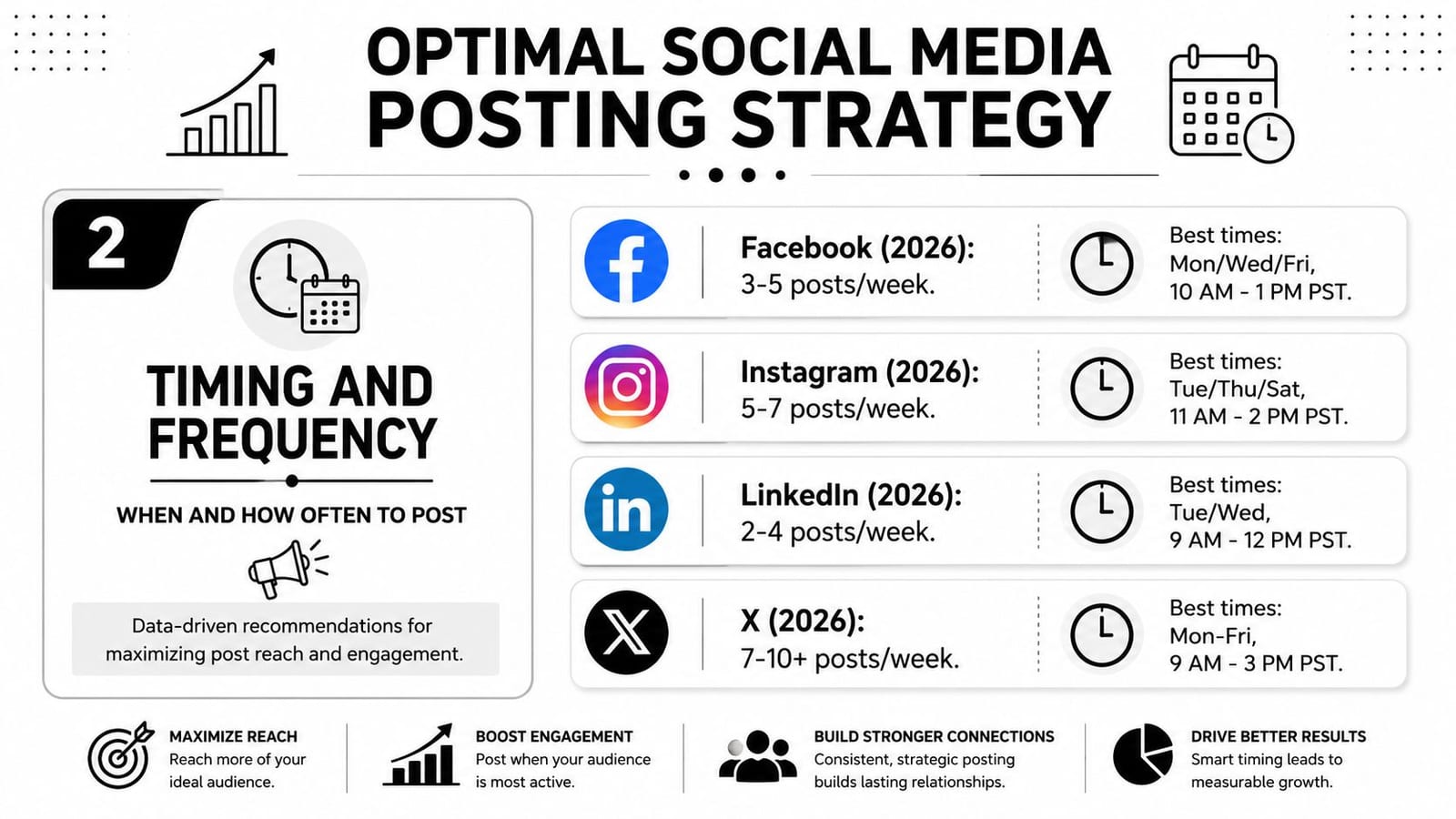
Timing matters. Frequency matters more than people admit. But the main job is setting a cadence your team can repeat for months without quality slipping.
Start with baseline timing, then narrow from there
Use platform studies to choose your first testing windows. Sprout Social's 2026 analysis found strong overall engagement on Tuesdays and Wednesdays from 11 a.m. to 6 p.m. local time in its best times to post research. That gives you a place to begin if you do not have enough account data yet.
What you should not do is treat a benchmark as a fixed posting rule.
A B2B LinkedIn account, a creator-led Instagram page, and a support-heavy X account will behave differently even if they serve the same brand. Content format changes the outcome too. Short video, text-led commentary, and promo posts rarely peak in the same window.
Match posting frequency to platform speed and team capacity
Cadence works differently on each platform because feeds move differently and audience expectations differ.
LinkedIn usually rewards a steadier, lower-volume schedule. X needs more repetition because posts disappear fast. Instagram often performs better when brands maintain a consistent weekly rhythm instead of posting heavily for a few days and going quiet. TikTok usually benefits from regular volume, but only if the creative stays native to the platform.
The trade-off is simple. More posts create more chances to get seen, but only if quality, formatting, and message fit stay high. If your team starts rushing captions, reusing the same hook, or publishing weak assets to hit an arbitrary number, the schedule is too aggressive.
For planning, set a minimum viable cadence first:
- LinkedIn: publish enough to stay present in-feed without repeating yourself
- X: post often enough that one missed post does not wipe out the day
- Instagram: keep a weekly rhythm your team can maintain across posts and Stories
- TikTok: schedule as often as you can produce platform-native video with a strong first second
That usually beats chasing a high-volume target copied from someone else's playbook.
Build time tests around content type, not just clock time
The useful question is not “what is the best time to post?” The useful question is “when does this kind of post reliably earn reach, clicks, saves, or replies on this account?”
Test in blocks. Keep the variable set small. If you change publish time, creative format, message angle, and CTA all at once, you learn nothing.
Use a simple review grid:
| Test element | What to compare |
|---|---|
| Time block | Midday vs late afternoon |
| Format | Video clip vs static graphic vs text-led post |
| Message type | Educational vs promotional vs opinion |
| Platform | Compare separately, never combined |
Run those tests through a social media scheduling workflow in quso.ai so posts go out consistently and the comparison stays clean. Random manual posting ruins timing tests because the execution changes every time.
Put posts into repeatable windows first. Then refine those windows with performance data.
Consistency beats perfect timing
I have seen brands spend hours debating whether to post at 11:00 or 11:30 and ignore the bigger problem. Their schedule changes every week, the creative is inconsistent, and half the posts are published late.
That is why timing advice often disappoints. Publish time can improve distribution, but it will not fix weak hooks, unclear offers, or a schedule your team cannot maintain.
A better rule is this. Pick a realistic cadence, post consistently for long enough to see a pattern, then adjust based on format-level results. That is how you build a schedule that keeps working after the first month.
The Engine Room Using a Social Media Scheduler Effectively
A scheduler earns its keep when it removes repeated work. If it still forces you to export, upload, rewrite, and check every post manually, you've only moved the admin around.
What a scheduler should remove from your day
The right setup should handle account connection, asset organization, post customization, and future publishing from one workflow. For video-led teams, that usually means one piece of source content turns into several platform-ready posts instead of a single upload.
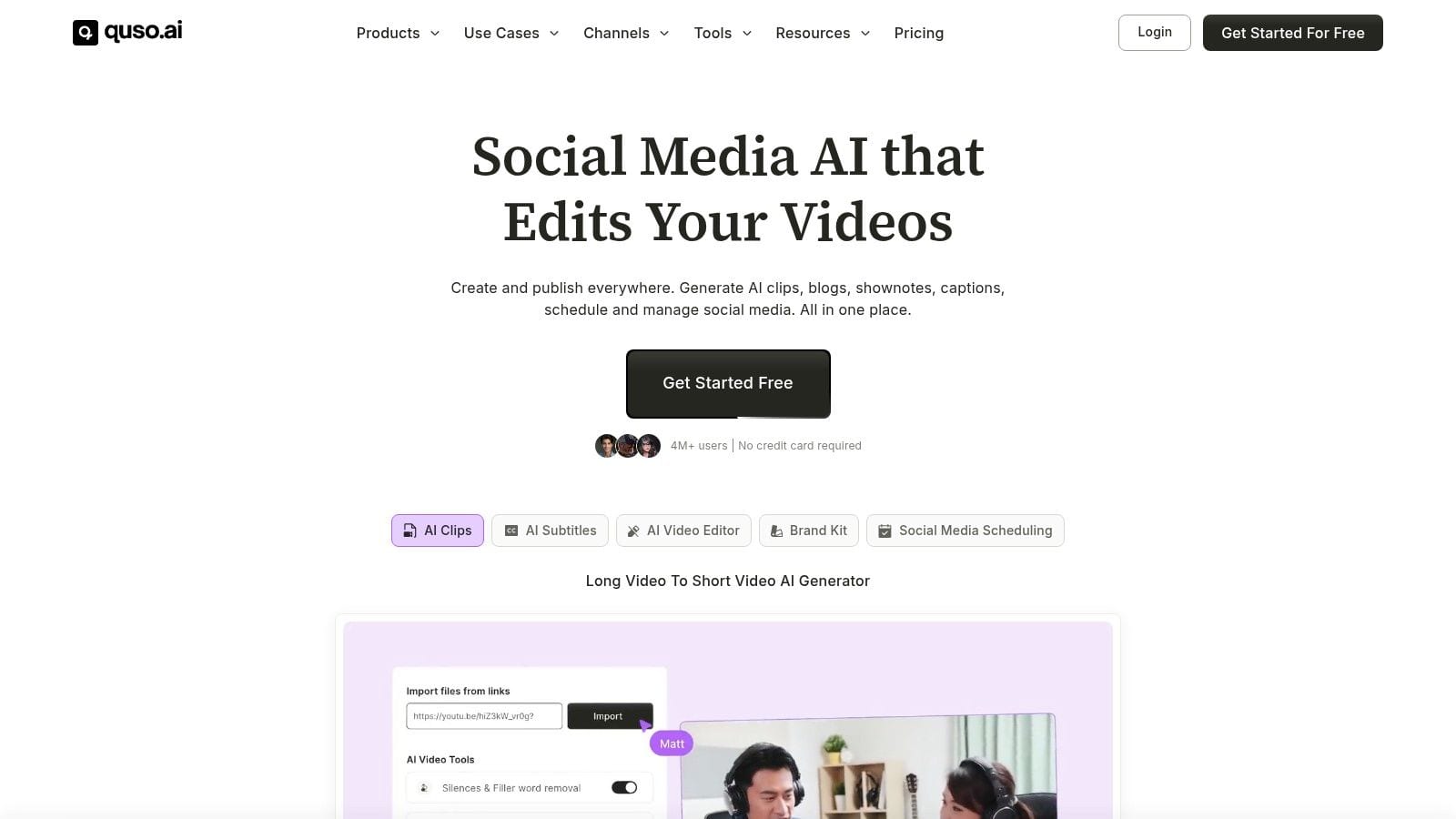
The most efficient way to do this is with a central scheduler that sits close to content creation. One practical option is quso.ai's social media scheduler, which supports a bulk workflow where you connect your social accounts, upload your videos, and use the Share option to schedule posts directly across platforms. That setup matters because each extra handoff between editing, storage, caption writing, and publishing creates another place for delay.
A practical bulk scheduling flow
This workflow tends to be the one that sticks:
- Connect all publishing accounts first. Don't wait until the content is finished. Connection issues always take longer when you're close to deadline.
- Upload the long-form source file. This keeps your content pipeline centered on one asset, not a pile of separate exports.
- Create short derivatives in batches. Pull clips by theme, talking point, or audience question.
- Customize before scheduling. Adjust caption length, hook style, and CTA by platform.
- Schedule from the same screen. Pick the platform, assign the slot, and load the full batch.
What doesn't work is copying the exact same post to every network and hoping minor formatting differences won't matter. They will. LinkedIn can carry more context. X needs compression. Instagram usually needs stronger visual and caption alignment.
A quick walkthrough helps if you're building a video-first workflow:
Instagram is the platform that trips teams up
Instagram is where many “automatic” scheduling promises get fuzzy. Even institutional guidance notes that some third-party tools may not publish Instagram content directly at the scheduled time and may instead send a notification prompting a manual publish action, as covered in the London School of Economics guide on scheduling tools for social media.
That means your workflow needs a platform check before you trust the calendar:
- Auto-published formats: Confirm which Instagram post types can publish directly.
- Manual confirmation posts: Flag these clearly in the calendar so no one assumes they're fully handled.
- Approval timing: Finish sign-off early for any post that may need a person to push it live.
- Notification ownership: Assign one owner. Shared responsibility usually becomes no responsibility.
If Instagram needs a manual step, treat it like an operational task, not a surprise.
Professional scheduling isn't “set it once and disappear.” It's reducing repetitive work while keeping platform-specific exceptions visible.
Beyond Scheduling Repurposing and Performance Analysis
A schedule saves time. A review loop saves future work.
Once posts are going out consistently, the next job is deciding what deserves a second life and what should stay one-off. I look for repeatable wins, not random spikes. A post that performed because of breaking news is useful context. A post that kept getting saves, replies, or watch time across platforms is a format worth keeping in rotation.
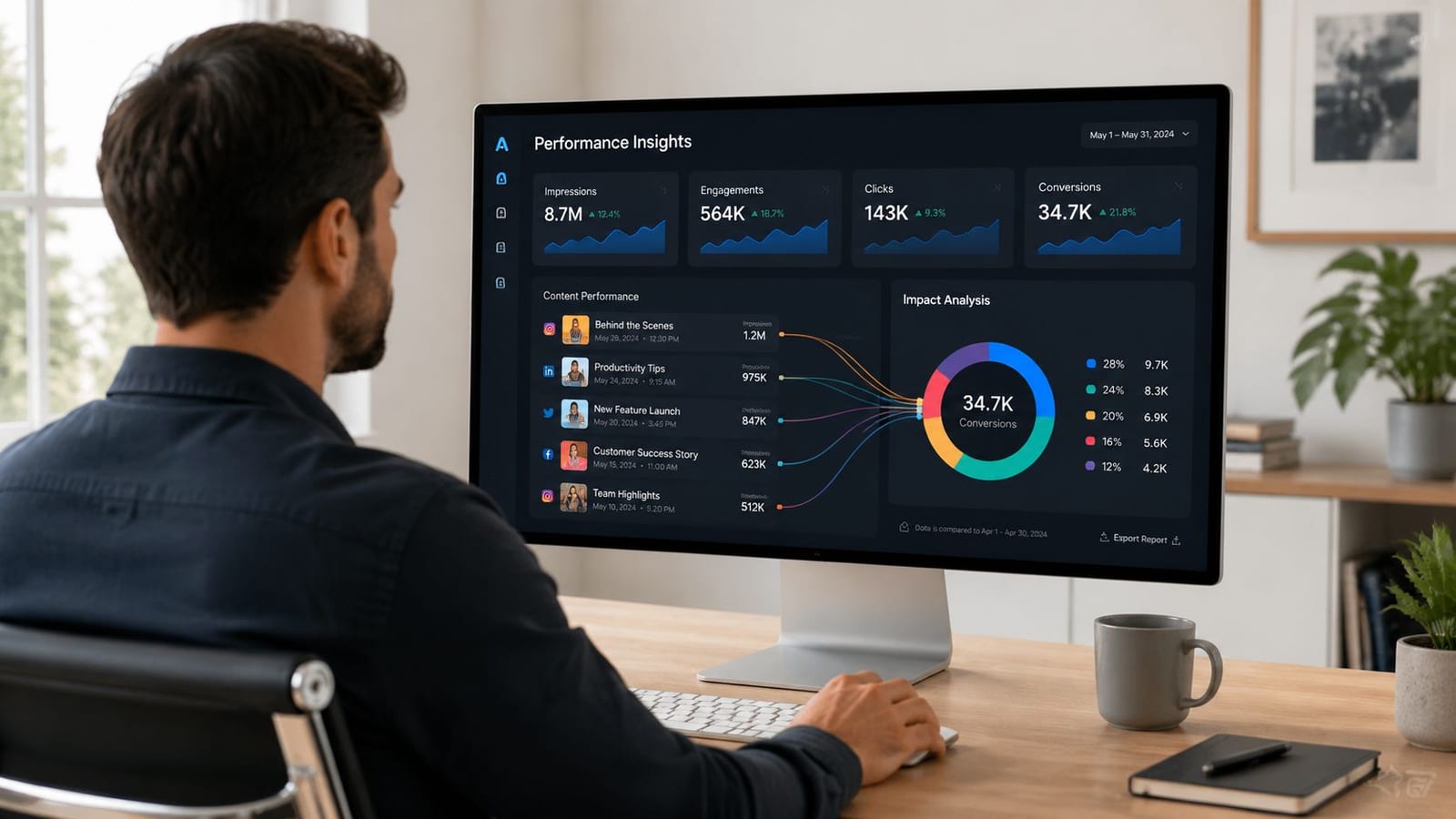
The review questions that improve the next batch are usually simple:
- Which topics started real conversation instead of collecting passive impressions
- Which hooks or clip structures held attention on more than one platform
- Which educational posts have enough depth to become a recurring series
- Which sales posts fell flat because the ask came too early
- Which posts can be updated and reused next month with minimal editing
Content balance matters here. If the calendar is packed with direct promotion, weak results are often a planning problem, not a timing problem. Good scheduling systems keep promotional posts in proportion, then use review sessions to catch when that ratio starts drifting.
Repurposing is where the system starts paying you back. One strong source asset should turn into several scheduled posts with different jobs. A founder video might become a short insight clip for LinkedIn, a tighter cut for Instagram Reels, a quote graphic, and a comment-response post pulled from audience questions. If you want a practical workflow, this guide on repurposing video content with quso.ai shows how to turn one recording into usable platform-specific assets without rebuilding everything by hand.
I have found that teams get faster once they stop judging content by platform in isolation. The better question is whether the core idea has range. If it does, schedule the first version, watch the response, then adapt the angle, length, and packaging for the next batch.
Performance analysis also needs to match the kind of work you're publishing. For brand content, that might mean saves, shares, replies, click-throughs, and assisted conversions. For partnerships and creator programs, the standard has to be tighter. This resource on proving influencer campaign value is useful because it focuses on measurement that connects activity to business results, not vanity metrics.
A good system turns analysis into scheduling decisions. Keep the formats that travel well, revise the ones that almost worked, and drop the posts that create work without producing useful signals. That is how a content calendar becomes easier to run over time.
Troubleshooting Your Schedule and Advanced Tactics
The biggest myth about scheduling is that the work ends when the calendar is full. It doesn't. A full calendar without a response plan becomes a liability the moment the context changes.
Build an interruption workflow before you need it
Sprinklr points to a major gap in scheduling advice: teams need a way to pause, swap, or rewrite scheduled content when trends, events, or audience behavior change, as discussed in its article on social media scheduling. This ability is what separates professional workflows from casual ones.
Your interruption plan should answer four questions:
- Who can pause scheduled posts
- Which content categories must be reviewed first during a sensitive moment
- How replacement posts get approved quickly
- How regional or market-specific calendars are updated without confusion
A simple rule helps. Evergreen education can usually stay. Humor, celebration, hard promotion, and culture commentary often need a second look.
Common failures that break scheduled posting
Some problems are strategic. Others are boring and technical. Both matter.
Watch for these:
- Disconnected accounts: Re-authentication lapses are easy to miss until a post fails.
- Wrong asset ratios: A post can be “scheduled” and still look off once the platform renders the preview.
- Unowned approvals: If no single person is responsible for final sign-off, delays spread.
- Caption carryover: Copy that works on one platform can look clumsy on another if mentions, hashtags, or line breaks transfer poorly.
- No live monitoring: A scheduled post that gets comments quickly still needs someone to respond.
What works is leaving controlled gaps in the calendar. Not every slot should be pre-filled. Hold some room for reactive posts, event changes, and audience questions that emerge during the week.
Scheduled content should make you more responsive, not less. If your calendar can't bend, it will eventually break.
If you want one place to handle planning, video creation, repurposing, and scheduling without stitching together separate tools, quso.ai is built for that workflow. It fits teams that publish from video, need a cleaner bulk-scheduling process across multiple platforms, and want their content system to stay manageable as volume grows.