10 Video Marketing Best Practices for 2026

Video marketing is crowded. The constraint is attention, not content volume.
Teams rarely struggle because they lack ideas or decent production. Performance usually breaks earlier in the process. Videos open too slowly, the edit ignores how people watch on each platform, one good recording gets published once instead of turned into multiple assets, and reporting stops at view counts instead of measuring the outcome that fits the goal.
The fix is a connected workflow. Strong video marketing best practices are not separate tactics to test in isolation. They work as a system. Start with a clear hook, format for the feed, add accessibility layers, cut the same source into more than one asset, publish on a schedule, and review performance data that tells you what to change next.
That system is easier to run when one tool supports the full cycle. quso.ai fits into that process by helping teams clip, edit, schedule, and analyze video without building a custom production operation around every post. Teams that need speed usually face a trade-off between output and quality. A tighter workflow reduces that trade-off.
This guide focuses on the ten practices that improve retention, distribution, and conversion across the full video pipeline. The goal is not to publish more video for its own sake. The goal is to produce assets that earn attention, fit the platform, and generate results you can measure.
Table of Contents
1. Hook Viewers in the First 3 Seconds
A short-form video usually wins or loses before the audience hears your full point. The opening seconds decide whether the platform gets a strong retention signal or whether the viewer scrolls.
The fix is simple to say and harder to execute. Start with the payoff, the tension, or the question that makes the rest of the clip worth watching. Save background, branding, and scene-setting for later, if they need to appear at all.
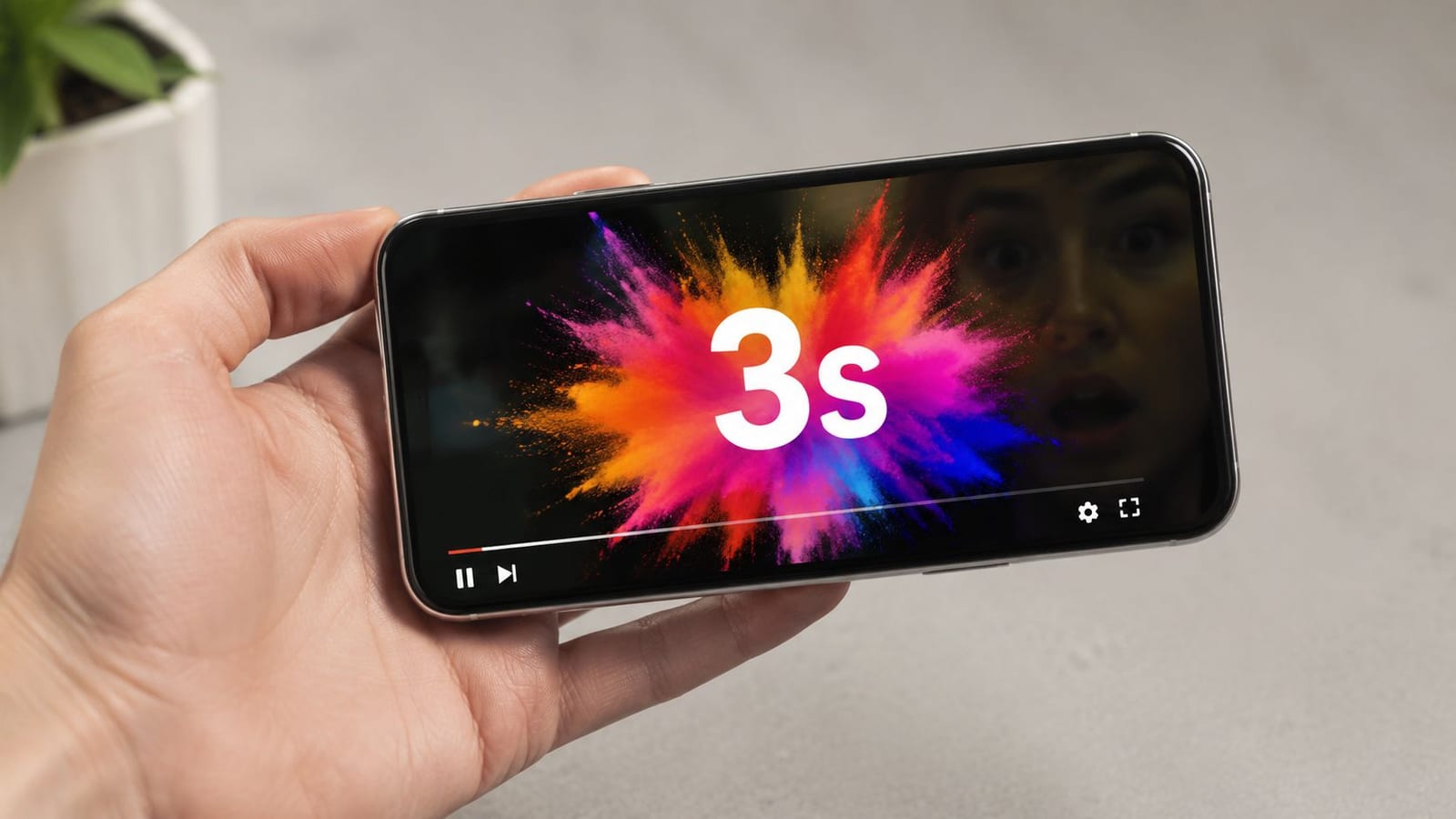
Strong hooks tend to follow four patterns. They surface a problem, reveal the result first, ask a pointed question, or create immediate contrast. The right choice depends on the job of the video. A product clip may lead with the transformation. An educational clip may open with the mistake. A founder video may start with a sharp opinion, then spend the next 20 seconds proving it.
Open with the part people would replay
Teams often keep the source timeline intact and post the video from the top. That is a distribution mistake. The strongest moment is often buried halfway through a webinar, customer interview, podcast, or product demo.
quso.ai's AI Clips Generator helps teams find and cut those moments faster, which matters if your workflow depends on turning one recording into multiple publishable assets. That system only works if the clip starts at the highest-interest moment, not at the polite beginning of the original recording.
Practical rule: If you can delete the first sentence and the video becomes stronger, delete it.
What tends to work:
- Outcome first: “This is the landing page structure that increased demo requests.”
- Conflict first: “Your video is losing viewers before the message starts.”
- Question first: “Why do solid videos get skipped in the feed?”
- Visual first: Show the demo, reaction, transformation, or surprising result before explaining it.
What tends to fail:
- Brand-led intros: Logo animations and greetings spend the most valuable seconds on low-interest information.
- Slow setup: Long context blocks ask for patience before giving value.
- Delayed relevance: If the audience has to wait for the point, retention drops fast.
The trade-off is clarity versus curiosity. If the hook is too vague, people leave because they do not understand the promise. If it explains everything in frame one, the rest of the video can lose momentum. The best openings make a clear promise and leave enough unanswered for the next few seconds to matter.
This is a useful reference for pacing and opening structure:
2. Create Vertical Video Content for Mobile-First Audiences
People watch social video with a phone in hand, thumb already moving. If the asset was planned for a widescreen player and squeezed into a vertical feed later, the result usually looks compromised. Heads get cropped. Product shots lose context. On-screen text fights with platform UI.
Vertical video works better because it fits the viewing environment. It fills more of the screen, reduces visual waste, and gives the subject more presence in-feed across TikTok, Reels, and Shorts. That matters inside a workflow built for distribution, not just production. If the goal is to turn one recording into multiple assets, the framing decision has to happen before editing starts.
Frame for the phone first
Record with a 9:16 outcome in mind. Leave safe space for captions, usernames, and buttons. Keep the focal point centered enough for reposting across platforms, but not so tight that you lose hand movement, product interaction, or visual context.
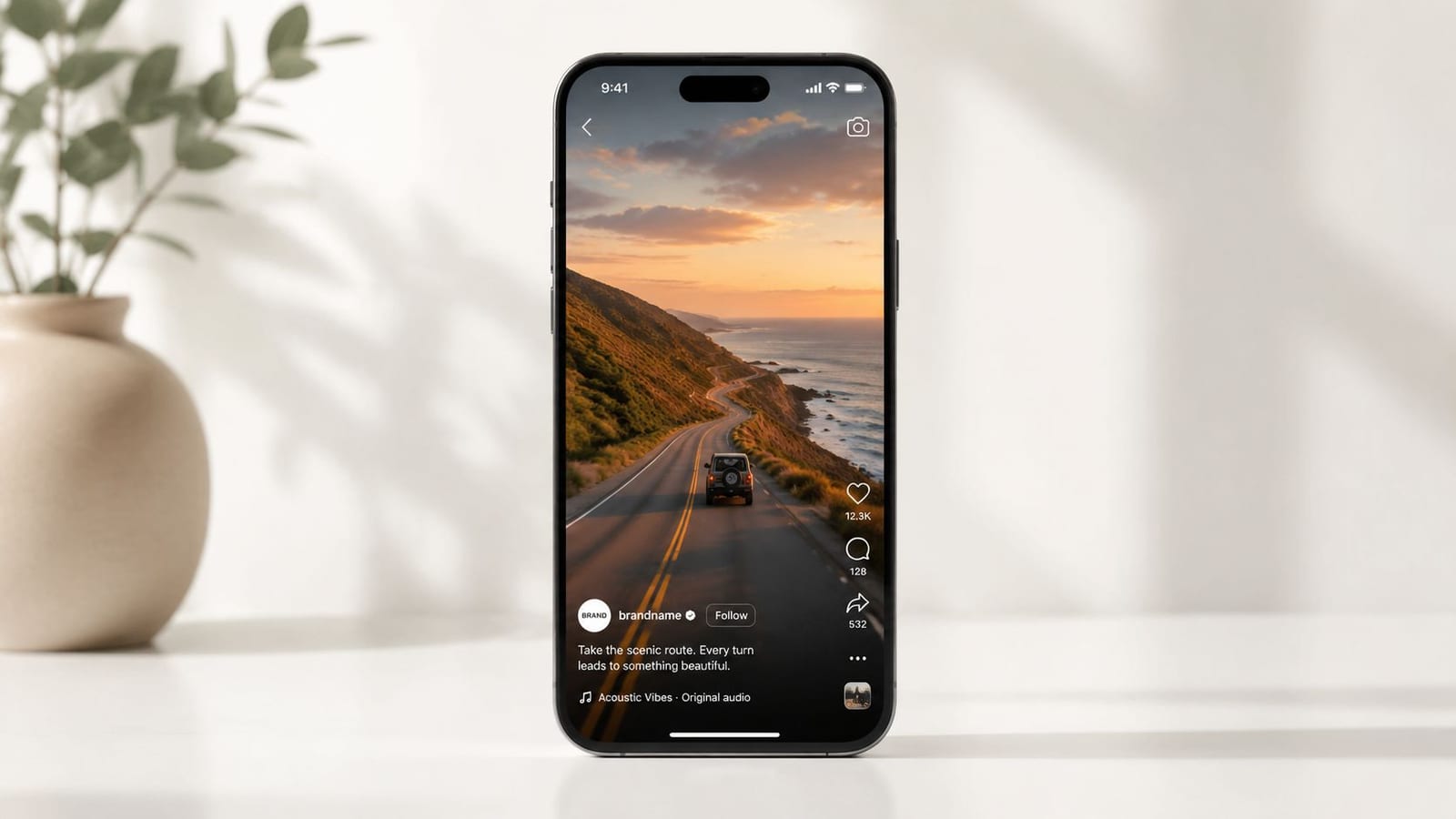
For talking-head clips, camera placement does a lot of the work. A medium shot usually gives enough room for captions and reframing. For demos, show the action larger than feels necessary in desktop editing, because mobile feeds shrink detail fast. If your team also publishes with text overlays, it helps to review how to turn on captions on TikTok so the final layout does not stack captions on top of interface elements.
quso.ai's editor helps reframe source footage into vertical formats, which is useful when you are repurposing podcasts, interviews, or webinars into a repeatable content pipeline. Converted footage can still perform. Native vertical capture usually performs better because the shots, spacing, and eye line were planned for the final screen.
The trade-off is straightforward. Horizontal still makes sense for webinars, detailed walkthroughs, and long-form education that lives on a site or YouTube watch page. Short-form social distribution asks for a different default. Teams that treat aspect ratio as a production decision, not an export setting, waste less footage and publish faster.
3. Add Captions and Subtitles to Every Video
Captions increase the odds that a video gets understood before a viewer decides whether it is worth finishing. On social feeds, that matters because many people start watching with the sound off, in public, or while multitasking. If the message only works with audio, you lose reach and clarity at the same time.
Accessibility is the baseline reason to add them. Performance is the operational reason. Clear subtitles help viewers follow fast delivery, accents, technical language, and speaker changes. They also expose weak scripting fast. If a line feels confusing when it appears on screen, it usually needs a rewrite.
Treat captions as part of production, not post-production cleanup
Caption decisions affect scripting, framing, edit pace, and final layout. That is why strong teams plan them before export. They leave safe space on screen, avoid stacking too much text with graphics, and decide what deserves emphasis instead of dumping every spoken word into the frame.
On short-form platforms, captions often carry the rhythm of the edit. On LinkedIn or YouTube clips, they usually need a cleaner treatment with fewer visual effects and better line breaks. The right choice depends on the platform and the goal. High-energy captions can improve retention on entertainment-driven feeds. They can also make B2B educational content feel noisy and harder to trust.
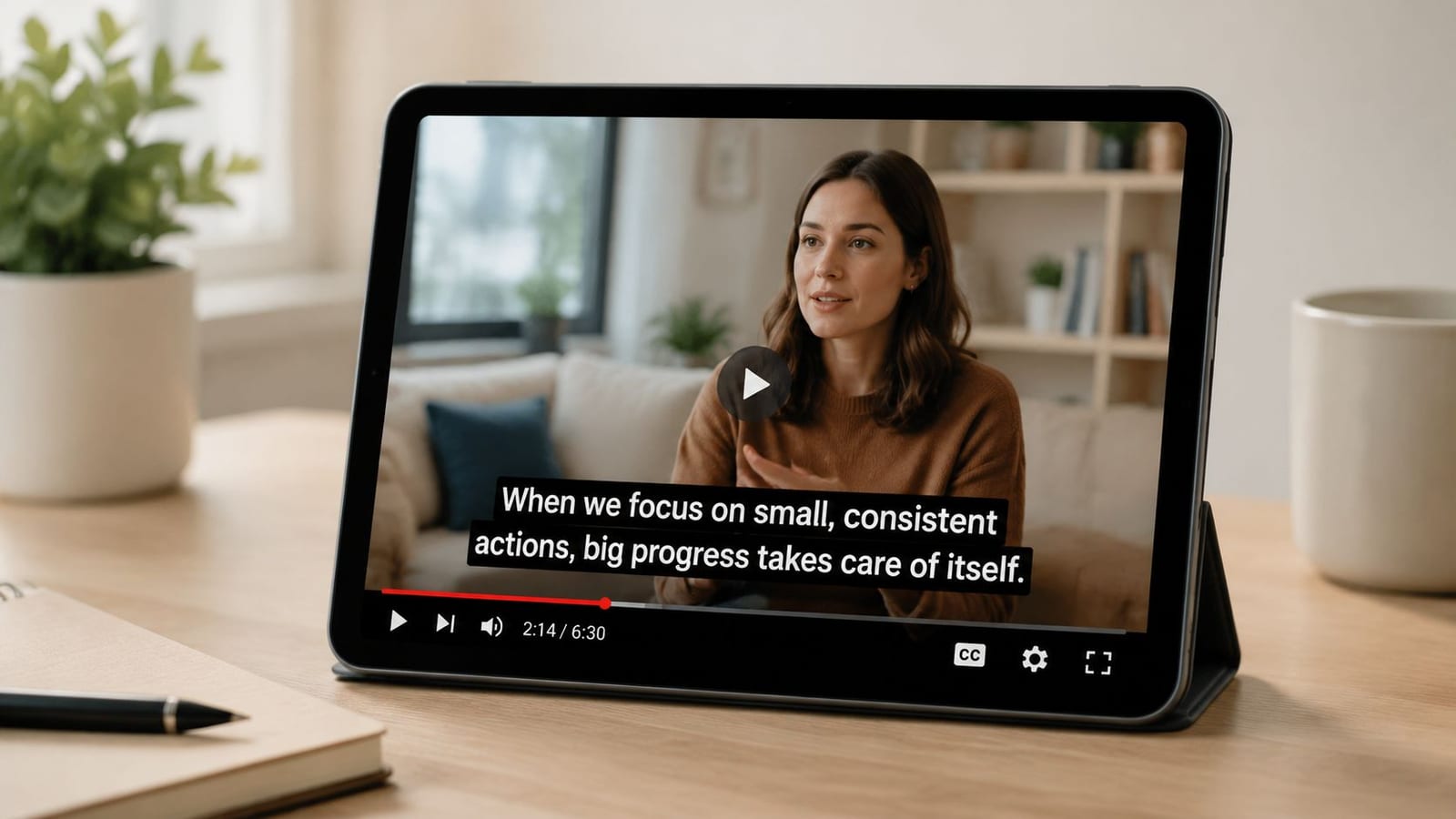
quso.ai helps teams build that into a repeatable system with an AI content repurposing workflow that keeps subtitle styling consistent across multiple clips. If your team publishes on TikTok, this walkthrough on how to turn on captions on TikTok is also a practical reference. The same workflow principle shows up in this guide to turning YouTube into X posts. One source asset performs better when formatting choices are made for the platform, not copied over unchanged.
Use a simple review standard before publishing:
- Prioritize readability: Strong contrast, clean fonts, and short line lengths beat decorative styling.
- Keep timing tight: Bad sync makes polished editing feel amateur.
- Edit for meaning: Highlight keywords, trim filler words, and label speakers when the conversation changes.
- Check placement on mobile: Subtitles should not cover faces, products, UI elements, or lower-third graphics.
The trade-off is screen space. Captions compete with visuals, especially in demos or busy interview setups. The fix is not to remove subtitles. The fix is to simplify the frame, pace the text better, and design the whole clip as one system from script to analysis.
4. Repurpose Long-Form Content into Multiple Short Clips
Teams that publish across YouTube, LinkedIn, Instagram, TikTok, and email cannot afford a one-video, one-platform workflow. Distribution is already fragmented. Production time is not.
The practical fix is to treat every long-form recording as a content library, not a finished asset. A podcast episode can produce opinion clips, educational cuts, quote graphics, audiograms, and written posts. A webinar can supply product explainers, objection-handling clips for sales, and follow-up content for email. A founder interview can support brand, recruiting, and demand generation if each cut is edited for a different job.
Repurposing works when the workflow is deliberate. Teams need a way to identify strong moments, trim them into standalone narratives, format them for each platform, and publish without rebuilding the edit from scratch every time. quso.ai supports that process with an AI content repurposing workflow built for turning one source file into multiple platform-ready assets.
A useful outside example is this guide to turning YouTube into X posts, which shows the same principle in a different format. One source asset performs better when the message is rewritten for the platform instead of copied over unchanged.
Most long-form content underperforms because the team publishes the whole asset once and stops there.
The trade-off is quality control. A clip that worked inside a 40-minute conversation often falls flat on its own because it starts too slowly, depends on missing context, or ends without a clear point. Cut for tension, specificity, novelty, or a useful takeaway. If the standalone clip does not make sense without the original video, keep editing.
5. Optimize Video Length for Platform-Specific Algorithms
Completion rate drops fast when the cut is longer than the viewer expected. That is why video length should be set by platform behavior and audience intent, not by the raw length of the source footage.
On social feeds, shorter videos usually win because the viewer has not committed yet. They are scrolling, sampling, and deciding in seconds whether the clip earns more attention. In search, on YouTube, or inside a webinar registration flow, viewers often tolerate more depth because they came looking for an answer, a walkthrough, or proof.
Length is a distribution decision.
A short clip works best when it delivers one clear outcome. One tactic. One reaction. One product moment. Once a cut tries to explain too much, retention usually falls because the opening promise and the actual payload stop matching.
Longer videos have a different job. They work for consideration and conversion when the audience already has context and a reason to stay. Product demos, training videos, customer education, and webinars often perform better with more room because the viewer wants specifics, not a teaser. The trade-off is simple. The longer the video, the more precise the structure has to be. Weak pacing is easier to hide in a 20-second clip than in a 20-minute presentation.
A practical framework:
- Discovery content: keep it tight and focused on one idea or one proof point.
- Consideration content: give enough time to answer objections, show steps, or compare options.
- High-intent content: use longer formats for demos, tutorials, workshops, and Q&A sessions where depth helps the sale.
This section matters because length decisions connect the rest of the workflow. After a team repurposes one long-form asset, it still has to cut different versions for different distribution environments. quso.ai supports that process by helping teams create multiple edits from the same source so each platform gets a version that fits how people watch there.
The mistake is publishing the same 58-second or 12-minute cut everywhere and calling that distribution. Strong video systems treat length as a variable to test, not a creative afterthought.
6. Tell Stories and Emphasize Emotional Connection Over Hard Selling
Short video gives you very little time to earn attention. Story helps because it gives the viewer a reason to care before you ask them to buy.
The mistake is treating story as brand fluff. In practice, strong video storytelling is a conversion tool. It turns a product message into a situation the audience recognizes, then shows a believable change. That structure works across founder videos, customer proof, demos, and educational clips because people respond to tension and resolution faster than they respond to feature lists.
Start with the friction, not the pitch.
If you sell coaching, open on the stalled decision, missed target, or pattern the client could not fix alone. If you sell software, show the manual step, reporting gap, or workflow bottleneck that wastes time. If you run an education brand, lead with the misunderstanding that keeps producing bad outcomes. The viewer should recognize the problem before they hear the offer.
A simple framework keeps the story useful:
- Name one specific problem: wasted time, confusion, inconsistency, or lost revenue.
- Show the turning point: the insight, change in process, or tool that altered the result.
- Prove the outcome: what improved, for whom, and why that result matters.
Many “video marketing best practices” articles stay too generic on this point. “Tell stories” is incomplete advice unless you also manage the trade-off. Too much narrative delays the payoff and hurts clarity. Too much selling strips out tension, which is usually the part that holds attention. The better approach is to build a repeatable workflow where each video starts with a real customer problem, connects it to the right format, and then feeds performance data back into the next round of edits.
That system matters more than any one creative idea. Teams that record one solid customer story can cut it into a short pain-point clip, a proof-driven testimonial, a product walkthrough with context, and a stronger retargeting asset. quso.ai fits that workflow by helping teams turn one source story into multiple usable versions, then pair those edits with a realistic publishing plan through a social media scheduling workflow.
Story does not require cinematic production. It requires a clear shift from problem to resolution, and a message tight enough to survive the feed.
7. Implement Consistent Posting Schedule and Strategic Timing
Publishing cadence shapes results more than any single upload. One strong video can create a spike. A repeatable schedule creates enough volume to test hooks, formats, topics, and timing without rebuilding the process every week.
That matters because feeds are crowded and attention resets daily. Brands that post in bursts usually create a familiar problem. performance data arrives too slowly, the team loses momentum between uploads, and content decisions start coming from opinion instead of evidence.
Consistency works when the schedule matches production capacity.
An effective calendar starts upstream with packaging. One recording session should produce multiple assets, each assigned to a platform, format, and publish date before editing is finished. That is the operational advantage of treating video marketing as a system instead of a list of tips. Creation, clipping, scheduling, and review stay connected. quso.ai supports that workflow well, especially for teams that want to batch output and queue distribution through a practical social media post scheduling workflow.
The trade-off is straightforward. A daily target can increase surface area for learning, but only if quality stays within an acceptable range and approvals do not slow the team down. For many teams, three reliable posts per week will outperform seven rushed posts that drift off-message or miss the publishing window.
Use a schedule your team can defend for 8 to 12 weeks:
- Batch by format: Film several videos with the same setup, CTA, or audience angle in one session.
- Assign each post a job: Reach, engagement, proof, education, or conversion. Do not stack every goal into every video.
- Plan fixed slots and flexible slots: Keep room for trend responses, product updates, or customer moments without breaking the calendar.
- Review timing by platform: Audience behavior differs by channel, so test publish windows inside each platform instead of copying one universal time.
- Audit missed posts: A skipped publish usually points to a workflow issue, not a motivation issue.
The best timing strategy is usually simpler than teams expect. Start with consistent days and times, then adjust after a few weeks of real performance. Random posting creates random inputs, which makes analysis weaker later.
Poor schedules usually come from avoidable production debt. If every video needs fresh scripting, custom edits, and too many approvals, the calendar fails. Build repeatable formats first. Then improve timing and volume from a system your team can practically maintain.
8. Use Data and Analytics to Optimize Content Performance
Marketers can see views, likes, retention curves, click-through rate, and conversions for almost every video they publish. The problem is not access to data. The problem is deciding which metric should change the next cut, caption, or call to action.
A common gap in guidance on this topic is the failure to explain which metric should drive the next edit for different business goals. Without that link between performance and revision, teams end up collecting dashboards instead of improving videos.
Start with the job of the video. A short social clip meant to earn attention should be judged differently from a webinar replay, a product demo, or a bottom-of-funnel testimonial. If the goal is reach, early retention and completion rate matter. If the goal is pipeline, qualified clicks, demo requests, or assisted conversions matter more than comments.
This is also where a connected workflow helps. quso.ai keeps clipping, publishing, and analytics close together, so teams can review performance and make the next edit without jumping between tools. That matters in practice because speed affects output. If a team can spot that one opener holds attention longer, turn that into three new variants, and republish quickly, optimization becomes part of production instead of a separate reporting exercise.
Use decision rules that are simple enough to apply every week:
- Low retention in the first seconds: change the opening frame, first line, or on-screen promise.
- Strong watch time but weak clicks: move the CTA earlier, sharpen the offer, or reduce friction in the next step.
- High engagement but limited reach: rework the packaging and topic framing, then test a new version.
- Good reach but poor lead quality: tighten the message so the right audience clicks in.
- Search impressions with weak click-through: revise the title around clearer intent, often with help from the ShuttleSEO Youtube keyword tool.
The trade-off is focus. A team that tries to improve every metric at once usually changes too many variables and learns very little. Strong operators pick one primary metric per video, one secondary metric for context, and one clear action to test next. That discipline is what turns analytics into better content.
9. Create Eye-Catching Thumbnails and Titles That Drive Clicks
A strong video still loses distribution if the packaging fails. On browse-heavy platforms, viewers decide whether to give you a chance before they watch a second of the content.
Titles and thumbnails should be built as one system, not as separate tasks handed off at the end. The thumbnail creates instant visual clarity. The title adds context, stakes, or a reason to care. If both elements repeat the same message, you waste space. If they pull in different directions, click-through drops and the algorithm gets weak signals about who the video is for.
Good thumbnails do less. One subject. One clear focal point. High contrast. Minimal text, if any. Small-screen viewing changes the standard here because details disappear fast, especially on mobile home feeds. Busy layouts may look polished in a design file, but they usually lose in the actual feed.
Titles need similar discipline. Write to one intent:
- Benefit-led: show the outcome the viewer wants
- Problem-led: name the frustration or risk
- Contrarian: challenge a common belief, if the video can support it
- Search-led: match clear tutorial or how-to intent
If search matters for your channel, the ShuttleSEO Youtube keyword tool can help shape title options around real query patterns. Use that input to sharpen phrasing, not to cram in awkward keywords.
A key trade-off is curiosity versus clarity. Curiosity can raise clicks, but too much ambiguity attracts the wrong viewer and hurts retention. Clarity brings in fewer wasted impressions and usually produces better watch behavior. For growth teams, that second outcome is often more valuable because it improves both click quality and downstream performance.
This also works better inside a connected workflow. Teams using quso.ai can review which clips earned impressions but underperformed on clicks, then test new packaging without treating thumbnails, titles, and analysis as separate projects. That turns packaging into an ongoing optimization step, not a one-time creative guess.
Avoid clickbait. Strong packaging makes the core promise of the video easier to understand. It should increase accurate clicks, not manufacture disappointment.
10. Build Community Through Comments, Engagement, and Creator Collaboration
Comments often decide whether a viewer trusts the video enough to act.
A strong video can earn attention. The comment section is where credibility gets tested. Prospects scan for unanswered objections, weak replies, and signs that the creator disappears after publishing. Brands that treat comments as an afterthought miss one of the clearest signals of audience intent.
Engagement also affects distribution. Early replies keep the conversation active, surface objections in the audience's own language, and give your team raw material for the next round of content. In practice, that means community management is part of the production system, not a task you squeeze in later.
Creator collaboration serves the same goal from a different angle. It puts your message inside someone else's trusted context. The best partnerships are usually adjacent, not massive. A subject-matter peer, a niche educator, or a customer with a credible point of view often produces better watch quality than a broad influencer placement because the audience fit is tighter.
Use a simple operating rhythm:
- Reply early: Answer substantive comments while the post is still getting initial reach.
- Look for patterns: Repeated questions usually point to unclear messaging or a strong topic for a follow-up video.
- Pin useful comments: Put the most helpful question, clarification, or viewer takeaway at the top.
- Create with collaborators who share audience overlap: Prioritize relevance over follower count.
- Turn discussion into assets: Build Q&A clips, stitched responses, and FAQ videos from actual audience language.
There is a trade-off here. High engagement takes time, and not every comment deserves a response. Teams need criteria. Prioritize buyer questions, product confusion, credible pushback, and comments that add context for future viewers. Ignore bait and low-value arguments.
quso.ai fits this workflow because it helps teams turn audience questions into follow-up clips and publish them quickly. That makes community input usable across the full system, from post-publish engagement to content planning and analysis. The result is a tighter loop. Publish, respond, identify patterns, create the next asset, then measure what changed.
10-Point Video Marketing Best Practices Comparison
| Strategy | Implementation complexity | Resource requirements | Expected outcomes | Ideal use cases | Key advantages |
|---|---|---|---|---|---|
| Hook Viewers in the First 3 Seconds | Medium, planning & edits | Low–Medium (creative + editing) | Higher initial retention; algorithm boost | Short-form videos, ads, intros | Immediate attention capture; lower bounce |
| Create Vertical Video for Mobile | Low–Medium, reframe or reshoot | Low (smartphone) to Medium (reframing tools) | Increased mobile watch time & engagement | TikTok, Reels, Shorts, mobile campaigns | Full-screen immersion; platform fit |
| Add Captions and Subtitles | Low to High (auto vs manual) | Low–Medium (transcription + editor) | Better accessibility, watch time, SEO | Silent autoplay feeds; global audiences | Silent-viewing friendly; multi-language reach |
| Repurpose Long-Form into Short Clips | Medium, selection & editing | Medium (AI tools + curation) | More content, higher ROI, wider reach | Podcasts, webinars, long videos | Cost-effective scaling; multi-platform use |
| Optimize Video Length per Platform | Medium, research + editing | Medium (analytics + edits) | Improved visibility and retention | Multi-platform distribution strategies | Algorithm alignment; better engagement |
| Tell Stories & Emphasize Emotion | High, scripting & production | Medium–High (talent, time) | Deeper engagement; brand loyalty | Brand campaigns, testimonials, awareness | Strong emotional resonance; shareability |
| Implement Consistent Posting Schedule | Medium, planning & batching | Medium (content pipeline, scheduler) | Algorithm favor; habitual viewership | Growth strategies, channel maintenance | Predictability; steady reach |
| Use Data & Analytics to Optimize | Medium–High, analysis skills | Medium (analytics tools + time) | Data-driven improvements; higher ROI | Performance-driven channels, A/B testing | Identifies what works; measurable decisions |
| Create Eye-Catching Thumbnails & Titles | Medium, design + testing | Medium (design tools or talent) | Higher CTR and initial views | YouTube, search-driven platforms | Significant CTR lift; clearer value signal |
| Build Community via Engagement & Collabs | High, ongoing management | High (time, moderation, collaboration) | Loyal audience; sustained engagement | Creators, subscription models, live streams | Defensible audience; organic growth and retention |
From Best Practices to Best Performance
Video is now a baseline channel. Performance comes from how well the pieces work together.
The 10 practices in this guide are stronger as an operating system than as isolated tips. A good hook earns the next second. Vertical framing fits the feed. Captions make the message usable with sound off. Repurposing extends the value of one recording across multiple platforms. Analytics turn each post into input for the next edit. That is the shift from doing more video to running a video program that improves over time.
Teams that get results usually build around a repeatable workflow. Start with one strong source asset, such as a webinar, podcast, interview, or product walkthrough. Cut it into short clips with different angles. Package each clip for the platform it will run on. Publish on a schedule the team can sustain. Review retention, click-through rate, watch time, saves, and conversion signals, then make one clear decision from each round of results.
The trade-offs matter.
Short-form gets attention quickly, but long-form often does a better job qualifying interest. AI reduces editing time, but weak judgment still produces weak content. Repurposing saves budget, but direct reposting without reframing can depress reach and retention. Story-driven videos build trust, but they still need a concrete job, such as generating demand, supporting sales, or improving activation.
That is why workflow design matters as much as creative quality. If the process is fragmented, teams lose time moving files, rewriting captions, resizing assets, scheduling posts, and checking performance across separate tools. If the process is structured, each step informs the next one. The same source video becomes a testing ground for hooks, formats, topics, titles, and CTAs.
A tool like quso.ai fits that system approach because it handles clipping, editing, repurposing, scheduling, and analytics in one place. For a small team, that can reduce production drag. For a larger team, it can make standards easier to enforce across channels. The benefit is not automation on its own. The benefit is faster iteration with fewer handoff problems.
If you need a practical starting point, change one layer of the system first. Improve the opening on the next five videos. Standardize captions and formatting. Build one repeatable repurposing process from a long-form asset. Pick one metric that triggers the next action. For example, low retention means the hook needs work. Strong views with weak clicks usually points to packaging or CTA problems.
If you want one place to handle clipping, editing, repurposing, scheduling, and analytics, Sovran's video ad strategies offers a useful complementary perspective on how structured workflows improve output. quso.ai is one relevant option for putting that structure into practice because it combines those tasks in a single dashboard. For many teams, that matters more than adding another standalone editing tool.
If you want to put these video marketing best practices into a repeatable workflow, explore quso.ai. It can help your team turn long videos into short clips, add captions, schedule posts, and review performance without bouncing between separate tools.