Text posts
Up to 3,000 characters. Turn notes or a blog post into a LinkedIn post.
Skip this page next time?
Always open quso.ai/app → quso.ai for LinkedIn
Write, clip and schedule LinkedIn posts just by asking. It only posts to the account you connect.
Up to 3,000 characters. Turn notes or a blog post into a LinkedIn post.
The best moments of a webinar or talk, captioned, with your slides kept in frame.
A video up to 30 minutes, or up to 9 images. Uploads work from apps like Claude Code.
Post now or up to a year ahead. Line up a week of posts in one message.
LinkedIn limits
Ask in plain words. Add your link where it says [link].
Connect quso.ai first. In ChatGPT, start your message with @quso.
Found 13 clips in "How to Measure the Health of Your Business" · 29:51
Step 1
Add quso.ai to your AI app and link your LinkedIn account.
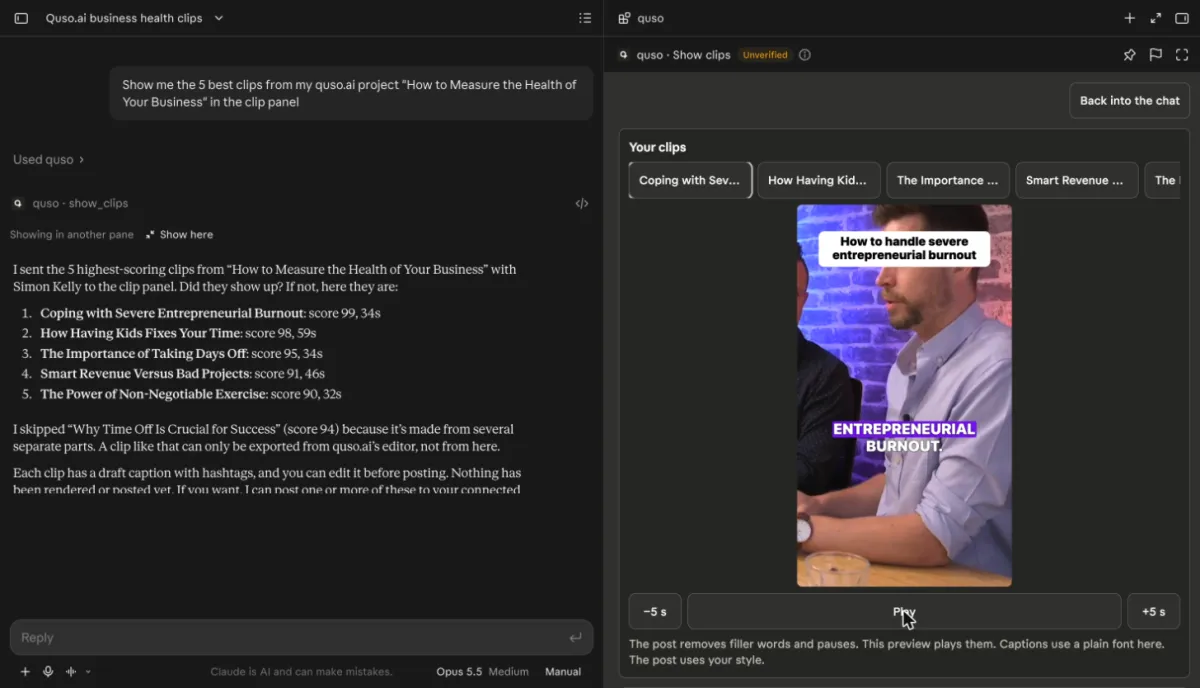 In Claude
Step 2
Your best clips open in a panel right in the chat.
This week
Already posted clips are skipped. Nothing posts twice.
Step 3
It posts to LinkedIn now, or at the time you pick.
Clip frames: Video: WP Elevation (CC BY).
The same request can post to several networks at once, each with its own caption.
| Network | Caption (characters) | Longest video | Images per post | Text-only posts |
|---|---|---|---|---|
 TikTokGuide | 2,200 | 10 min | 10 (photo post) | No |
 InstagramGuide | 2,200 | 15 min | 10 | No |
 YouTubeGuide | 5,000 + 100-character title | 2 hours | None | No |
| LinkedInGuide | 3,000 | 30 min | 9 | Yes |
 X | 280 (7,000 as a thread) | 10 min | 4 | Yes |
 Facebook | 2,200 | No set limit | 10 | Yes |
 Threads | 500 (12,500 as a thread) | 5 min | 10 | Yes |
 Bluesky | 300 | 10 min | 4 | Yes |
 Telegram | 1,024 | Files up to 20 MB | 1 | Yes |
 Reddit | 5,000 + 300-character title | No video | 1 | Yes |
 Snapchat | 500 | 5 to 60 sec | 1 | No |
TikTokGuideInstagramGuideYouTubeGuideLinkedInGuideXFacebookThreadsBlueskyTelegramRedditSnapchatLimits come from each network and can change. Pinterest isn't available from AI apps yet.
Yes. Add quso.ai as a connector in Claude (it takes a minute, and Claude's Free plan allows one custom connector), then connect your LinkedIn account in quso.ai. Now you can ask Claude to write, clip or schedule LinkedIn posts.
Yes. Connect quso.ai in ChatGPT (it works on every ChatGPT plan, Free included) and say when to post. Scheduling to LinkedIn needs a quso.ai plan with social scheduling, such as Essential or Growth.
Yes. LinkedIn takes text posts up to 3,000 characters. Text posts need a quso.ai plan that can publish external content.
No. It only posts to the account you connected. It reads no profiles and sends no messages or connection requests.
Yes. Paste the link: LinkedIn video links import just like YouTube or Zoom links. Importing uses 1 quso.ai credit per minute of video.
Plans with social scheduling, such as Essential and Growth, now or at a set time. Lite, Plus and Free post to TikTok only.
More questions? See everything quso.ai does in Claude and ChatGPT or the setup guide.