Content Pillars for Social Media: A Practical Guide
Content pillars for social media are the 3 to 5 core themes or topics you consistently talk about online to build your brand and engage your audience. Most brands do best with 3 to 5 pillars, because fewer usually limits variety and more usually creates clutter.
If your team keeps posting whatever feels urgent that day, you’re not dealing with an idea problem. You’re dealing with a systems problem. Pillars fix that by giving every post a job, every idea a place, and every campaign a clearer connection to what your audience expects from you.
The practical catch is this: pillars only work if you can produce against them every week without burning out. That’s where many struggle. They pick broad, good-sounding themes, then realize they can’t turn those themes into repeatable posts. The better approach is to build pillars around what you can consistently create, repurpose, and schedule.
Table of Contents
- What Are Content Pillars for Social Media
- Why Content Pillars Are Your Most Important System
- How to Build Your Content Pillars Step by Step
- Content Pillar Examples for SaaS and Coaches
- From Pillars to Posts Without Burning Out
- Frequently Asked Questions About Content Pillars
What Are Content Pillars for Social Media
Content pillars for social media are the recurring themes that guide what your brand posts. They are not formats, not campaigns, and not random topic buckets you invent to fill a calendar. A pillar is a strategic theme that connects your audience’s interests, your brand’s expertise, and your business goals.
If you’re managing social for a SaaS company, a creator brand, or a coach, pillars keep you from swinging between disconnected posts. One day a product clip, next day a meme, then a customer quote, then silence. That kind of feed feels reactive because it is.
A strong pillar system does three things:
- Creates consistency: Your audience learns what you talk about and why they should follow.
- Speeds up planning: New ideas get sorted into existing themes instead of debated from scratch.
- Improves creative quality: You spend less time deciding what to post and more time making better posts.
Practical rule: If a post doesn’t clearly belong to a pillar, it probably doesn’t belong on the calendar.
This matters most for managers building a repeatable workflow. Pillars aren’t a branding exercise. They’re an operating model. Once they’re set, they shape your briefs, your filming plan, your caption writing, your approval flow, and your posting cadence.
Why Content Pillars Are Your Most Important System
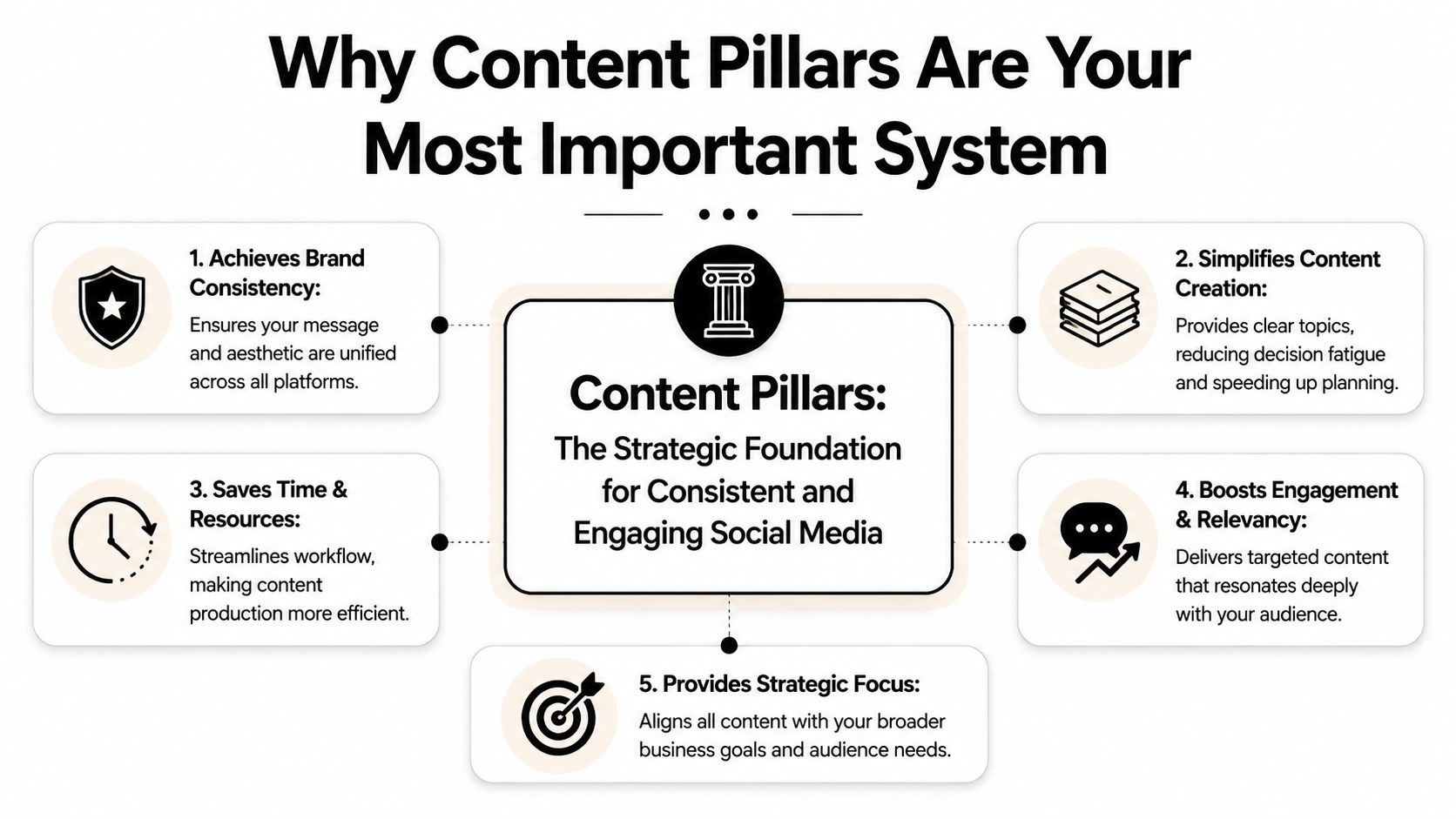
Without pillars, social turns into a series of disconnected tasks. With pillars, it becomes a system your team can run.
According to Mailchimp’s guide to content pillars for social media, well-defined content pillars serve as a strategic roadmap that directly increases engagement rates and conversion metrics by ensuring every piece of content aligns with at least one pillar tied to the brand’s mission, values, or expertise.
They reduce decision fatigue
Most social teams don’t get stuck because they lack ideas. They get stuck because every idea has to be evaluated from zero. Pillars remove that friction.
When your themes are fixed, planning gets faster. Briefs get tighter. Reviews get easier because the team can ask one useful question: does this support one of our core themes, or is it noise?
That’s also why a pillar system is a better foundation than a trend-led strategy. Trends can still fit. They just need to serve a pillar, not replace one. If you need a broader operating framework around that process, this social media strategy guide is a useful companion.
They make performance easier to read
Pillars also clean up reporting. Instead of asking whether “video” or “carousels” worked in the abstract, you can ask whether customer education worked better as a carousel and whether opinion-led commentary worked better as short video.
When teams tag posts by pillar, weak themes become obvious fast. So do the themes worth doubling down on.
That matters because random posting hides patterns. A pillar-based system gives you a cleaner signal on what your audience responds to.
How to Build Your Content Pillars Step by Step
A common mistake is starting with a whiteboard. Start with evidence instead.
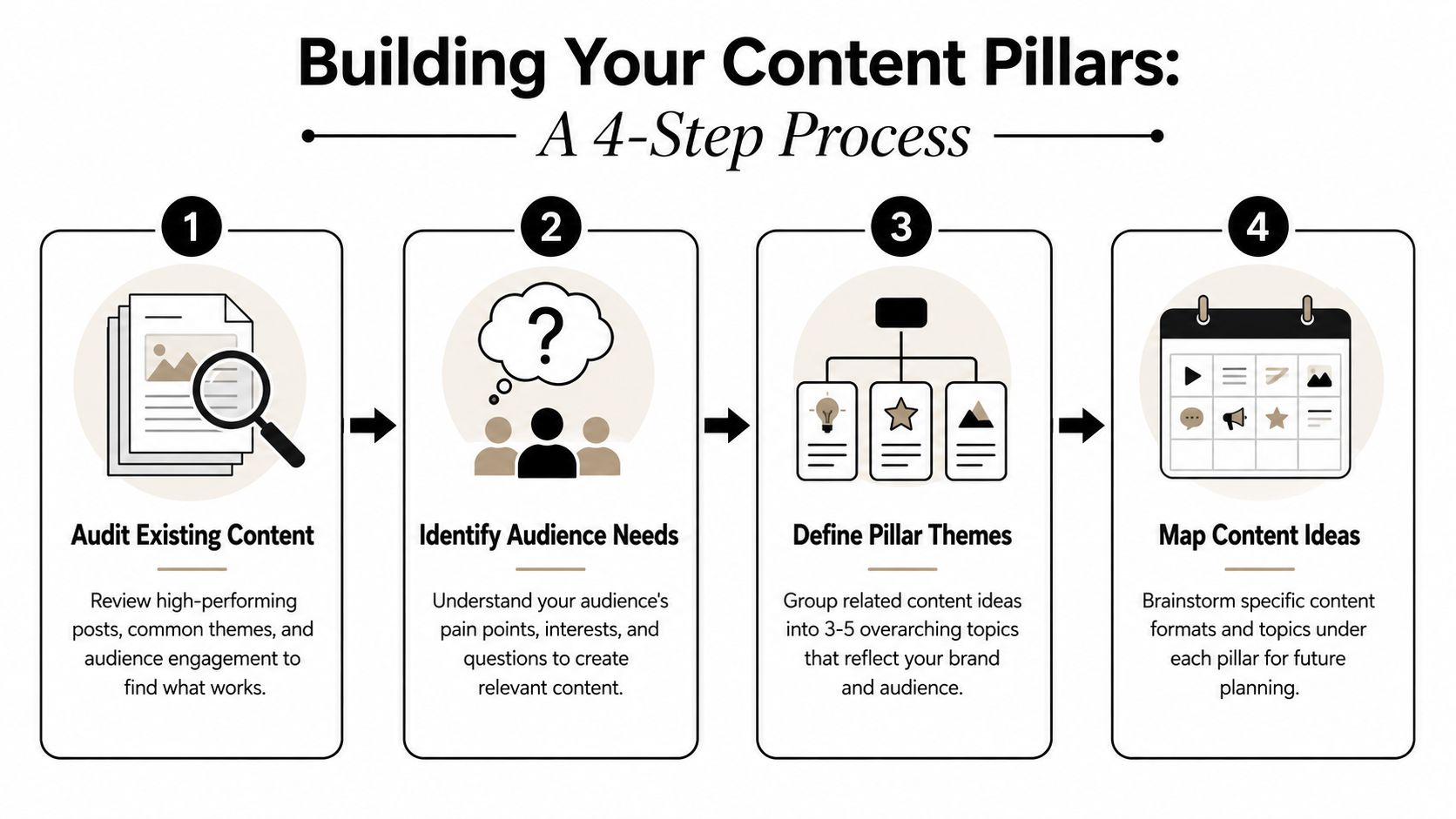
Start with evidence, not brainstorming
Review what you’ve already published. Look for posts that earned strong engagement, useful conversations, qualified clicks, saves, replies, or leads. Then group them by theme.
Research from Sprout Social on social media content pillars recommends exactly 3 to 5 core content pillars to keep strategy focused without creating clutter.
Pull from these sources:
- Published posts: Look at top performers and also steady performers, not just outliers.
- Sales and support calls: Repeated objections and questions usually become strong educational pillars.
- Founder or team expertise: If your internal experts can speak on it repeatedly, it’s a viable theme.
- Audience comments and DMs: These often reveal what people want clarified, challenged, or simplified.
A useful filter is production reality. If the team can’t generate examples, opinions, stories, or proof around a theme, it isn’t a pillar. It’s a wish.
To organize those ideas into formats, angles, and recurring assets, this guide to content planning tools can help tighten the workflow.
Later in the process, it’s also worth reviewing different key content creation types to use so each pillar doesn’t get trapped in a single format.
Here’s a walkthrough that complements the process:
Use a framework, then customize it
Frameworks are helpful starting points, not final answers. Many organizations begin with some version of:
- Educate
- Entertain
- Inspire
- Promote
That works as a lens, especially during early planning. But generic frameworks usually need to be translated into business-specific themes. “Educate” is too broad. “Onboarding mistakes buyers make before switching tools” is a pillar candidate.
For a B2B brand, pillars often come out more like:
- Product education
- Industry perspective
- Customer proof
- Team or process
- Offer and conversion
For a coach, they might look more like mindset, tactical how-to, client wins, and behind-the-scenes business building.
Pressure-test each pillar before you keep it
Before finalizing a pillar, ask:
- Can we publish on this consistently?
- Does this help the audience, not just us?
- Can it support multiple formats like video, carousel, text post, and email?
- Does it connect back to pipeline, trust, retention, or brand authority?
A good pillar gives you dozens of post angles. A weak pillar gives you three ideas and then dies.
If two pillars keep producing overlapping ideas, combine them. If one pillar only exists to justify occasional promotion, demote it from a pillar to a campaign.
Content Pillar Examples for SaaS and Coaches
Examples make this clearer than theory.
Example pillar to post mapping for B2B SaaS
A B2B SaaS team usually needs a mix of authority, usability, proof, and brand familiarity. Here’s a simple structure.
| Pillar | Post Idea 1 | Post Idea 2 |
|---|---|---|
| Product Education | “How to set up your first workflow without overcomplicating it” | “Three mistakes new users make during onboarding” |
| Industry Insights | “What changed in buyer expectations this quarter” | “Hot take on where AI helps and where it creates more work” |
| Customer Success | “A common before-and-after workflow transformation” | “FAQ-style breakdown of how teams use the product day to day” |
| Behind the Scenes | “How the marketing team plans launches” | “What the support team hears most often from prospects” |
That mix works because it balances demand capture and trust building. You aren’t posting features all week. You’re teaching, interpreting, proving, and humanizing.
Coach example
A coach usually needs to sell credibility and clarity at the same time. A practical pillar set might look like this:
-
Mindset and decision-making
- Short video on handling inconsistency
- Text post on why overthinking stalls execution
-
Sales and marketing tactics
- Carousel on fixing weak calls to action
- Clip breaking down a simple lead nurture sequence
-
Client transformation
- Story post showing a common client breakthrough
- FAQ video answering what changed after implementing a process
-
Behind the business
- Day-in-the-life clip
- Reflection on how offers, messaging, or delivery evolved
The key is that each pillar can produce recurring posts without forcing the creator to reinvent the brand every week.
From Pillars to Posts Without Burning Out
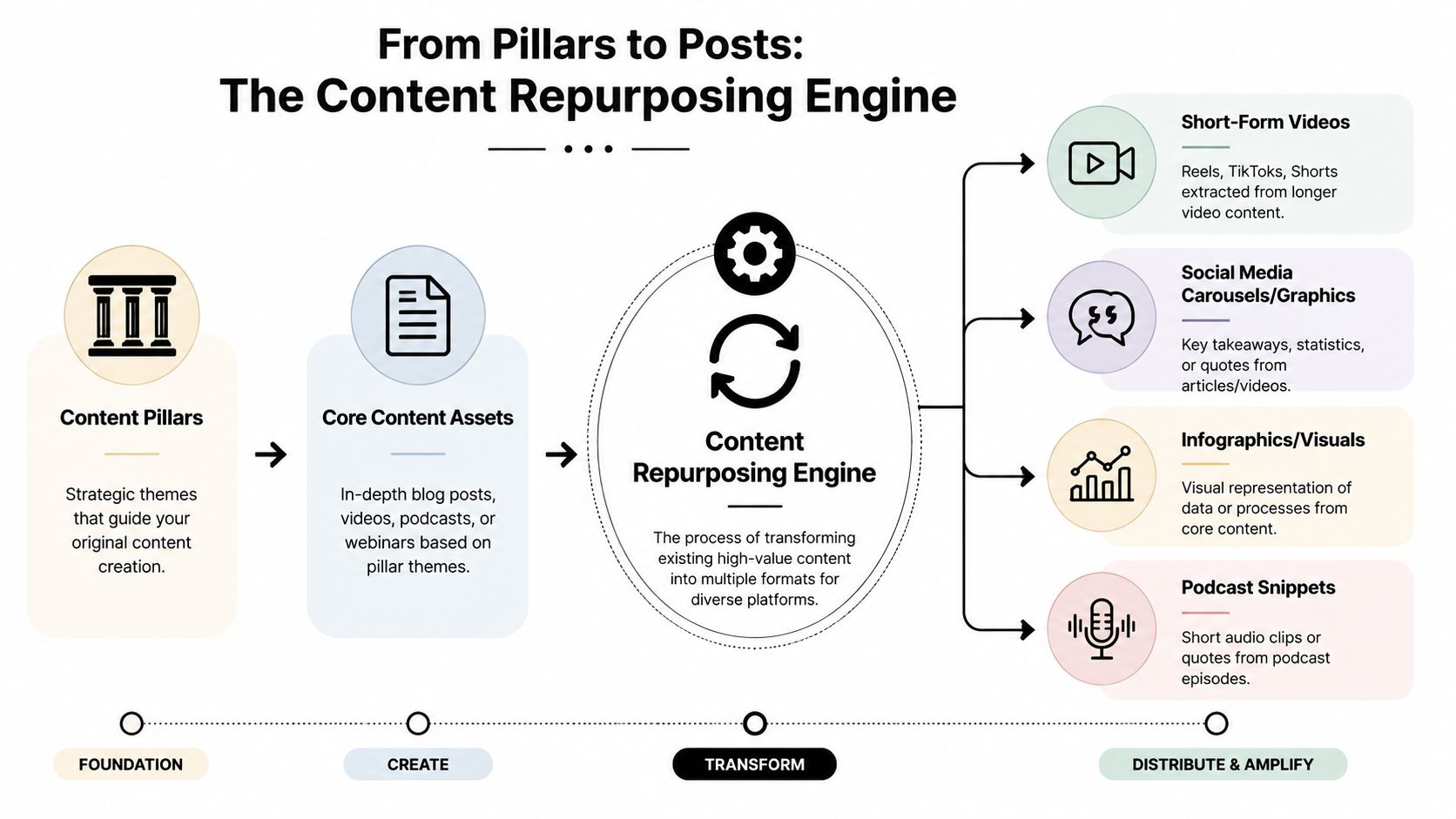
Many organizations don’t need more ideas. They need a production model that turns one good asset into many usable posts.
Build around one source asset
The cleanest workflow starts with one long-form piece of content. That could be a webinar, demo, podcast episode, interview, training, or founder Q&A. From that single asset, you extract multiple posts that map to different pillars.
For example:
- Education pillar: Pull a how-to clip.
- Industry insight pillar: Cut the strongest opinion or trend analysis.
- Customer proof pillar: Turn a story or use case mention into a post.
- Behind-the-scenes pillar: Use a candid setup moment or planning insight.
This is the difference between content creation and content extraction. Teams that burn out try to invent every post separately. Teams that stay consistent build a repurposing engine. If you want a deeper workflow for that, this guide on how to repurpose content to boost brand optimization is worth reading.
Your calendar gets easier when each recording session is designed to feed multiple pillars, not just one post.
Don’t ignore platform safe zones
One practical mistake too many teams make is treating every short-form video frame as fully visible. It isn’t. Platform UI overlaps parts of the screen, especially near the bottom, edges, and caption areas.
When you’re turning longer videos into short clips, keep these rules in mind:
- Keep primary text away from the lower portion of the frame: Captions, buttons, and interface overlays often sit there.
- Avoid placing faces or product details at the extreme edges: Crops and UI can compete with them.
- Check vertical compositions before scheduling: A clip that looks fine in edit view can become hard to read in-feed.
- Design captions for readability, not decoration: High contrast, short lines, and clean placement usually win.
This is where a repurposing workflow matters. If the original asset is structured well, you can cut it into vertical clips, add readable captions, and assign each clip to a pillar instead of scrambling for fresh assets every day.
Frequently Asked Questions About Content Pillars
How often should you review content pillars
Don’t change them every few weeks because a couple of posts underperformed. Industry guidance recommends giving content pillars at least one quarter, or three months, before making adjustments because short-term data usually isn’t enough to judge long-term trends. Use that window to compare how each pillar performs across formats and platforms.
Can one post fit more than one pillar
Yes, but pick one primary pillar for reporting. A founder clip might support both industry insights and behind the scenes, but if you tag every post with multiple primary themes, reporting gets messy. Choose the main strategic job of the post.
If every post belongs to every pillar, your taxonomy is broken.
What’s the difference between a content pillar and a content category
A content pillar is a strategic theme. A category is usually a narrower recurring topic inside that theme.
For example, “Product Education” is a pillar. “Onboarding tips,” “feature tutorials,” and “workflow setup mistakes” are categories inside it. Pillars stay relatively stable. Categories rotate more often.
How do you measure whether a pillar is working
Track performance by pillar, not only by format. Look at the metrics that matter for your goal, such as engagement quality, clicks, replies, lead quality, or sales conversations. Then compare performance patterns over time.
A useful review process looks like this:
- Tag every post by one primary pillar
- Review patterns by platform
- Separate reach from business relevance
- Keep a running list of winning angles inside each pillar
That gives you a much clearer view than asking whether “video content” worked in general.
Do content pillars only apply to social media
No. Good pillars usually carry into email, podcasts, webinars, blog content, and sales enablement. Social is often where the system becomes most visible because the publishing cadence is faster, but the underlying themes should stay consistent across channels.
If you’re trying to turn one webinar, podcast, or talking-head recording into a week’s worth of pillar-based posts, quso.ai makes that workflow easier with AI clipping, auto-captions, and scheduling. It’s a practical way to keep your content pillars active without rebuilding the calendar from scratch every week.