What Is Facebook Pay?
Facebook Pay, now known as Meta Pay, is a secure and streamlined digital payment platform integrated across Meta's suite of applications, including Facebook, Instagram, WhatsApp, and Messenger. Users
More About Facebook Pay
Did you know? Facebook Pay was introduced in 2019 to streamline payments across Meta apps. By 2021, it expanded to websites like Shopify, becoming a key tool for businesses and users alike, offering quick and secure transactions!
Here’s how you can get started with Facebook Pay:
To get started with Facebook Pay, you need to link a payment method to your Facebook profile. This can be a debit or credit card, or even a PayPal account. Once linked, you can easily make payments by entering the amount you wish to transfer or pay and then approving the transaction. Facebook Pay also supports automated payments for recurring bills such as subscriptions.
Steps to Set Up Facebook Pay on Facebook
- Log in to your Facebook account.
- Click on your profile icon (located in the upper right corner of the page).
- Go to Settings.
- Select the Facebook Pay or Meta Pay option.
- Add your desired payment method, choosing between debit, credit card, or PayPal.
- Enter the required details and save them for future use.
- Your account is now ready for transactions.
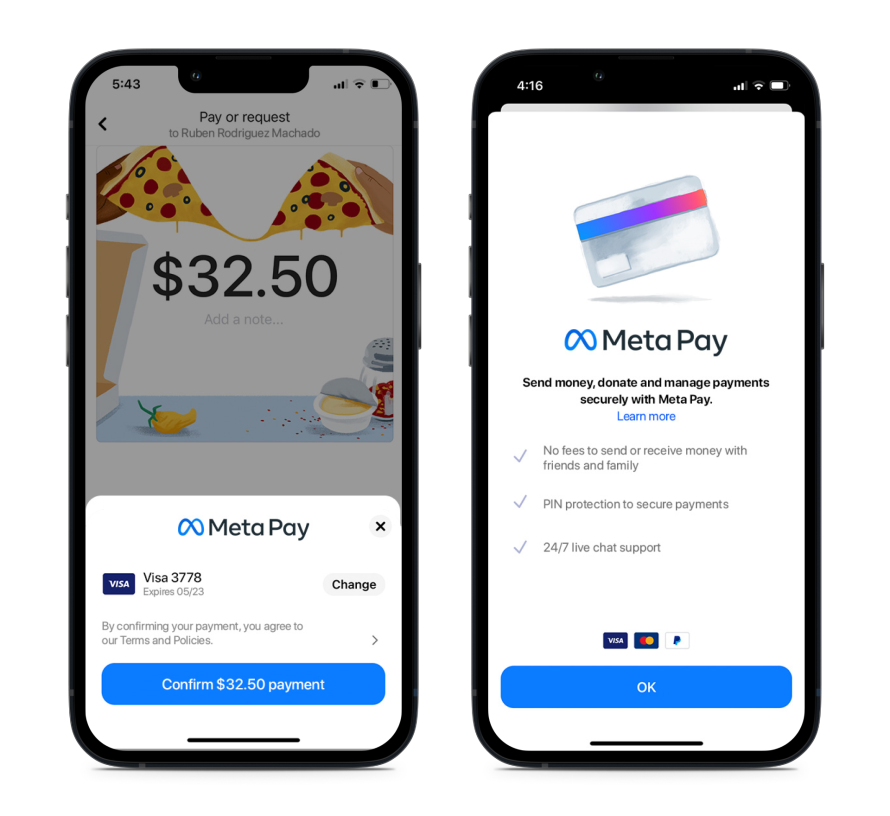
Let's take a look at how Facebook Pay appears on mobile.
Check out these Benefits of Facebook Pay:
- Convenience: Users can make purchases without leaving the Facebook app, making it easy to complete transactions while chatting with friends or browsing the marketplace.
- Security: The platform employs two-factor authentication, data encryption, and a Meta Pay PIN to ensure the safety of your financial information.
- Reach: Integrating Facebook Pay into your online store gives millions of potential customers access to a seamless, one-click payment option.
- Cost-Effective: Facebook Pay is free to use, eliminating concerns about unwanted fees that come with other payment methods.
- Efficiency: It significantly simplifies the checkout process for users looking to purchase products found on social media accounts.
Here’s how people are using Facebook Pay in real life:
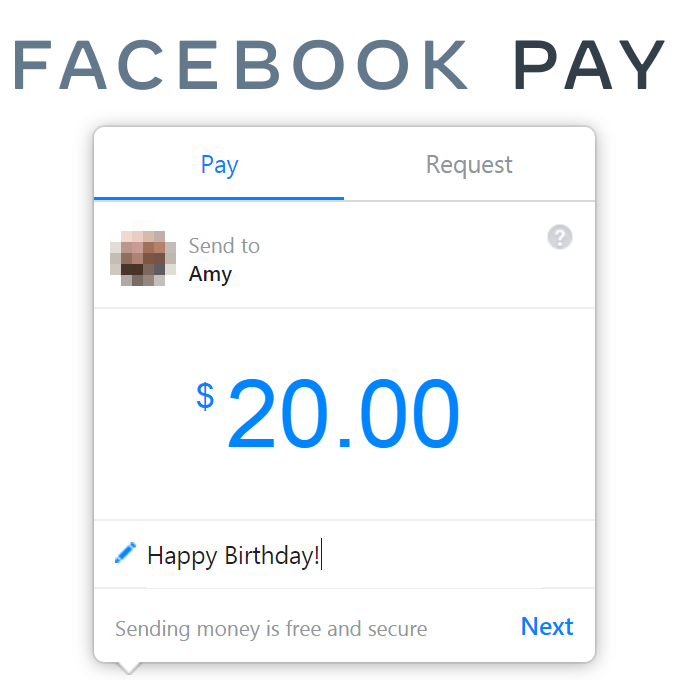
- Sending Money to Friends: Imagine you're out for dinner with friends, and you need to split the bill. With Facebook Pay, you can quickly send your share of the bill through Messenger.
- Donations: During a charity event on Facebook, you can use Facebook Pay to donate to your favorite causes without leaving the app.
- Online Shopping: If you're browsing through a Facebook Marketplace store and find a product you like, you can make the purchase instantly using Facebook Pay.
- Event Tickets: Purchase tickets for events hosted on Facebook without the hassle of navigating away from the platform.
- Game Passes: Buy game passes or in-app purchases directly through Facebook Pay, enhancing your gaming experience.
- Subscriptions: Set up recurring payments for services or subscriptions, ensuring you never miss a payment.
Check out this screenshot of how you can use Facebook Pay to send money to friends and family.