How to See Who You Follow on Facebook (2026): App and Desktop
Part of the Facebook guide →
How to see who you follow on Facebook: the short answer
Go to your Facebook profile and tap Following below your name. On a computer, open your profile, click Friends, then click Following. That list shows the people and Pages you follow, and Facebook says that if you don't see Following, you aren't following anyone yet. For a dated history of everyone you've followed and unfollowed, use Activity Log > Connections instead.
Steps checked against Facebook's Help Center on October 20, 2026. Facebook tests new layouts often, so a label or two may differ in your app.
Method 1: Check your following list from your profile
This is the quick way. It's also the one Facebook documents.
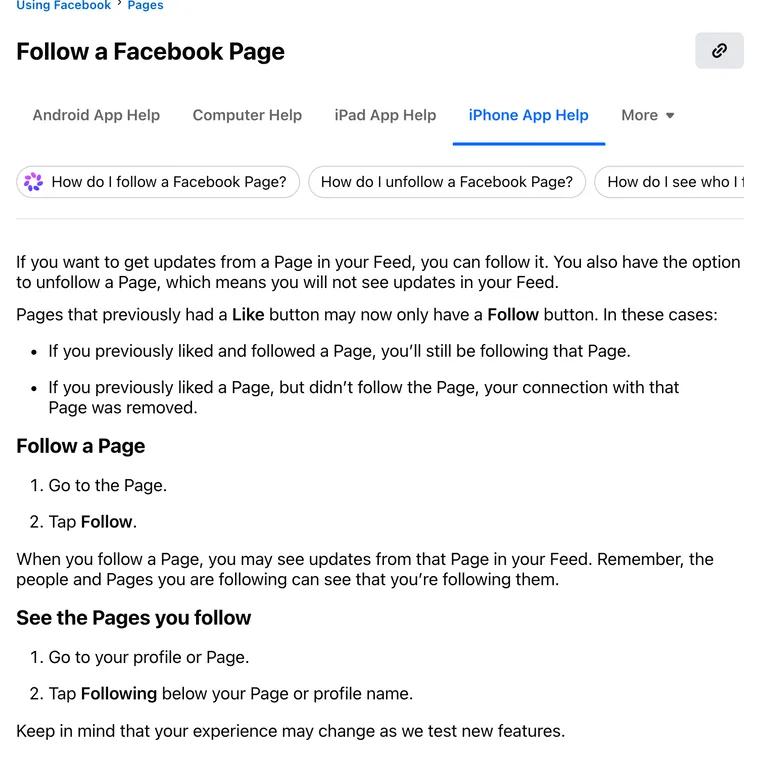
On the Facebook app (iPhone and Android)
- Open your profile: tap your profile picture, or tap Menu (☰) and then your name.
- Tap Following below your profile name.
- Scroll the list of people and Pages you follow. Tap any of them to open it, or tap Following on their profile and choose Unfollow to remove them.
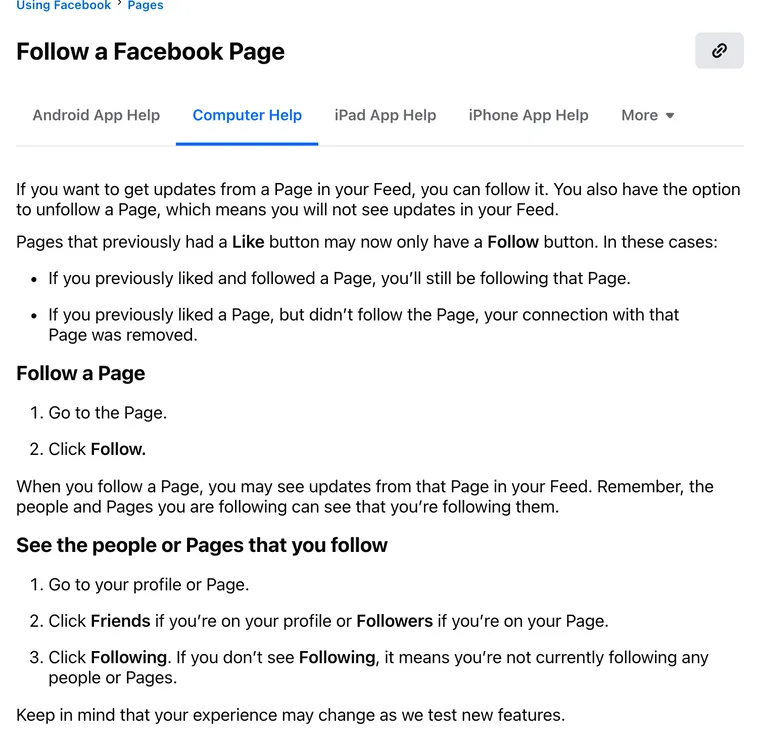
On a computer
- Go to facebook.com and open your profile.
- Click Friends.
- Click Following.
No Following tab? Facebook's answer is short: it means you're not currently following any people or Pages. On a Page you manage, click Followers instead of Friends to get the same list for the Page.
A two-minute walkthrough from tech tutorial creator Trevor Nace. The menus in the video are a little older than the steps above, but the route is the same.
Method 2: See everyone you've followed and unfollowed (Activity Log)
The profile list only shows who you follow right now. Activity Log keeps the history, with dates, which helps when you're trying to work out when you unfollowed someone. Or if you ever followed that Page at all.
On the Facebook app
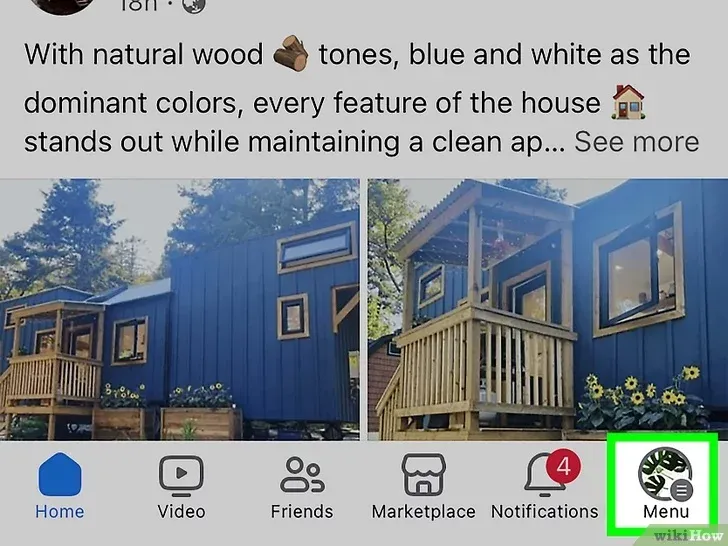
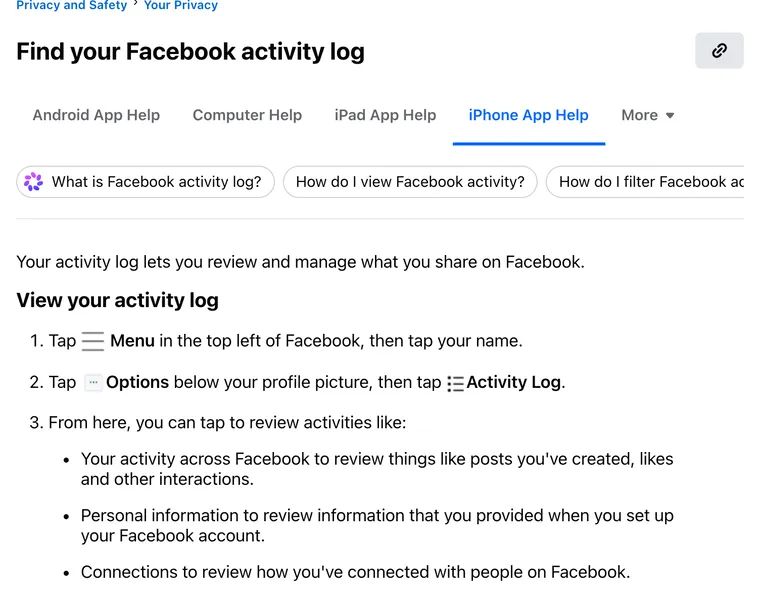
Step 1: Open your profile. Tap Menu (☰) in the top left of Facebook, then tap your name.
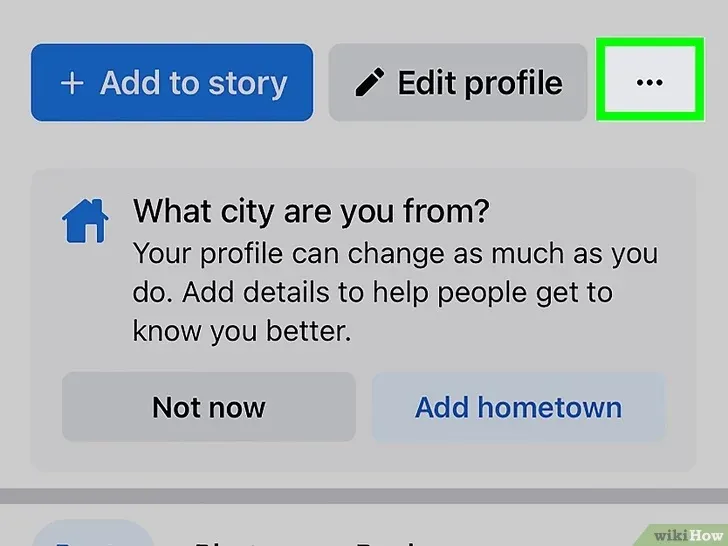
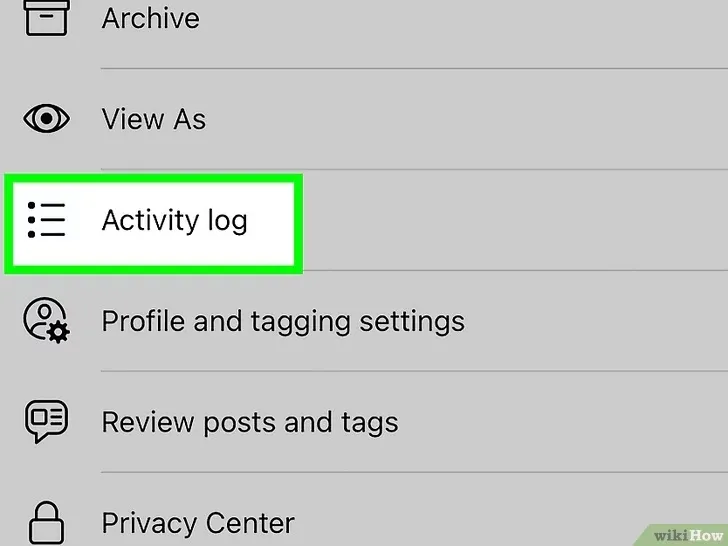
Step 2: Tap Options (•••), then Activity Log. The Options button sits below your profile picture.
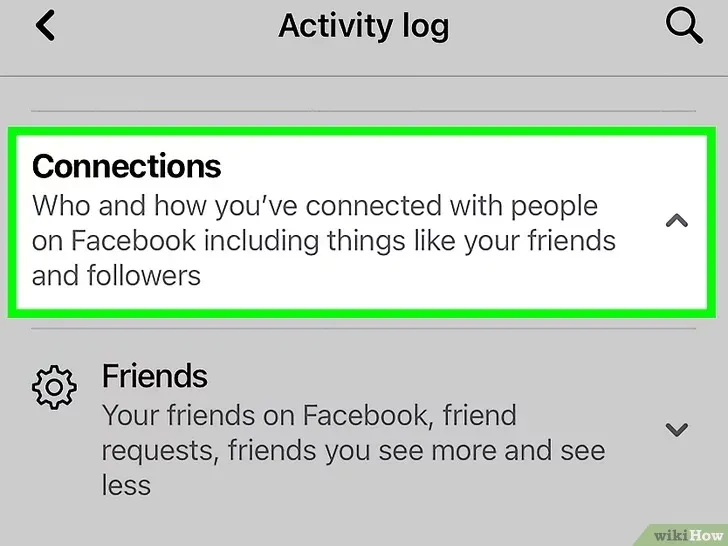
Step 3: Tap Connections. Facebook describes this category as the place "to review how you've connected with people on Facebook."
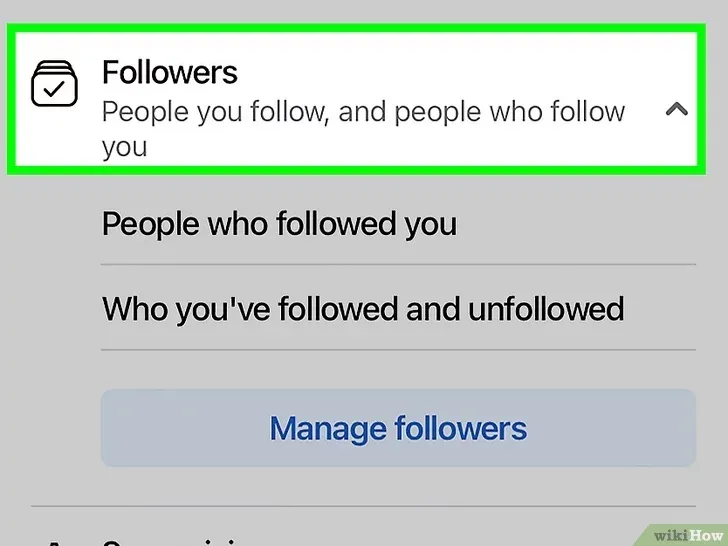
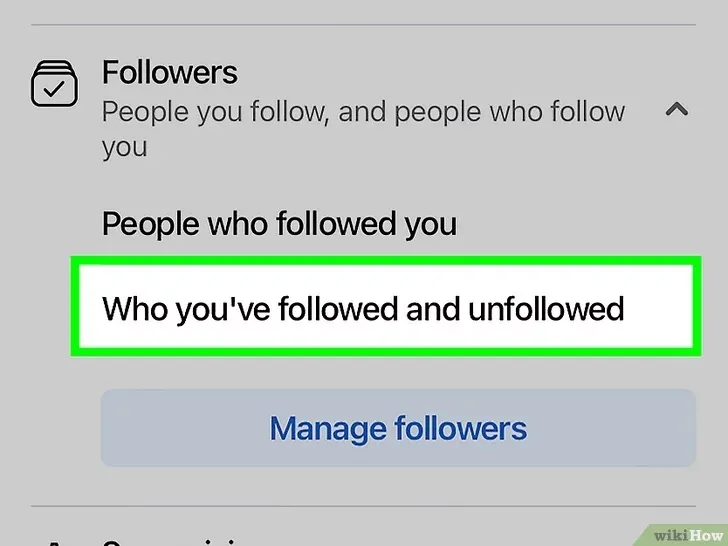
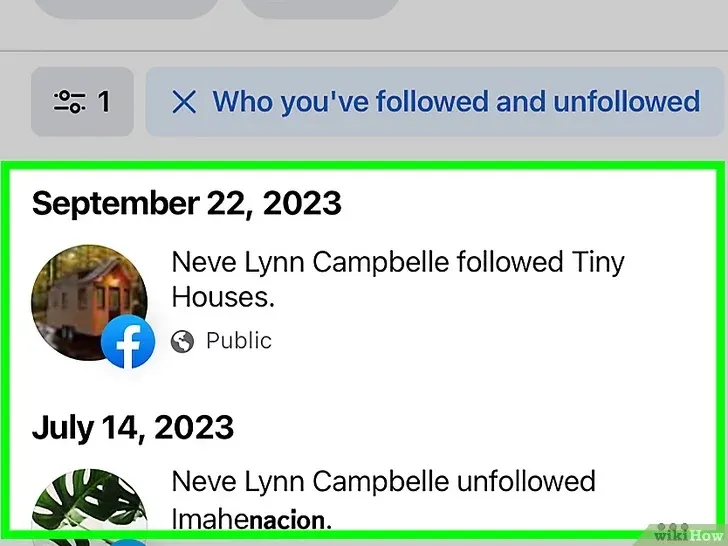
Step 4: Open Followers, then Who you've followed and unfollowed. You'll get a dated list of every profile and Page you followed or unfollowed. To see the reverse, people who followed you, pick People who followed you instead.
On a computer
Click your profile picture in the top right of Facebook, select Settings & Privacy, then click Activity Log. Open Connections in the left column and look for the followed and unfollowed history.
How to see who is following you on Facebook
That's the other half of the question. It depends on what you're checking. For a Page you manage, Facebook says to switch into the Page, open it, and tap Followers below the Page photo; Page likes have been replaced by follows, so the followers list is the one that counts. For your personal profile, your friends follow you automatically, and people who aren't your friends can follow you only if your profile allows it. Facebook is removing the Public follower option from default profiles, so if you want followers beyond your friends, you'll need professional mode (Facebook calls it pro mode).
If you manage a Page or a creator profile and post often, quso.ai's social media scheduler can plan and auto-publish your Facebook and Instagram posts from one calendar, which is handy once you know who's actually following along.
Who can see the people and Pages you follow
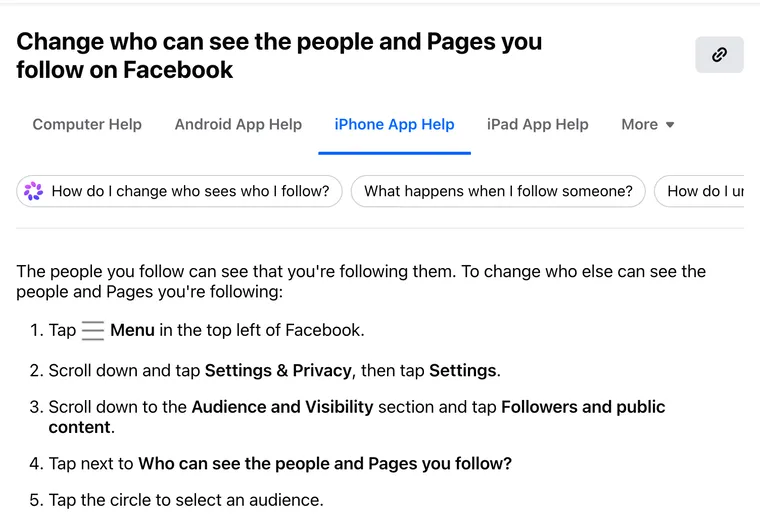
The people you follow can always see that you follow them. Everyone else is up to you. In the app, tap Menu, go to Settings & Privacy > Settings, scroll to Audience and Visibility, tap Followers and public content, and change Who can see the people and Pages you follow?
One more detail. Unfollowing a friend is silent: they don't get a notification, and you stay friends; you just stop seeing their posts in Feed.
Facebook following list FAQ
How do you see Pages you're following on Facebook?
Go to your profile and tap Following below your name. On a computer, open your profile, click Friends, then Following. The list includes both the people and the Pages you follow.
How do I check my following list on Facebook in 2026?
In the app, open your profile and tap Following. On desktop, go to your profile, click Friends and then Following. For a dated history, use Menu, your name, Options (•••), Activity Log, then Connections.
Why can't I see my following list on Facebook?
Facebook says that if you don't see Following, you aren't currently following any people or Pages. It also tests new layouts, so update the app or try facebook.com on a computer, where the option sits under Friends on your profile.
Where can I find my following list?
On your own profile, under Following (in the app) or under Friends > Following (on a computer). Activity Log > Connections keeps a longer history of who you followed and unfollowed.
Can I hide who I follow on Facebook?
Partly. The people you follow can always see that you follow them, but you can choose who else sees your list under Settings & Privacy > Settings > Followers and public content > Who can see the people and Pages you follow?
Does someone know if I unfollow them on Facebook?
No. Facebook says a friend you unfollow doesn't get a notification, and you stay friends. You just stop seeing their posts in Feed.
Steps come from Facebook Help Center articles Follow a Facebook Page, Change who can see the people and Pages you follow, Find your Facebook activity log, See who follows your Facebook Page and Manage follower settings, all checked October 20, 2026.