How to Post YouTube Shorts: A Complete Guide for 2026
YouTube Shorts is no longer a side format. It's one of the main ways people discover channels on YouTube. One published statistics roundup says Shorts now average 200 billion daily views, and around 70% of channels uploading each month are posting Shorts (inBeat's YouTube Shorts statistics roundup). That changes the question from “Should I try Shorts?” to “How do I post them in a way I can sustain every week?”
Most tutorials stop at the button clicks. That's not enough if you edit on desktop, batch content, repurpose podcast clips, or manage posts for a team. The main challenge isn't posting one Short. It's building a workflow that keeps format mistakes low, output consistent, and quality high.
If you also publish videos on your site, it's worth keeping an eye on delivery and privacy standards too. This guide on privacy-safe YouTube embeds for 2026 is useful if your Shorts strategy connects to blog content, landing pages, or course pages.
Table of Contents
- Why YouTube Shorts Are Your Biggest Growth Opportunity
- What YouTube looks for
- YouTube Shorts technical specifications
- What actually makes a Short feel native
- Can I choose a custom thumbnail for Shorts
- Should I post Shorts on my main channel
- Can Shorts help with monetization
- Do I need to post from mobile to succeed
Why YouTube Shorts Are Your Biggest Growth Opportunity
YouTube Shorts now sits at the center of discovery on the platform. For creators trying to grow, that changes the job. You are not only publishing videos for subscribers. You are packaging ideas for cold audiences who may see your channel for the first time in the Shorts feed.
Shorts solves a distribution problem that long-form creators run into constantly. A new viewer will ignore a 12-minute tutorial from an unfamiliar channel, but they will test a 20 to 40 second clip if the first second earns attention. That makes Shorts one of the fastest ways to get ideas in front of people who were never going to find you through browse or search alone.
I see the same mistake over and over. Creators treat Shorts like leftovers from a long video, post them with minimal editing, then blame the format when results stall. The format is rarely the problem. The workflow is.
Practical rule: Shorts rewards clear hooks, readable packaging, and repeatable production habits more than raw posting volume.
That shift matters if you want growth you can sustain for months, not a week of random uploads. Good Shorts strategy is operational. You need a posting system that works on mobile when speed matters, on desktop when control matters, and across both when you are repurposing long-form content at scale. If your process is slow, inconsistent, or split across too many manual steps, output drops and quality slips with it.
A workable setup usually follows three priorities:
- Recognition: The clip needs to be formatted so YouTube classifies it correctly. Consequently, creators lose reach before the video even has a chance. A quick review of YouTube Shorts dimensions, durations, and common formatting mistakes helps prevent that.
- Speed: Posting has to be fast enough that you can stay consistent without turning every Short into a full production cycle.
- Reuse: The strongest channels build one idea into multiple assets. A podcast clip becomes a Short. A tutorial moment becomes a teaser. A webinar answer becomes a vertical cut ready for upload.
There is a second benefit many creators miss. Shorts can also increase the value of the traffic you already have. If viewers discover you through a Short, then move to your channel, your long-form library, newsletter, or site, one clip can do more than drive views. If you send that audience to your own pages, privacy-safe YouTube embeds for 2026 are worth paying attention to.
The creators who get the most from Shorts usually are not doing more manual work. They are using a system that makes clipping, packaging, and posting repeatable. That is the key opportunity. Not just learning how to upload a Short, but building a workflow you can keep running without burning out.
The Anatomy of a Perfect YouTube Short
Before you post, you need to know what YouTube is trying to classify. Most Shorts problems start before publishing. The file is the wrong shape, the duration is off, or the upload path creates confusion.
What YouTube looks for
A Short must be vertical or square, and guidance around duration depends on how the video is uploaded. A widely cited creator guide notes the classic in-app limit is 60 seconds, while direct uploads can be recognized as Shorts up to 3 minutes. The same guide also flags a common mistake: forgetting to add #Shorts when uploading outside the Shorts camera (Wayin's guide to making YouTube Shorts).
That explains why creators get mixed results with the same clip across devices. One upload path is built around the classic Shorts composer. Another relies on YouTube recognizing the file correctly after a standard upload.
If you want a more detailed breakdown of dimensions, duration confusion, and common formatting errors, this guide on YouTube Shorts dimensions, durations, and mistakes to avoid is a useful companion.
YouTube Shorts technical specifications
| Attribute | Requirement |
|---|---|
| Aspect ratio | Vertical or square |
| Classic Shorts length | 60 seconds |
| Direct upload recognition | Up to 3 minutes |
| Common extra signal outside Shorts camera | #Shorts in title or description |
What actually makes a Short feel native
The technical rules get the video into the right lane. They don't make it watchable.
A strong Short usually has a few traits in common:
- Immediate context: The viewer understands the premise fast.
- Tight framing: Faces, products, screens, or demos are easy to read on a phone.
- Fast pacing: Dead air hurts more in Shorts than in long-form.
- One clear payoff: A single lesson, reveal, reaction, or argument works better than three competing ideas.
Don't post a clip just because it's short. Post it because it delivers one complete thought cleanly.
That's the difference between “a shortened video” and an actual Short.
How to Post Shorts from Your Mobile Device
For fast capture, trend responses, or on-the-go publishing, mobile is still the simplest path. YouTube's official flow in the app is direct: tap Create, select Short, record or upload a vertical video, then tap Upload Short. YouTube also sets a 100-character maximum title length in this flow (YouTube Help for creating Shorts).
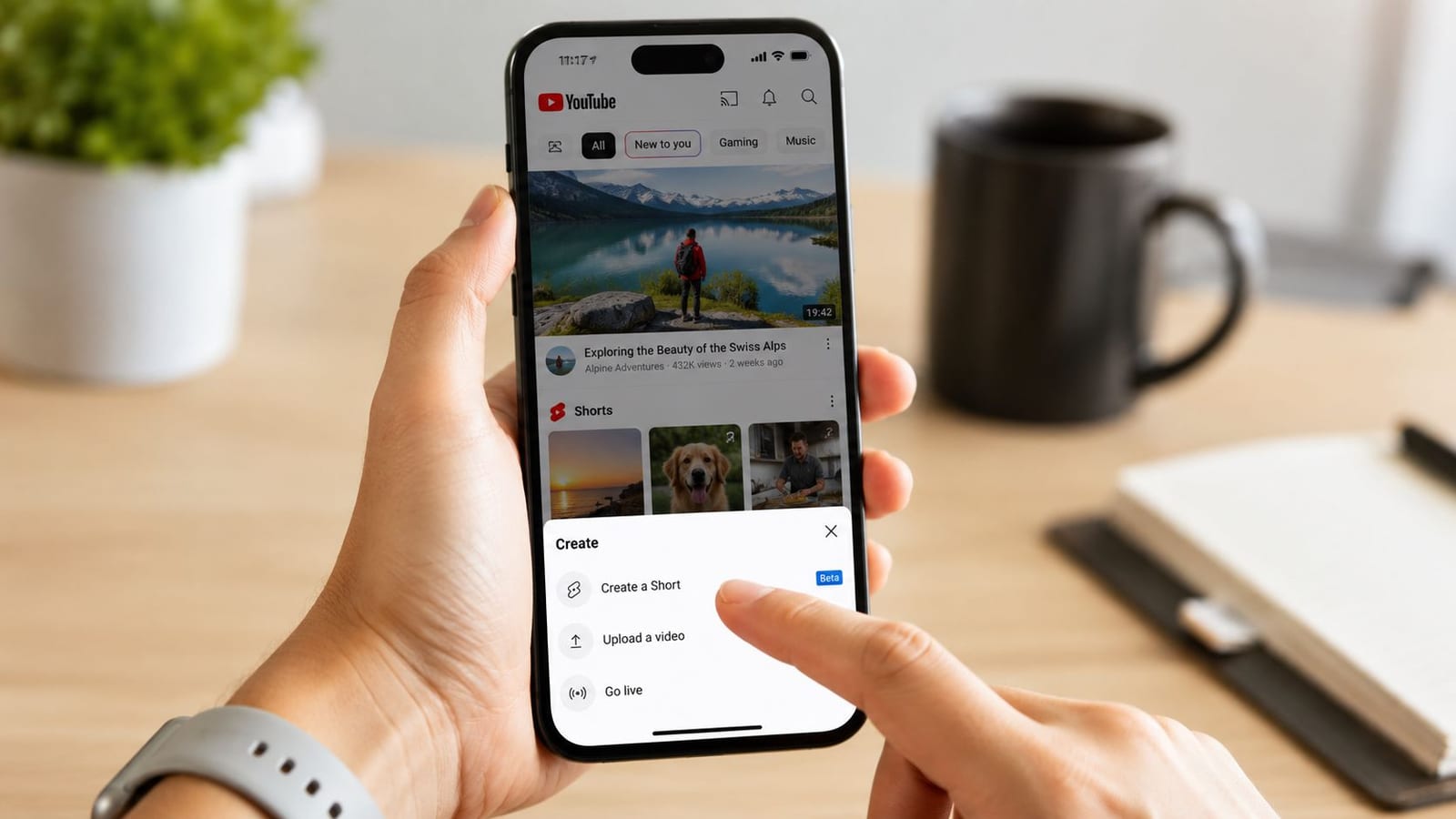
The mobile posting flow
If you're learning how to post YouTube Shorts for the first time, this is the cleanest starting point.
Open the YouTube app and tap Create.
You'll see the option to start a Short directly from the app.Choose record or upload.
Record if speed matters. Upload if you've already edited the clip in CapCut, Premiere Pro, Final Cut Pro, or another editor.Add music, effects, or text if needed.
Use these lightly. Effects should support the point of the video, not distract from it.Write a short, clear title.
You only have 100 characters, so lead with the main idea rather than burying it.Check audience and visibility settings.
Many rushed uploads falter due to these settings. A strong Short can still underperform if it's set to the wrong visibility or audience setting.
What to do before you tap upload
Mobile makes posting easy, but it also makes sloppy posting easy. Before publishing, check three things:
- The opening frame: If the first visual is awkward, unclear, or low-energy, re-edit it.
- On-screen text placement: Keep text away from edges where app UI may crowd it.
- Caption readability: Small mobile screens punish fancy fonts and cramped layouts.
The fastest posting workflow is the one that avoids re-uploads.
If I'm posting from a phone, I keep edits minimal and focus on clarity. Mobile is best for simple execution. If the clip needs careful pacing, layered captions, or multiple versions, I'll finish it on desktop and upload from Studio instead.
How to Upload Shorts from Your Desktop
Desktop is the better choice when you care about editing control, batch processing, and a cleaner publishing routine. The process is simpler than many guides make it sound. In YouTube Studio, go to Create > Upload video. If the file is vertical and under the applicable length limit, YouTube can classify it as a Short automatically, and the title plays a key role in discovery in this workflow (Skillshare's desktop Shorts guide).
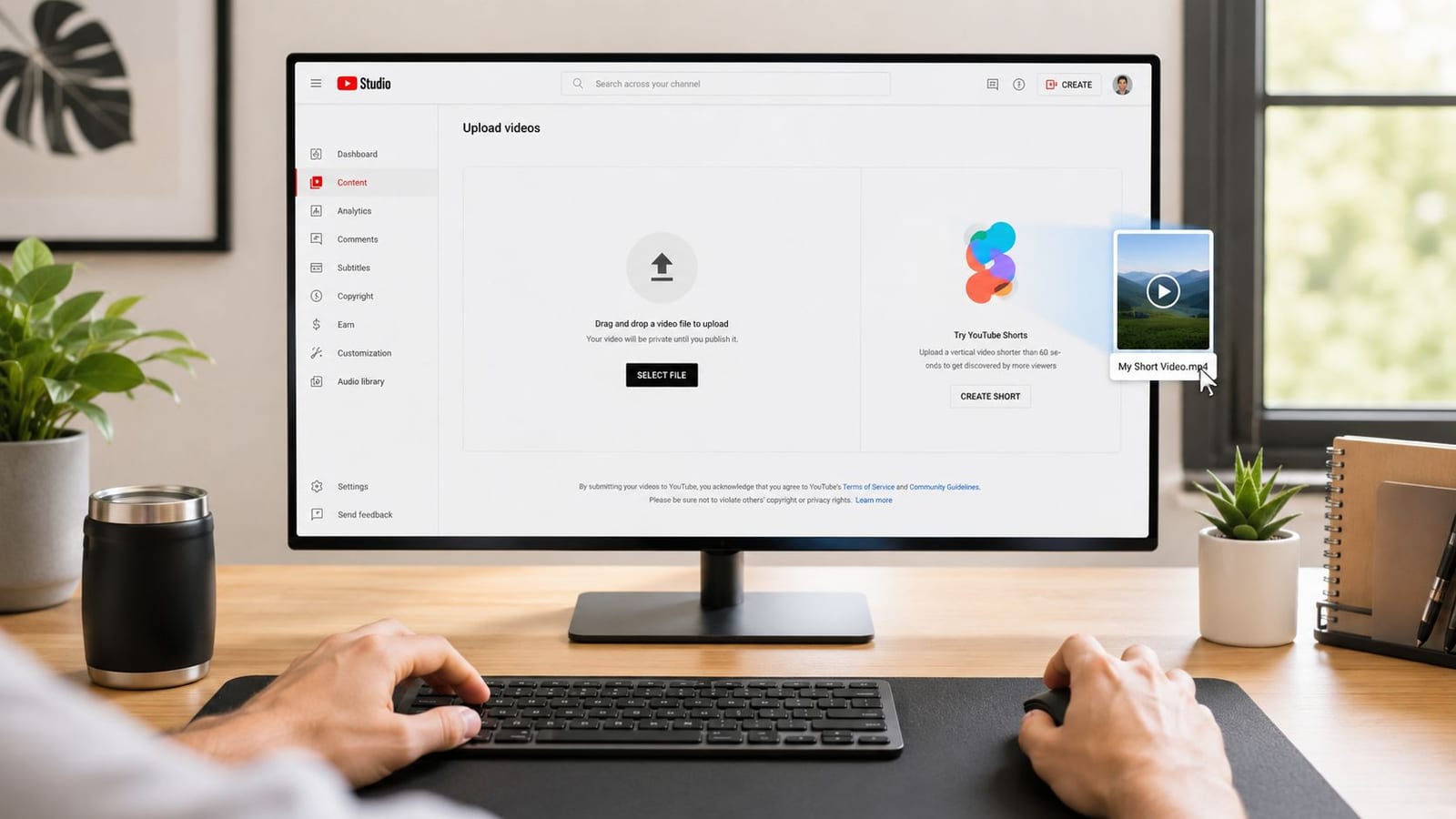
The desktop workflow in YouTube Studio
Desktop uploads don't have a giant “Upload Short” label, and that's where people hesitate. The upload path is still standard YouTube Studio.
Use this sequence:
- Open YouTube Studio and click Create, then Upload video.
- Select your vertical file.
- Add your title first. Keep the main phrase early because the title does a lot of work in discovery.
- Write a clean description. Don't stuff it.
- Set audience and visibility.
- Publish or schedule.
A short walkthrough helps if you want to see the interface in action:
How I package desktop uploads
Desktop is where I'd rather handle anything that involves precision. That includes trimming weak intros, setting subtitles, exporting multiple variations, and scheduling content ahead of time.
Here's the practical trade-off:
- Mobile is faster for capture.
- Desktop is better for repeatable quality.
For desktop Shorts, I keep the packaging tight:
- Title first: Make the core topic visible immediately.
- Description second: Add context, not noise.
- Hashtag use: If I'm outside the in-app composer, I'll include #Shorts as a classification aid.
- Scheduling: Useful for teams, client content, and weekly posting cadence.
What doesn't work well is treating desktop Shorts like miniature long-form uploads. Long intros, generic titles, and overbuilt descriptions rarely help. The more direct the package, the easier it is for viewers to understand the clip instantly.
Optimize Your Shorts for Algorithm Success
Uploading correctly gets your Short into the system. Performance comes from how viewers respond once it starts moving through the feed. That's why the useful question isn't “What button do I press?” It's “What makes people stop, watch, and keep watching?”
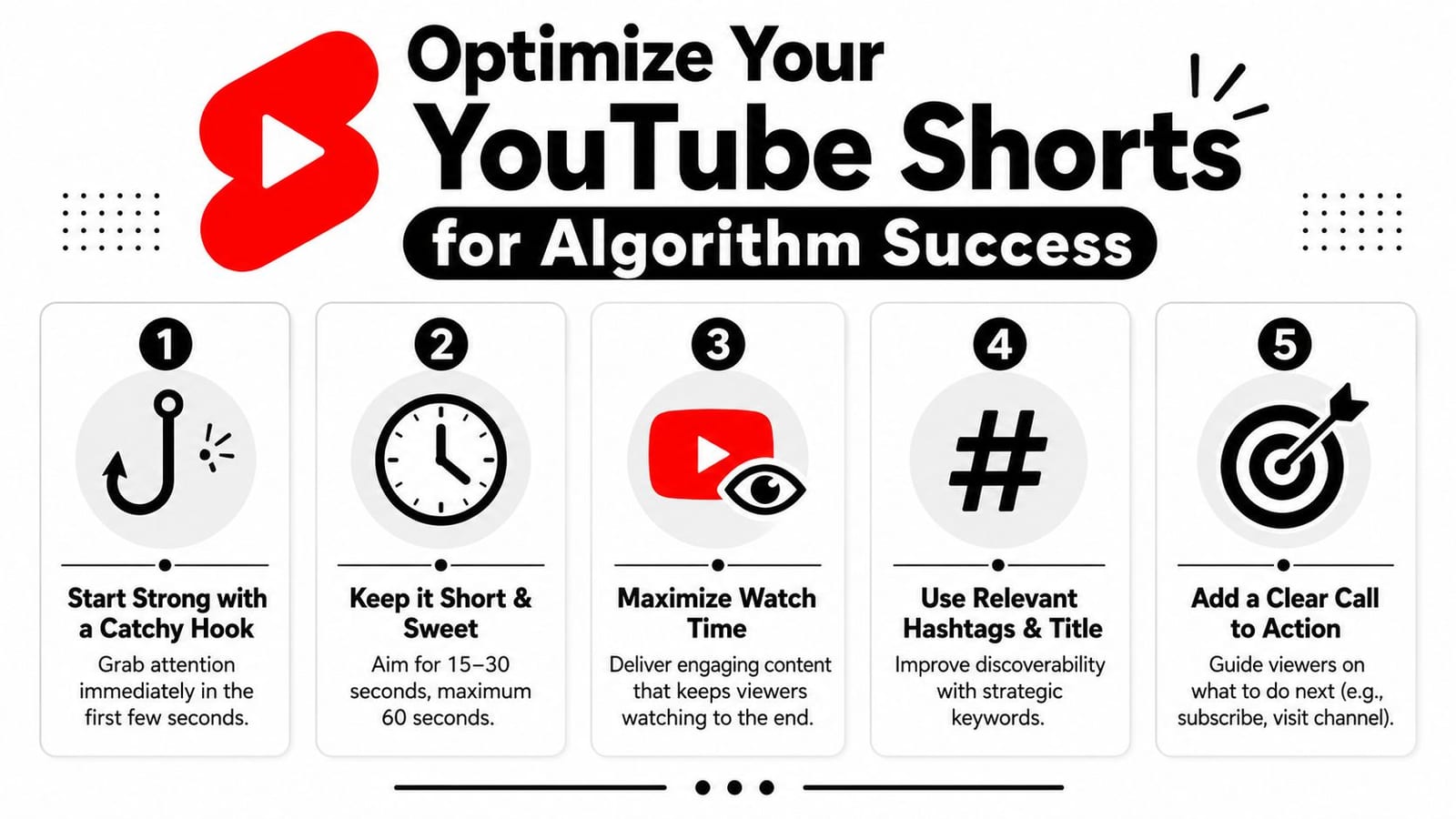
Recent creator-facing guidance still points to the first 2 to 3 seconds, keyword-led titles, limited hashtags, and early audience testing after publish, with wider distribution depending on response (YouTube-facing tutorial on Shorts distribution and packaging). That lines up with what most experienced creators see in practice. Strong packaging helps, but retention carries the most weight.
What actually matters after publishing
Most Shorts advice overstates the value of minor tricks. The basics still matter more.
- The first seconds decide everything: Start with motion, tension, a claim, a question, or a visible result.
- Retention beats filler: If a sentence, cutaway, or setup line slows the clip down, remove it.
- Loopability helps: Endings that flow cleanly back into the opening can make the Short feel satisfying on repeat.
- Early engagement matters more than clutter: Comments and rewatches are useful. Hashtag stuffing usually isn't.
A Short doesn't need to feel polished. It needs to feel watchable without friction.
If you want broader context on search behavior and discovery patterns around video, discover video SEO insights from Keyword Kick is a solid background read.
Packaging choices that help discovery
Titles for Shorts should act like a hook, not a headline from a corporate blog post. Good titles create a reason to watch now. Bad titles merely describe the file.
A few practical rules:
- Lead with the point: Put the main keyword or topic early.
- Create curiosity carefully: Tease the payoff, but don't bait-and-switch.
- Keep hashtags limited: Use them sparingly and only if they add context.
- Use captions deliberately: Many viewers watch without sound, so readable subtitles often carry the message.
If you're refining captions for mobile viewing, this guide on how to add subtitles and captions to YouTube Shorts is worth bookmarking.
What doesn't hold up well anymore is relying on generic posting tips alone. “Post consistently” is true, but incomplete. Consistency only works when each Short gives viewers a clear reason not to swipe away.
Build an Automated Shorts Factory with quso.ai
The hardest part of Shorts isn't posting. It's keeping up. That's especially true if your real content engine is long-form. Coaches record trainings. Podcasters publish interviews. marketers run webinars. Educators upload tutorials. The raw material already exists, but turning it into Shorts manually burns time fast.
Google's desktop guidance has helped, but one persistent gap remains: creators still run into edge cases around format, length, and repurposing at scale. That's one reason conflicting advice across devices keeps causing mistakes, and why an automated workflow is useful for avoiding formatting errors that can hurt Shorts distribution (Google Help on uploading Shorts from desktop).
Where most Shorts workflows break
Manual repurposing usually fails in one of four places:
- Clip selection: You spend too long searching for moments worth cutting.
- Formatting: The export looks fine in an editor but not in vertical playback.
- Captioning: Subtitles take too long to style by hand.
- Publishing: Files pile up because naming, scheduling, and approvals get messy.
That's why many teams move toward a system instead of a one-off editing habit. If you've seen adjacent examples in social content automation, this piece on FindClout for brand meme campaigns shows the same bigger idea: repeatable short-form output needs a process, not just creativity.
A practical repurposing system
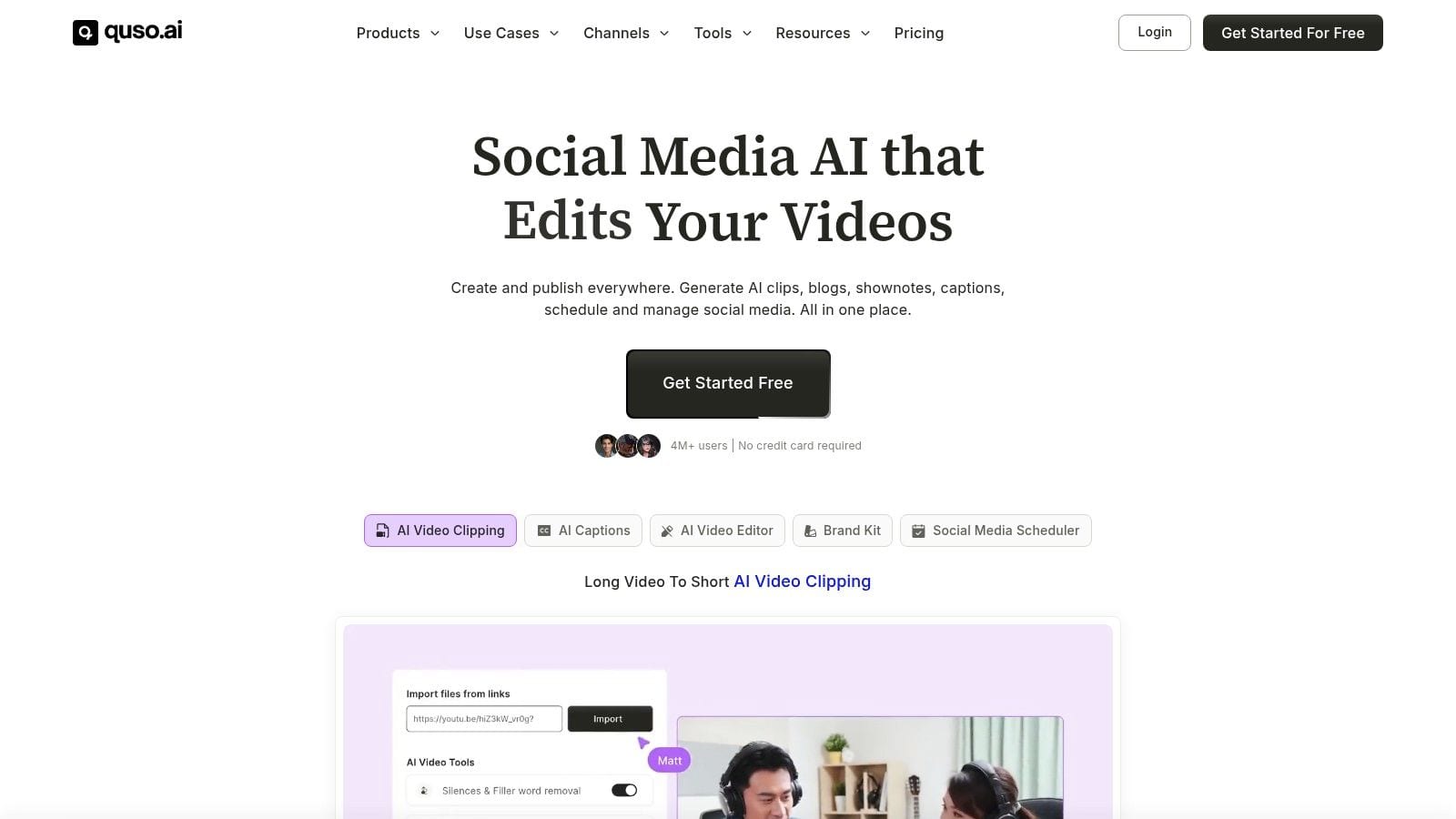
One workable option is quso.ai, which is designed for turning long videos into short clips, adding styled captions, and scheduling content from the same workflow. For creators learning how to post YouTube Shorts consistently, that matters because the problem usually isn't knowledge. It's production drag.
A sustainable setup looks like this:
Start with a long-form source.
Upload a podcast, webinar, course lesson, interview, or YouTube video.Pull out strong moments.
Look for self-contained ideas, sharp opinions, demos, or reactions that make sense without full episode context.Convert to vertical and clean the frame.
Make sure the subject is readable on a phone screen.Add captions and tighten pacing.
Captions should support comprehension, not cover the screen.Schedule batches instead of posting one by one.
Consistency becomes realistic with this approach.
If you're building that kind of system, this walkthrough on turning long-form videos into YouTube Shorts at scale goes deeper into the repurposing side.
A primary gain from automation isn't “more content” by itself. It's fewer avoidable decisions. When the workflow handles clipping, resizing, captioning, and scheduling more cleanly, you're free to spend your energy on ideas and hooks.
Frequently Asked Questions About YouTube Shorts
Can I choose a custom thumbnail for Shorts
Creators care about thumbnails because they affect how a video looks on channel pages and other browsing surfaces. For Shorts, thumbnail behavior can feel less controllable than standard uploads. The practical move is to design the opening frames carefully. If the first visible moments look clean and readable, the Short has a better chance of presenting well wherever YouTube surfaces it.
Should I post Shorts on my main channel
Usually, yes. If your Shorts connect to the same audience and topic as your long-form videos, keeping them on the main channel makes the content ecosystem stronger. A separate Shorts-first channel only makes sense when the content style, audience intent, or brand positioning is clearly different.
If the Short attracts the same kind of viewer you want for your main videos, keep it on the same channel.
Can Shorts help with monetization
Shorts can support channel growth, audience development, and entry points into your broader content library. Monetization questions change over time, so it's smarter to check current YouTube program terms directly before planning around revenue. The better strategy is to treat Shorts as a discovery layer that feeds subscribers, leads, viewers, and interest into your larger content system.
Do I need to post from mobile to succeed
No. Mobile is convenient, but desktop is often better for edited content, batch publishing, and teams. The right choice depends on your workflow. If speed matters, mobile wins. If control matters, desktop usually does.
If you want a faster way to repurpose long videos into ready-to-post Shorts, quso.ai can help streamline clipping, captioning, resizing, and scheduling so you can publish consistently without turning every Short into a manual editing project.