Cheapest Social Media Scheduler? Price vs. Real Value 2026
Part of the Social Media Scheduling guide →
Most advice on the cheapest social media scheduler starts with a pricing list. That sounds useful, but it usually sends small businesses in the wrong direction.
A scheduler can be cheap on paper and expensive in practice. You save a few dollars on the subscription, then lose hours every week rewriting captions, moving assets between apps, fixing formatting, exporting reports by hand, and patching together a workflow that was never designed to work as one system.
That's the key buying question. Not “What's the cheapest social media scheduler?” but “What does my full workflow cost me?”
I use a simple test for this. Add the software cost to the labor cost of your content lifecycle: planning, creation, repurposing, scheduling, approvals, and analytics. That number is your Total Cost of Workflow. It's the only number that matters if you're trying to run marketing efficiently.
If you're still comparing tools, this guide on social media post schedulers that save time is a useful companion. But before you pick a tool, it helps to stop treating the sticker price as the answer.
Table of Contents
- Stop Looking for the Cheapest Social Media Scheduler
- Why the headline price misleads
- The pricing models you'll actually run into
- The solopreneur on a tight budget
- The video creator or podcaster
- The small agency that lives in reporting
Stop Looking for the Cheapest Social Media Scheduler
Searching for the cheapest social media scheduler makes sense if you're under pressure to cut spend. The problem is that cheap software often pushes cost into your time.
A lot of small businesses end up with the same stack. One tool for graphics. Another for clipping video. Another for captions. Another for scheduling. Then a spreadsheet for approvals and a separate report template for clients or stakeholders. The scheduler looks affordable, but the workflow isn't.
Practical rule: If a low-cost scheduler forces you to buy and manage multiple companion tools, it probably isn't your lowest-cost option.
The better lens is Total Cost of Workflow. That means looking at three things together:
- Subscription cost: What you pay the vendor each month.
- Feature coverage: Whether the tool handles only publishing or more of the content lifecycle.
- Operational friction: How much staff time goes into moving work from idea to published post and then back into reporting.
A cheap scheduler can still be the right move. If you publish simple posts, don't need approvals, and only manage a few profiles, the leanest tool may be enough.
But once your workflow includes short-form video, content repurposing, cross-posting, or team collaboration, the lowest sticker price stops being the smartest filter. At that point, the question changes from “what's cheapest?” to “what removes the most cost from my weekly process?”
What Cheapest Really Means A Guide to Pricing Models
The hardest part of shopping for a social scheduler isn't finding a low number. It's understanding what that number provides.
Why the headline price misleads
A low entry plan often leaves out the features that small teams end up needing most. Statusbrew's 2026 comparison makes that point clearly: price alone is a poor proxy for true cost because low plans often exclude analytics, approvals, inbox management, or multi-user access. The same comparison notes that Buffer starts at $5 per month per channel, while enterprise tools can start at $199 per user per month, and SocialPilot begins at $30/month for 3 users and 10 accounts according to Statusbrew's review of social media scheduling tools.
That's why “cheapest” depends on what you need the tool to do after the post goes live. Publishing is only one part of the job.
If you run paid campaigns alongside organic social, this same pricing logic matters there too. A small business owner comparing schedulers will usually benefit from learning how media spend works in parallel, especially through a guide to pay-per-click advertising for businesses.
The pricing models you'll actually run into
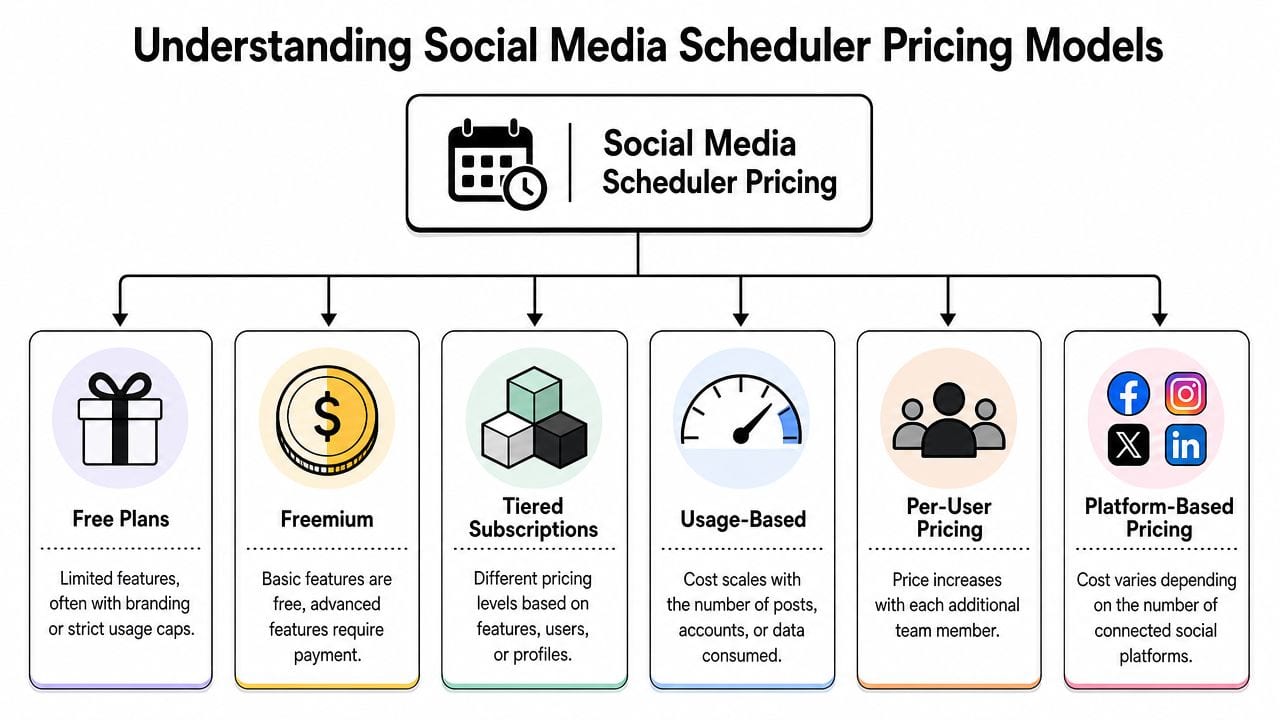
Most tools fit into a few pricing patterns. Once you know them, pricing pages get easier to read.
Per-channel pricing
Buffer is the clearest example. This model looks inexpensive if you manage only a few channels. It gets less attractive as you add more profiles.Per-user pricing
This structure often hits teams, agencies, and client-facing businesses. One seat may be manageable. Several seats can turn a reasonable tool into a budget issue quickly.Per-workspace pricing
This can be better for collaborative teams. It shifts the question from “how many channels?” to “how many brands or workspaces?”Feature-gated tiers
This is the classic trap. The starter plan schedules posts, but analytics, approvals, inbox, or exports sit behind a higher plan.Platform coverage trade-offs
Some tools are cheap because they support fewer networks well, or because some useful features only work on selected platforms.Hybrid models
Many tools mix several of these models together. That's where buyers get caught.
The right way to read a pricing page is to ask, “What breaks first when my workflow grows?”
Three checks help:
- Count your real channels: Include every profile you'll need within the next few months, not just the ones you use today.
- List team needs early: Approvals and multi-user access are expensive upgrades if you add them later.
- Check reporting depth: If analytics matter, confirm what the base plan includes before you buy.
If you want to compare software through that wider lens, the place to start is the actual quso.ai pricing page, because it shows whether the platform replaces only a scheduler or several workflow tools at once.
Low Cost Social Media Scheduler Contenders in 2026
If you want direct comparisons, start with the tools that consistently show up in the low-cost tier. But compare them based on pricing model, included scope, and likely upgrade pressure, not just the first monthly number.
Buffer's 2026 comparison shows a wide spread in entry pricing across the category: Buffer starts at $5 per channel per month, Metricool at $18 per month, Later at $18.75 per month, SocialBee at $24 per month, Planable at $33 per workspace per month, while Sprout Social and Hootsuite start at $199 at the entry level. Buffer also notes that this makes the cheapest option highly dependent on channels, seats, and collaboration needs in its 2026 social media scheduling tools comparison.
2026 low-cost scheduler comparison
| Tool | Starting Price (Monthly) | Social Accounts | Key Limitation |
|---|---|---|---|
| Buffer | $5 per channel per month | Varies by channels connected | Can become expensive as channels grow |
| Publer | $12/month | Broad platform coverage across 9 platforms | Cheapest for coverage, but still needs fit by workflow |
| Metricool | $18/month | Not specified in verified data | No conclusion without checking your feature needs |
| Later | $18.75/month | Not specified in verified data | Entry price is no longer “budget” for many solo users |
| SocialBee | $24/month | Not specified in verified data | May be affordable, but not in the lowest entry tier |
| Planable | $33 per workspace per month | Not specified in verified data | Better for collaboration than strict budget buying |
One more thing matters here: buyers often compare scheduler pricing while forgetting adjacent software costs. If you also create visual assets or post carousels, it helps to look at neighboring tool categories too. A simple example is reviewing PostNitro pricing when you're budgeting content production beyond scheduling.
Who each tool is actually cheap for
Buffer
Buffer is one of the easiest names to justify when a small business needs simple publishing at the lowest possible starting point. Its paid plans start at $6 per month per channel, and Buffer also offers a free plan for up to three channels according to its small business management tools comparison.
That works best for a solo operator with a limited channel mix. It works less well when the business adds profiles across brands, regions, or multiple platforms. Per-channel pricing stays neat until the channel count grows.
Publer
PostEverywhere's 2026 benchmarking says Publer's Professional plan at $12/month was the lowest-priced option among the tools it tested for broad platform coverage. It also notes that Publer covered 9 platforms at that price point in its benchmark of social media scheduling tools.
That makes Publer attractive for businesses that care about breadth. The point isn't just that it's cheap. It's that the price includes broad platform access, which changes the value equation.
Cheap with narrow coverage and cheap with broad coverage are two different products.
Metricool and Later
Metricool at $18/month and Later at $18.75/month sit in the range where buyers start expecting more than basic scheduling. At this level, the conversation shifts from “Can it post?” to “Does it remove enough manual work to justify the plan?”
That's an important threshold. Once you're in the high-teens or low-twenties, the very cheapest social media scheduler may no longer be the best benchmark. You should be asking whether the tool improves planning, reporting, or collaboration enough to reduce time spent elsewhere.
SocialBee and Planable
SocialBee at $24/month and Planable at $33 per workspace per month aren't “cheap” in the strict bargain-bin sense, but they can be cost-efficient for the right team shape.
Planable is a good example. Workspace pricing can be easier to justify than per-channel pricing if multiple people need to touch the same content process. The wrong buyer will see that plan and move on. The right buyer will realize it could cost less than piecing approvals together outside the tool.
The headline takeaway is simple. A low monthly price tells you almost nothing on its own. The cheapest social media scheduler for a freelancer is often different from the cheapest option for a founder, a content team, or an agency.
The True Cost of a Disconnected Content Workflow
Most businesses don't have a scheduling problem. They have a workflow problem.

A post rarely starts as a finished social asset. It usually starts as a raw idea, a long video, a webinar recording, a podcast episode, a product update, or a rough draft. Then someone has to clip it, resize it, write the caption, generate subtitles, create variations for each platform, schedule it, monitor responses, and report on what happened.
When those steps live in separate tools, the cost shows up in small delays that happen every day.
Where the workflow tax shows up
I see the same friction points over and over:
- Asset handoffs: Export from one tool, upload into another, discover the format needs changing, then repeat.
- Caption duplication: Write once for one platform, then manually rewrite for several others.
- Approval bottlenecks: Share screenshots in chat because the scheduler doesn't support the review flow you need.
- Reporting cleanup: Pull performance data into a separate deck or sheet because the scheduler's analytics aren't enough.
- Context switching: Constantly move between tabs, file folders, cloud drives, and messaging threads.
Each of those tasks looks minor in isolation. Together they create a weekly tax on your team.
A fragmented stack doesn't just cost money. It also makes good work harder to repeat.
Why disconnected tools slow good teams down
The hidden cost isn't only labor. It's inconsistency.
When content lives in one app, edits happen in another, and scheduling happens somewhere else, teams lose continuity. Captions drift away from brand voice. Post variants don't match the original idea. Publishing becomes the final step of a broken process instead of the natural end of a clean one.
That's especially painful for video-first brands. A single long-form recording might need clips for several platforms, subtitles, hooks, thumbnails, and supporting copy. If every step requires a different tool, speed drops and quality control gets messy.
Here's a useful example of what integrated scheduling is trying to support at the platform level:
The small business owner usually feels this as “we're always behind.” The social media manager feels it as “I'm spending my day moving work around instead of finishing work.” Both are describing the same thing. The scheduler may be cheap, but the operating system around it is not.
The All in One Platform Where Value Outweighs Price
A cheap scheduler can still be the expensive choice.
If your team records video, cuts clips, writes captions, approves posts, and checks results across separate tools, the monthly subscription is only one part of the bill. The bigger cost is the time spent getting one piece of content from raw asset to published post.
That is why I look at Total Cost of Workflow, not just software price. A standalone scheduler may cost less each month, but an all-in-one platform can cost less to operate if it removes editing apps, repurposing tools, file handoffs, and manual posting steps.
When a higher monthly price saves money
The useful comparison is not “cheap scheduler versus expensive scheduler.” The useful comparison is a posting-only tool versus a system that covers the full content cycle.
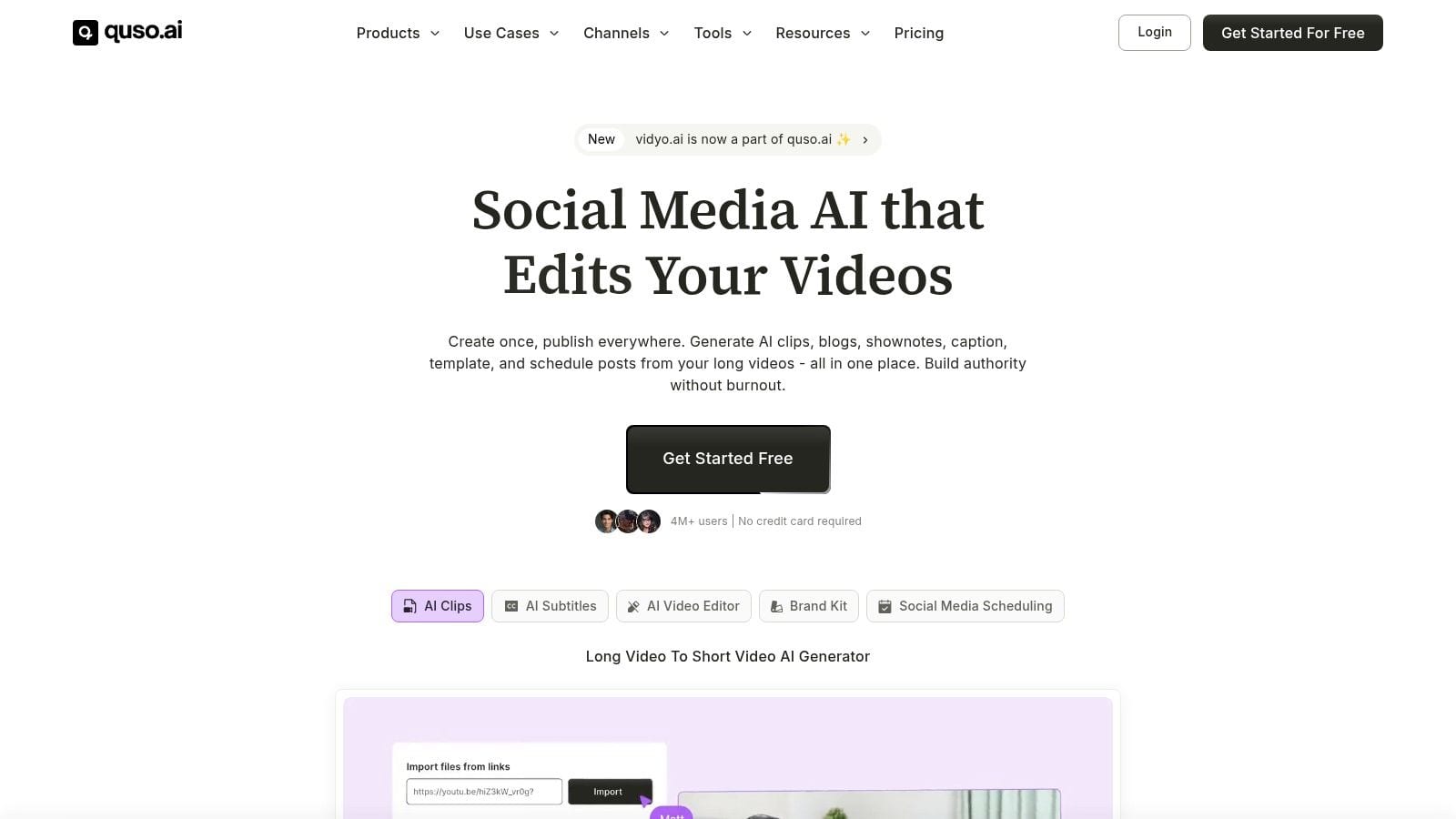
For a video-first business, the work usually starts long before scheduling. Someone has to clip the source video, add subtitles, adapt it for each platform, write supporting copy, organize approvals, then publish and review performance. A platform like quso.ai's social media scheduler matters here because it combines scheduling with AI clipping, subtitle generation, editing, repurposing, planning, and analytics in one place.
That changes the math.
You are no longer comparing one scheduler fee to another. You are comparing one platform fee against a stack of smaller subscriptions plus the labor required to move content between them. For a small business owner or lean marketing team, that is usually the difference that matters.
TimeSkip's social media guide is a useful reference on this point. It shows why connected systems become more practical once content creation and publishing stop being a simple queue of posts.
The cheapest line item often loses once you factor in the full cost of creating, adapting, publishing, and reviewing content.
Who gets the most value from an all in one setup
Three groups usually benefit first.
Video creators and podcasters
They need multiple outputs from one recording. If clipping, subtitles, captions, and scheduling happen in one system, turnaround gets faster and the process is easier to repeat.
Lean in-house teams
One person often wears three hats: editor, publisher, and analyst. Consolidating those tasks reduces tool switching and makes weekly publishing more manageable.
Small businesses with a steady posting rhythm
Once the business is posting across several networks every week, the hidden cost is not just software. It is the hours spent adapting each asset and keeping the calendar moving.
An all-in-one platform is not automatically the right pick. A business that only queues a handful of simple posts each month may do fine with a low-cost scheduler. But if your workflow already includes creation, repurposing, scheduling, and analytics, value usually outweighs price. That is the smarter test.
Which Scheduler Is Right for You Use Case Scenarios
The right tool depends less on the category and more on your operating style. Here's how I'd break it down in practice.
The solopreneur on a tight budget
You run one brand, post on a small number of channels, and don't need a teammate in the account. Your content is mostly static posts, short updates, and occasional promos.
Start with the leanest option. Buffer is a reasonable fit here because its free plan covers up to three channels, and its paid structure stays approachable if your channel count is still low. The point is simplicity, not feature depth.
This kind of user usually doesn't need the cheapest social media scheduler with the most advanced reporting. They need something they'll use every week without complexity.
The video creator or podcaster
Your real job isn't scheduling. It's turning one recording into many publishable assets.
For this user, the scheduler should sit inside a larger workflow that handles clipping, subtitles, post variations, and repurposing. A standalone scheduler may still publish the final content, but it won't remove the heavy lifting before that step. That's why a workflow platform is often the better fit than a bare-bones posting tool.
The small agency that lives in reporting
You manage multiple brands or accounts. Clients ask for insights, not just proof that a post went live.
Often, the cheapest option stops being cheap. Fanpage Karma stands out in this part of the market because it supports analyzing unlimited profiles, which is a meaningful technical advantage for agencies according to Fanpage Karma's overview of scheduling tools. If your workload is analytics-heavy, that kind of structure can be more cost-efficient than a posting-first tool with strict profile limits.
Buy for the bottleneck in your workflow, not for the lowest number on the pricing page.
A founder usually buys for ease. A creator buys for production speed. An agency buys for reporting and scale. Those are different jobs, and they need different tools.
How to Make Your Final Choice A Simple Framework
A good buying decision takes one short exercise.
Step 1
Map your workflow from start to finish. Include idea capture, writing, design, video editing, repurposing, scheduling, approvals, publishing, comment management, and reporting.
Be honest. Don't map the workflow you wish you had. Map the one your team currently does every week.
Step 2
Calculate your Total Cost of Workflow. Add the subscriptions you need across the full content process. Then look at the time spent moving content between tools, rewriting assets for each platform, and producing reports.
If a cheap scheduler still wins after that exercise, use it. That's a valid result.
If a more complete platform removes enough manual work to simplify the whole process, that's your better buy. The cheapest social media scheduler isn't always the wrong choice. It's just often the wrong question.
If you want to test this with your own workflow, try quso.ai. The useful comparison isn't against a single low-cost scheduler. It's against the full stack of tools and manual steps you're using today.