YouTube Shorts maker for turning long videos into Shorts
Creating an account is free. See pricing for your country.
Free plan: 75 credits a month, about 75 minutes of video. 720p with a watermark, no card.
The short answer
An AI YouTube Shorts maker takes one long video and cuts it into several vertical Shorts with captions. quso.ai does this from a YouTube link or an uploaded file up to 5 hours long, reframes each clip to 9:16, and on Essential and Growth schedules the Shorts straight to your channel. To make a Short from a script instead, use the AI YouTube video maker.
Updated
Most channels sit on a back catalogue of long videos, and every one of them has a few moments that would work as a Short. Cutting them by hand means scrubbing, reframing to vertical, captioning, exporting and uploading each one separately, and that is the part people stop doing after the third week.
This page is the long-video route, start to finish. It ends with the Shorts on your channel's schedule. If you have no footage and want a Short made from a prompt, that's a different job, and Canva, invideo and quso's own AI YouTube video maker do it.
From long video to scheduled Shorts
Seven steps. Connecting your channel is a one-off; after the first video, it's six.
Step 1
Paste the YouTube link
Paste the link to any public or unlisted video. Private videos won't import, so switch one to unlisted first, or upload the file (MP4, MOV or WebM, up to 5 GB on the free plan and 15 GB on paid plans). Videos can run up to 5 hours, but they need speech and must be longer than 3 minutes.
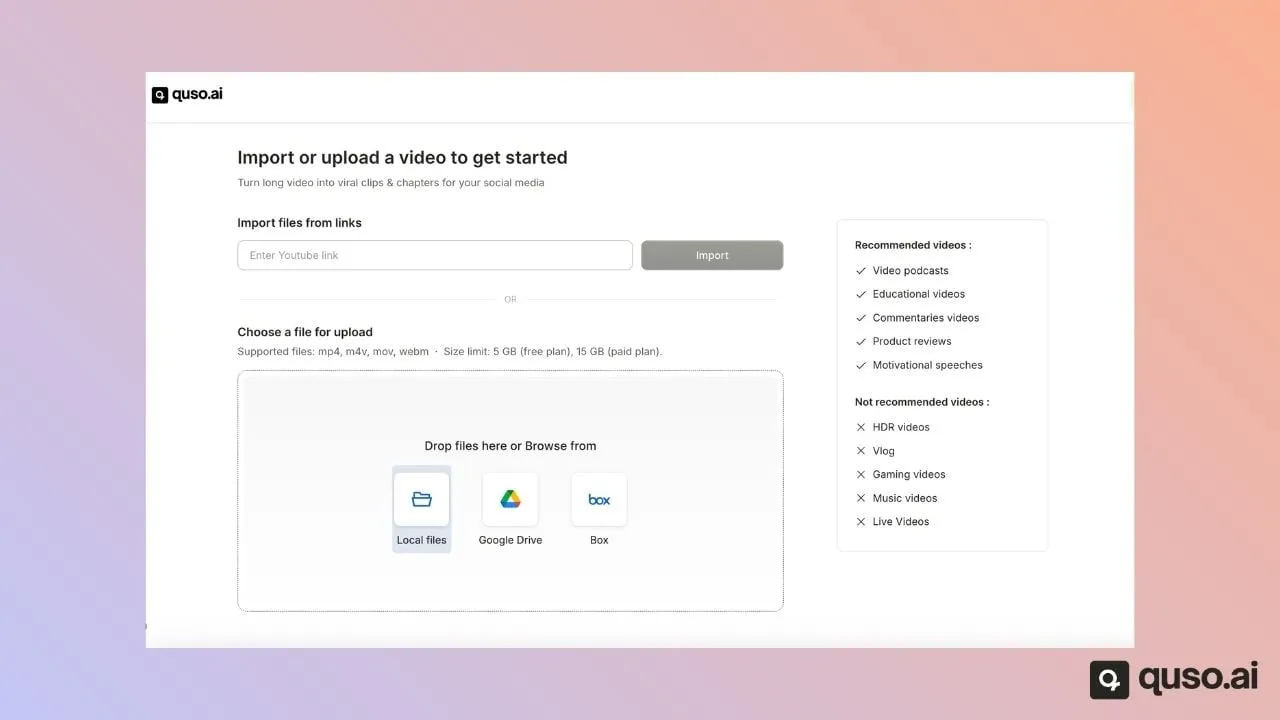
The upload screen, from quso's help center. Step 2
Pick the language, check the estimate
Set the language spoken in the video; a wrong setting means no clips. The credit cost shows before you start, at one credit per minute of video. A 20-minute video costs 20.
Leave CutMagic on if more than one person is on camera or you share your screen. It sets the vertical layout for each scene and can't be added after processing.
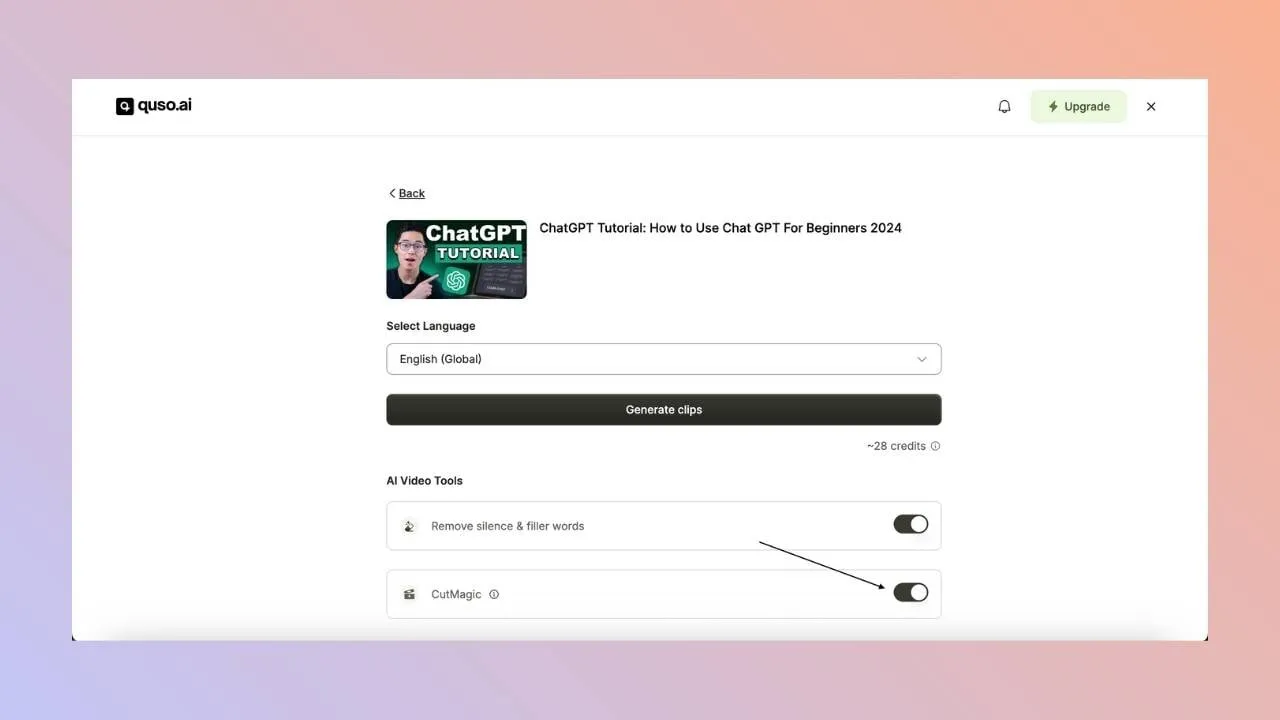
The estimate comes first; nothing is charged until you generate. Step 3
Choose the clips worth a Short
Clips come back ranked by score. A long video gives a median of 9 of them in quso's 2026 benchmark of 1,770,924 AI clips, and most videos gave between 2 and 24.
Keep the ones that make sense to someone who has never seen the channel. Then trim hard. The AI's clips mostly run 30 to 60 seconds, but across 108,138 matured Shorts the 11 to 20 second band earned the most median views (901), and 46 to 60 seconds earned 188. A shorter cut is often the better Short.
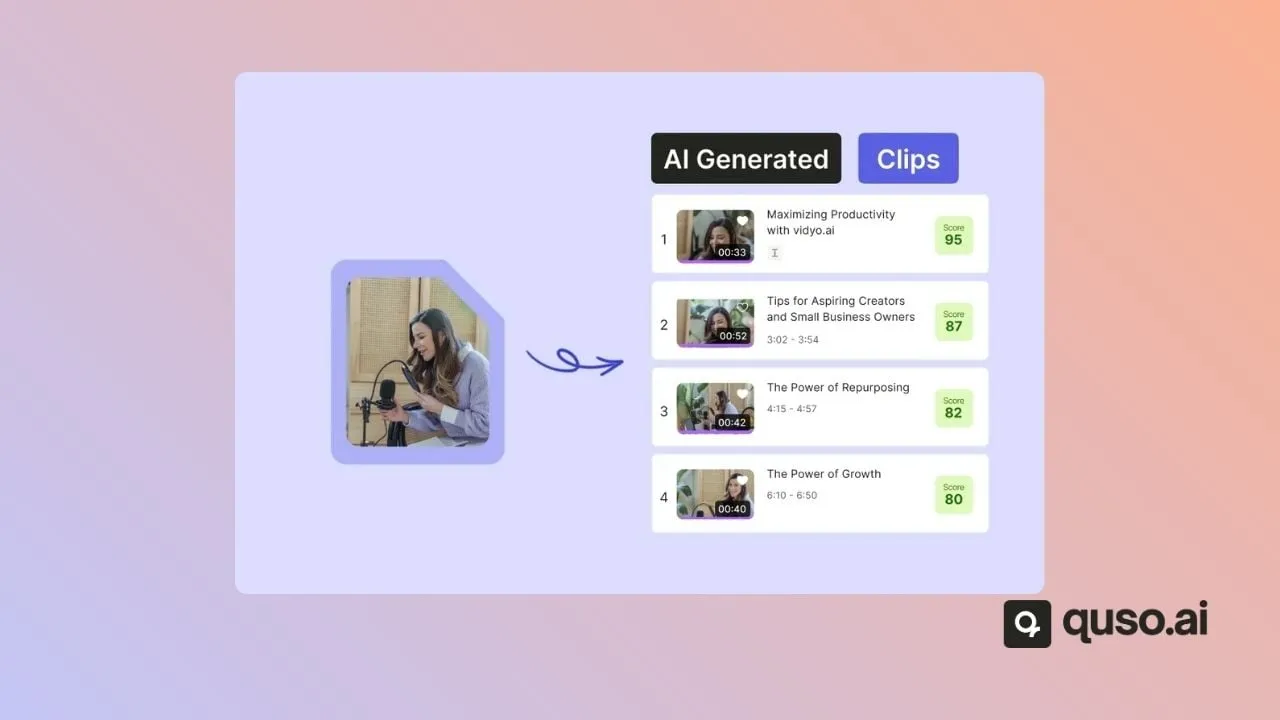
How the ranked list is laid out (help-center illustration). Step 4
Check the 9:16 frame
Every clip is reframed to vertical. Watch the edges: a speaker who moves, a product held up to the camera, or a screen share can drift out of a 9:16 crop. Use Crop to reposition, or switch the scene's CutMagic layout to Screen + Speaker or Fit.
Repositioning a vertical crop in the editor (help-center recording). Step 5
Fix the captions
Captions carry the hook for anyone scrolling with the sound off. Edit any line in the Subtitles tab, especially names and product terms, and pick a caption style that's easy to read.
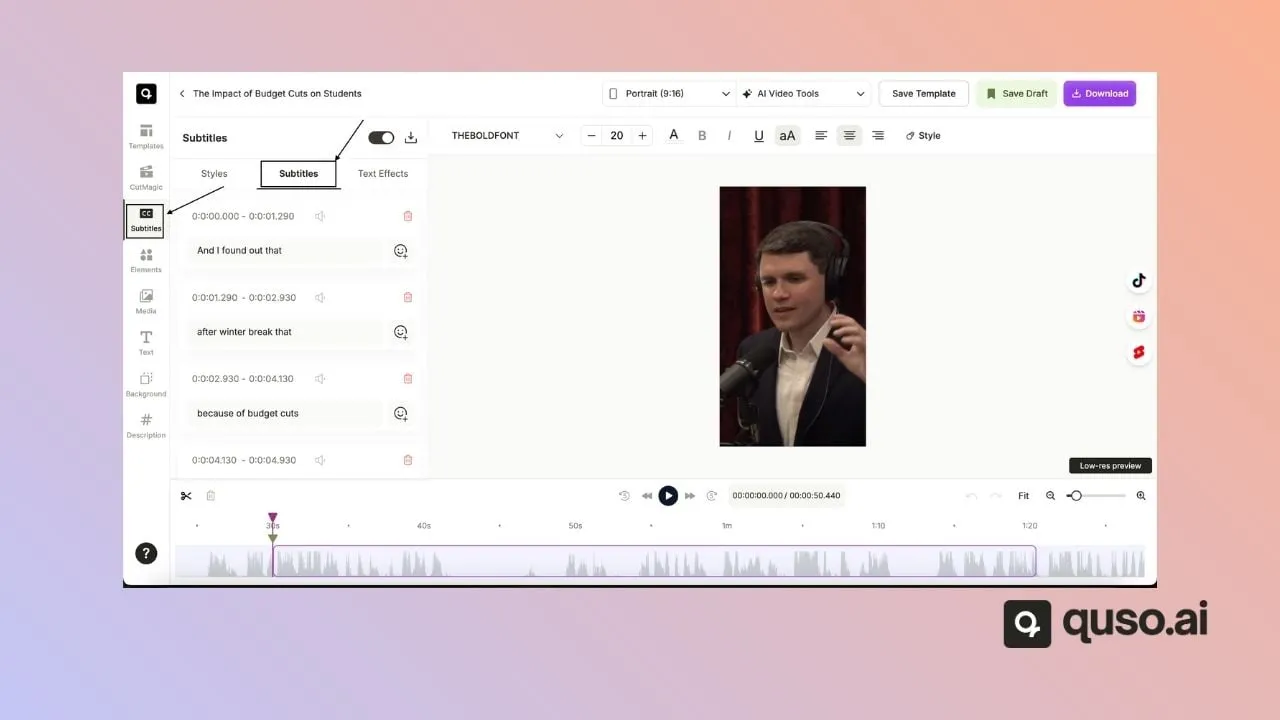
Caption lines with timings, editable one by one. Step 6
Connect your YouTube channel, once
In Social, link YouTube and sign in with the Google account that manages the channel. The channel has to exist and be public. You can connect up to five accounts per platform.
The connected state in Social accounts (help-center screenshot). Step 7
Schedule the Shorts
Pick YouTube (and any of TikTok, Instagram, Facebook, LinkedIn, X and Pinterest), write a description per platform, choose a date and time, and schedule. Spacing a week of Shorts out from one video takes a few minutes. Scheduling is on Essential and Growth. On Free and Lite, download the MP4s and upload them in YouTube Studio.
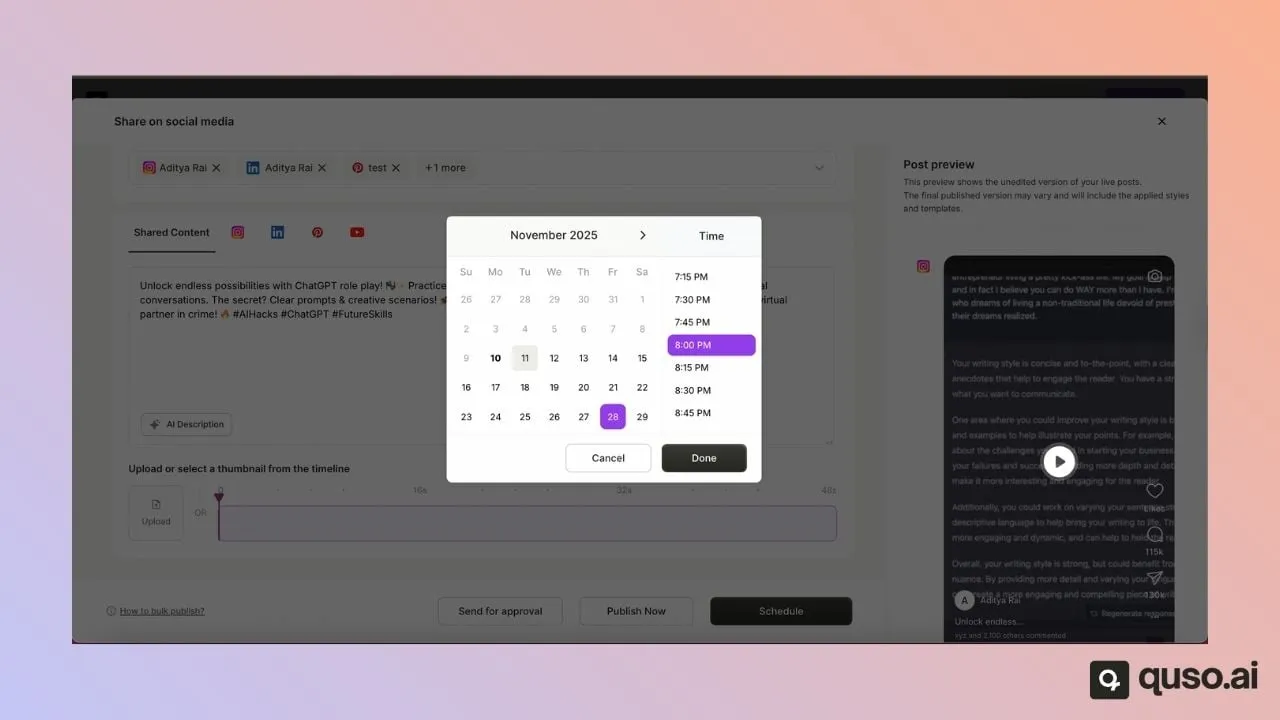
One Short, several platforms, a chosen time.
What comes out
Vertical Shorts with burned-in captions, longer 16:9 chapters you can post as regular videos, and the transcript. Below: the CutMagic layout menu, and the caption styles.
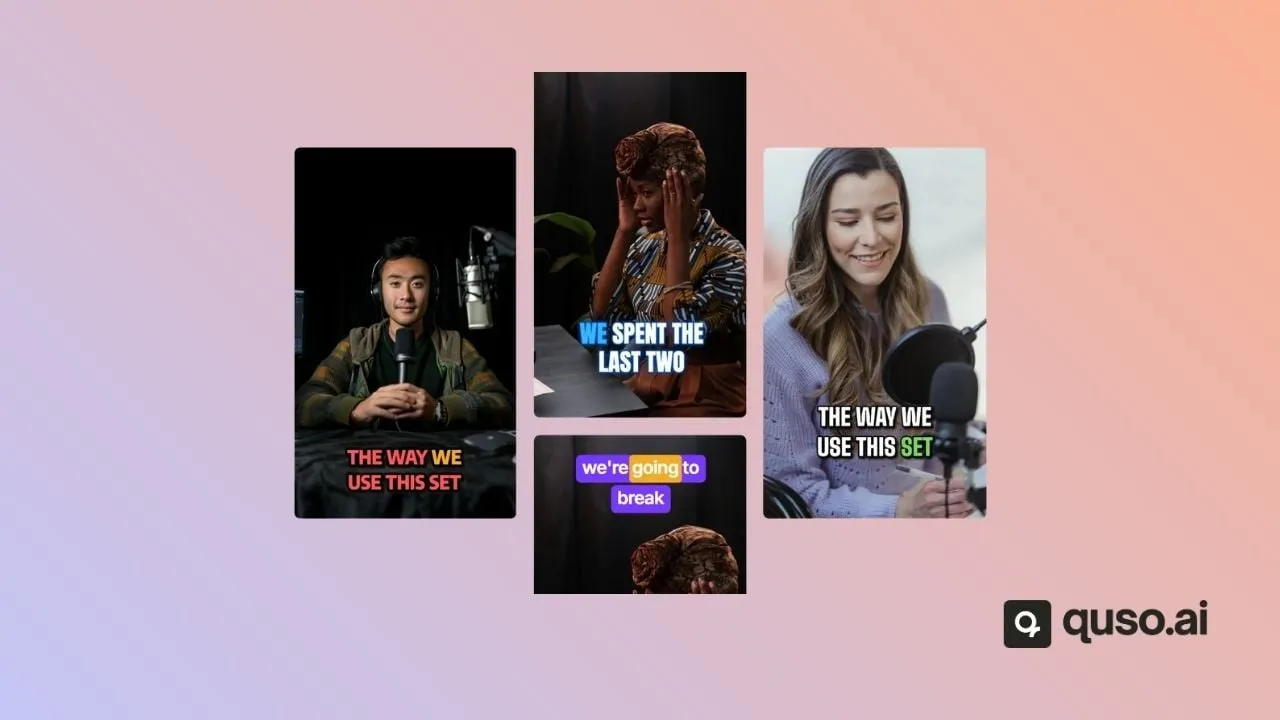
Shorts
9:16, captioned, under YouTube's 3-minute limit. Free renders are 720p with a quso.ai watermark; paid renders are 1080p without it.
Chapters
16:9 segments for a full section of the video. They post as regular uploads, not Shorts.
A schedule
On Essential and Growth, the Shorts go into the calendar with a description per platform. On every plan, each clip downloads as an MP4.
From a YouTuber who uses it
“In the past 7 days alone, my YouTube Shorts views are up by 56%, watch time has increased by 53%, and subscribers by 83% compared to the previous 7 days.”
Four things that go wrong
The link won't import
The video is private. Make it unlisted for the import, or upload the file.
The Short needs the video around it
A clip that opens on "so, as I said" or refers to a chart on screen loses a viewer who has never seen the channel. Start the clip at the claim, not the run-up, or drop it.
Shorts that run too long
The 3-minute limit is a ceiling, not a target. In quso's data on 108,138 matured Shorts, median views fell from 901 at 11 to 20 seconds to 188 at 46 to 60 seconds and 51 past 90 seconds. Trim before you schedule.
Scheduled on the wrong plan
Free and Lite publish to TikTok only. If YouTube scheduling is the reason you're here, Essential is the plan to look at; on a lower plan you download and upload by hand.
How quso.ai compares with the Shorts makers that rank
Canva, OpusClip and Klap rank beside quso.ai for "youtube shorts maker" and "AI shorts generator". OpusClip and Klap do the same job as quso.ai. Canva mostly does a different one, and the table shows where.
| quso.ai | OpusClip | Klap | Canva | |
|---|---|---|---|---|
| Free plan | 75 credits a month (about 75 minutes); 720p with a watermark | 60 credits a month; watermark | 1 free video; no watermark | Free plan exists; watermark not stated |
| Cheapest paid plan, monthly billing | Lite, $29/month: 100 credits, 1080p | Starter, $15/month: 150 credits | Basic, $29/month: 100 clips | Pro, $18/month |
| One long video into many Shorts | Yes (median 9 clips per video in quso's 2026 data) | Yes | Yes, "30+ YouTube Shorts from one long video" | Not stated; you upload clips and prompt Magic Design |
| Automatic 9:16 reframing | Yes; CutMagic multi-speaker layouts free on your first 3 videos | Yes, auto reframe | Yes, speaker-tracked | Not stated; you start from a Shorts template |
| Posting to YouTube | Scheduling from Essential, $39/month | Auto-post from Starter; full scheduler from Pro | Publishes to YouTube, with a calendar | Download the MP4 and upload it yourself |
| Longest input | 5 hours | 10 hours | 4 hours | Not stated |
Checked on October 21, 2026 on each vendor's own pages. Prices are monthly billing in USD.
Where the others win
- No watermark on free: Klap says it "never adds watermarks, even on the free plan". quso.ai's and OpusClip's free Shorts carry a watermark.
- Cheaper YouTube posting: OpusClip Starter, at $15 a month, auto-posts to YouTube Shorts. quso.ai's YouTube scheduling starts on Essential at $39/month.
- Longer videos: OpusClip takes up to 10 hours. quso.ai stops at 5.
- Shorts from nothing: Canva's templates and invideo's prompt-to-video tool are built for making a Short with no source footage. quso.ai's Shorts maker needs a long video.
Sources: OpusClip YouTube Shorts maker, OpusClip pricing, OpusClip video length, Klap AI Shorts maker, Klap pricing, Canva AI Shorts maker, Canva pricing, invideo.
What a channel costs in credits
One credit is one minute of uploaded video, rounded up. Editing, downloading and scheduling the Shorts costs nothing extra. The table assumes 20-minute videos.
| Plan | Price | Credits a month | What that covers |
|---|---|---|---|
| Free | $0 | 75 | Three 20-minute videos a month. 720p with a watermark; download and upload to YouTube yourself. |
| Lite | $29/month | 100 | Five 20-minute videos. 1080p, no watermark. Publishes to TikTok; YouTube by download. |
| Essential | $39/month | 300 | Fifteen 20-minute videos, or a weekly hour-long one. Adds scheduling to YouTube and 6 more platforms. |
| Growth | $49/month | 600 | Thirty 20-minute videos, for a daily channel or a back catalogue. Adds a brand kit. |
For a back catalogue, the credit line matters more than any feature: a 60-video archive of 20-minute uploads is 1,200 minutes. Compare plans on the pricing page.
Questions people ask
- Can I use AI to make YouTube Shorts?
- Yes, in two different ways. One is to cut an existing long video into Shorts: an AI clip tool finds the moments, reframes them to 9:16 and adds captions, which is what quso.ai's Shorts maker does. The other is to generate a Short from a script or prompt, with AI visuals and a voiceover. quso.ai does that in a separate tool, the AI YouTube video maker, and Canva and invideo work that way too.
- What is the best AI Shorts generator?
- It depends on what you start with. If you have long videos, use a clipping tool: quso.ai, OpusClip and Klap all turn one video into many Shorts and post them to YouTube. Klap's free plan has no watermark; OpusClip has the cheapest paid plan that auto-posts to YouTube; quso.ai's case is CutMagic's multi-speaker layouts and a free plan that covers about 75 minutes of video a month. If you have no footage, Canva or invideo fit better.
- How do I turn a YouTube video into Shorts?
- Paste the video's link into quso.ai (it has to be public or unlisted), choose its language, and let it process. Review the vertical clips it proposes, trim them, fix the captions, then schedule them to your channel or download the MP4s and upload them in YouTube Studio.
- How long can a YouTube Short be?
- Up to 3 minutes. YouTube raised the limit from 60 seconds in October 2024, and a Short has to be vertical or square. The best-performing length is much shorter: across 108,138 matured Shorts in quso's data, the 11 to 20 second band earned the most median views, 901.
- Is the YouTube Shorts maker free?
- There is a free plan with 75 credits a month, about 75 minutes of video. Free Shorts render at 720p with a quso.ai watermark, and the free plan publishes to TikTok only, so you download the MP4s and upload them to YouTube yourself. Paid plans start at $29/month for 1080p without the watermark. Scheduling straight to YouTube starts on Essential at $39/month.
- Can quso.ai post Shorts to my YouTube channel automatically?
- On Essential and Growth, yes. Connect your channel once (the Google account has to manage the channel, and the channel has to be public), then schedule each Short with a date, a time and its own description. Nothing posts until you schedule or publish it.
- Can I make Shorts from a private YouTube video?
- Not by link. quso.ai imports YouTube videos that are public or unlisted. Switch the video to unlisted for the import, or upload the file directly.
- Do AI-made Shorts get monetised?
- That's decided by YouTube's Partner Program rules, not by the tool you edit with. Shorts cut from your own long videos are your own footage. Our post on YouTube Shorts monetisation covers how Shorts revenue works.
Keep reading
- How long should a YouTube Short be? — Median views by length across 108,138 matured Shorts.
- Video retention benchmarks — The top 10% of Shorts hold 91% view-through; the median holds 45%.
- Short-form benchmarks 2026 — 1.77 million AI clips: lengths, counts per video, and which ones get exported.
- Long-form to Shorts at scale — Running the same workflow across a whole channel.
- How to schedule YouTube Shorts — YouTube Studio's own scheduler, and the alternatives.
- YouTube Shorts makers compared — A longer list of tools, including generators.
- quso.ai for YouTube — Publishing and scheduling to your channel.
- AI YouTube video maker — For a Short made from a script or prompt, with no source video.