

Facebook Business Integration Settings
To verify that Quso.ai has the correct permissions, start by opening your Facebook Business Integration settings. Steps- Log in to your Facebook account.
- Go to Settings, then open the section called Settings and Privacy.
- Select Security and Login.
- Open Business Integrations.
Edit Facebook Permissions
On the Business Integration page, click the Ayrshare App and choose “View and Edit”.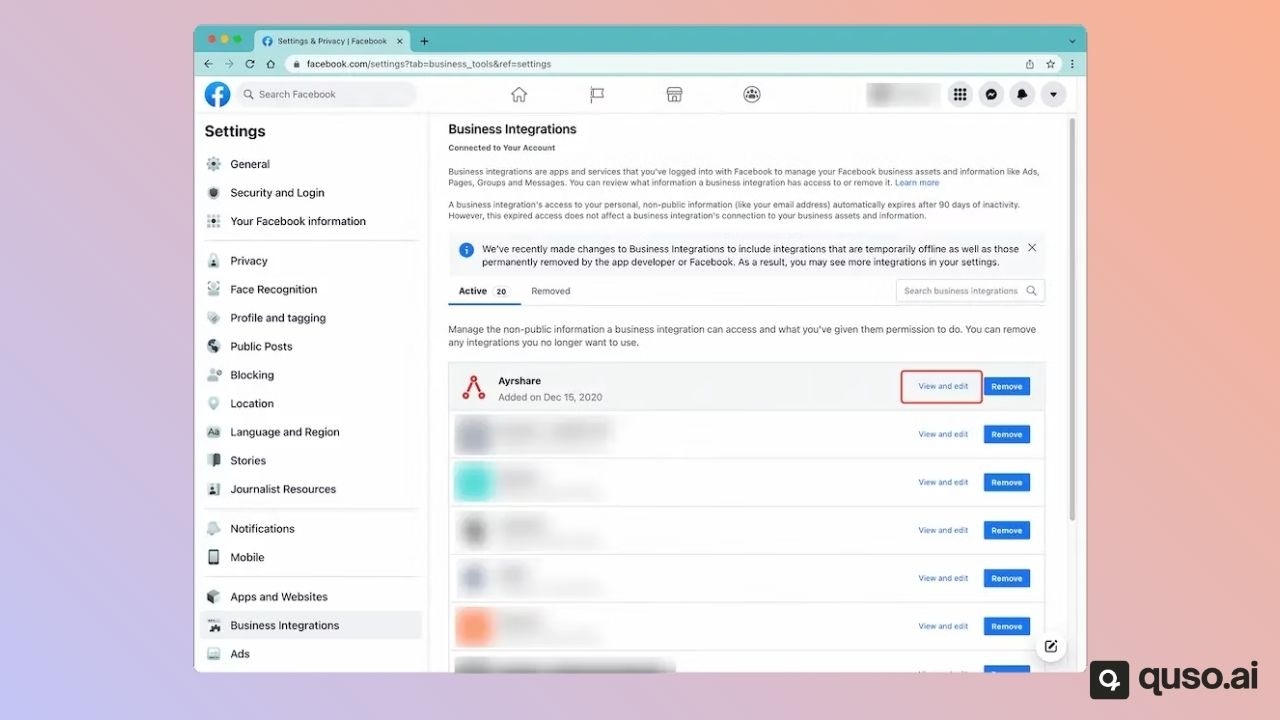
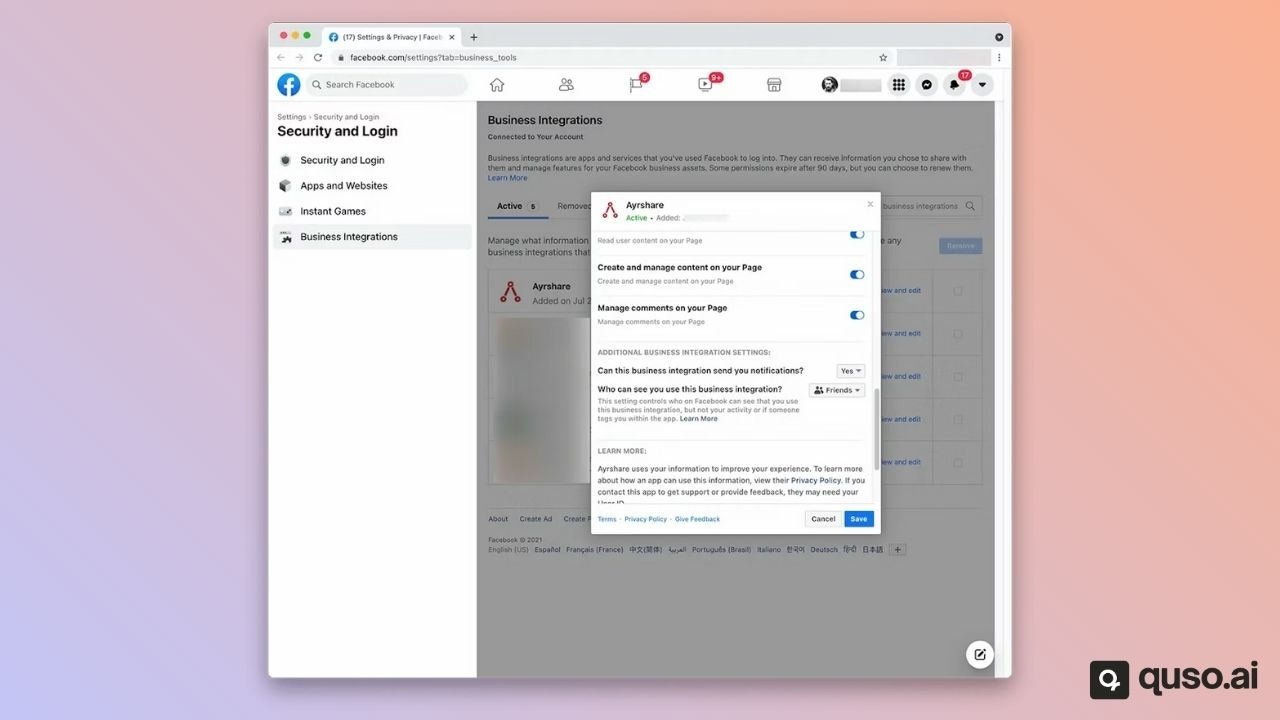
Still Having Issue with Facebook Permissions?
If the issue still persists, please go back into the Facebook admin settings under Business Integration and “Remove” the Ayrshare app. Go back into the Ayrshare Dashboard, unlink and relink Facebook.