

Stories are available on plans that include social publishing, such as Essential and Growth.
Post a Story
Step 1: Create a post
Go to Social Media → Posts, click New post, and select your Instagram and/or Facebook account.Step 2: Add one photo or video
Add one photo, or one video of up to 60 seconds. Stories can’t be text only.Step 3: Choose Story
Open the Instagram or Facebook tab and, under Post format, choose Story.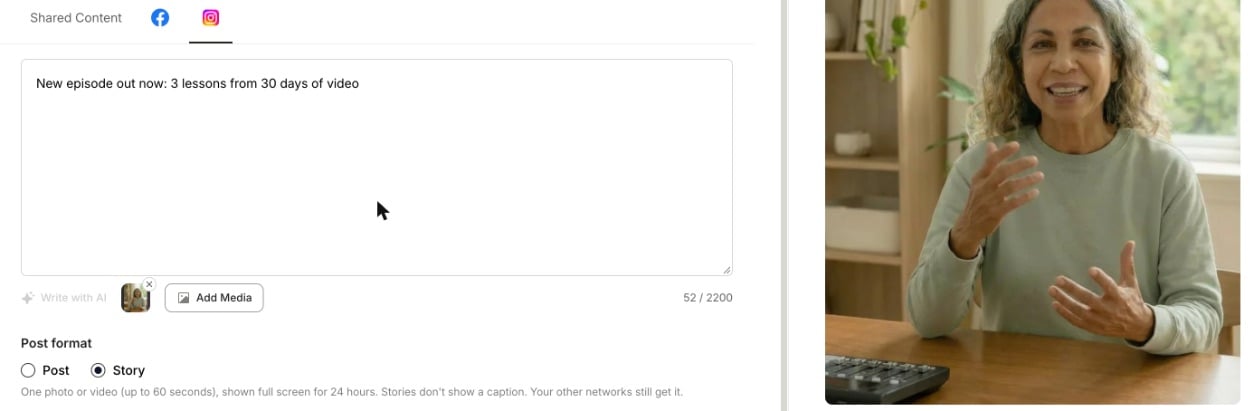
Step 4: Publish or schedule
Click Publish Now or Schedule. Each network’s format is set separately, so you can post a Story on Instagram and a normal post on Facebook from the same composer.Add a clip you just published to your Story
When you publish a clip to Instagram or Facebook, quso.ai offers to post the same video to your Story too, with no need to export it again.Step 1: Publish your clip
Publish a clip to your Instagram and/or Facebook account with Publish now, from the share panel or the editor.Step 2: Click Share to Story
On the success screen, under Also share to your Story, click Share to Story.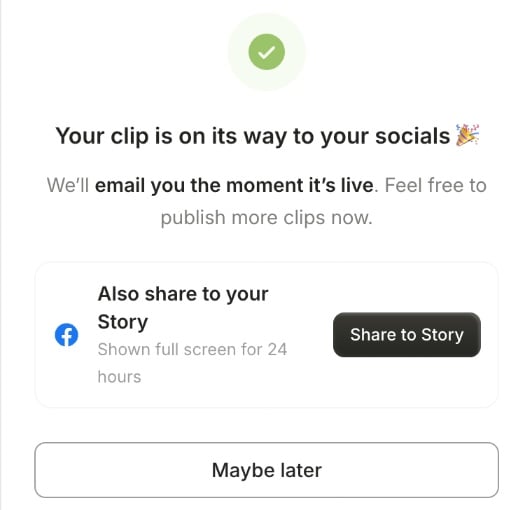
Step 3: You’re done
You’ll see Shared to your Story. If your clip is still being prepared, you’ll see Your Story will post when the clip is ready instead, and the Story goes out on its own as soon as the video is ready.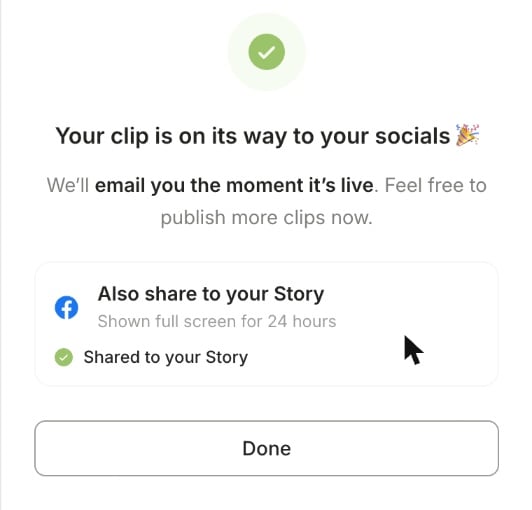
The Story offer appears for vertical (9:16) clips of up to 60 seconds that you publish now. It isn’t shown for scheduled posts, landscape or square clips, or when that network already posts the clip as a Story. To add a Story to a scheduled post, choose Story in that network’s tab when you schedule it (see above).
What changes for a Story
- No caption is shown. Stories don’t display a caption. Your other networks in the same post still get it.
- One photo or video only, and videos up to 60 seconds.
- Options that don’t apply to Stories are hidden, such as the thumbnail picker, Show this reel in feed, auto-resize and Invite collaborators on Instagram.
FAQ
It says "An Instagram Story needs one photo or video"
It says "An Instagram Story needs one photo or video"
Add a photo or video to the post, or switch Post format back to Post or Reel.
It says "takes one photo or video"
It says "takes one photo or video"
A Story holds a single photo or video. Remove the extra media, or switch the post format back.
My video is longer than 60 seconds
My video is longer than 60 seconds
Use a shorter clip for the Story. You can still post the full video as a Reel or post.