How to Turn Your Podcast into LinkedIn Posts and Shorts Automatically
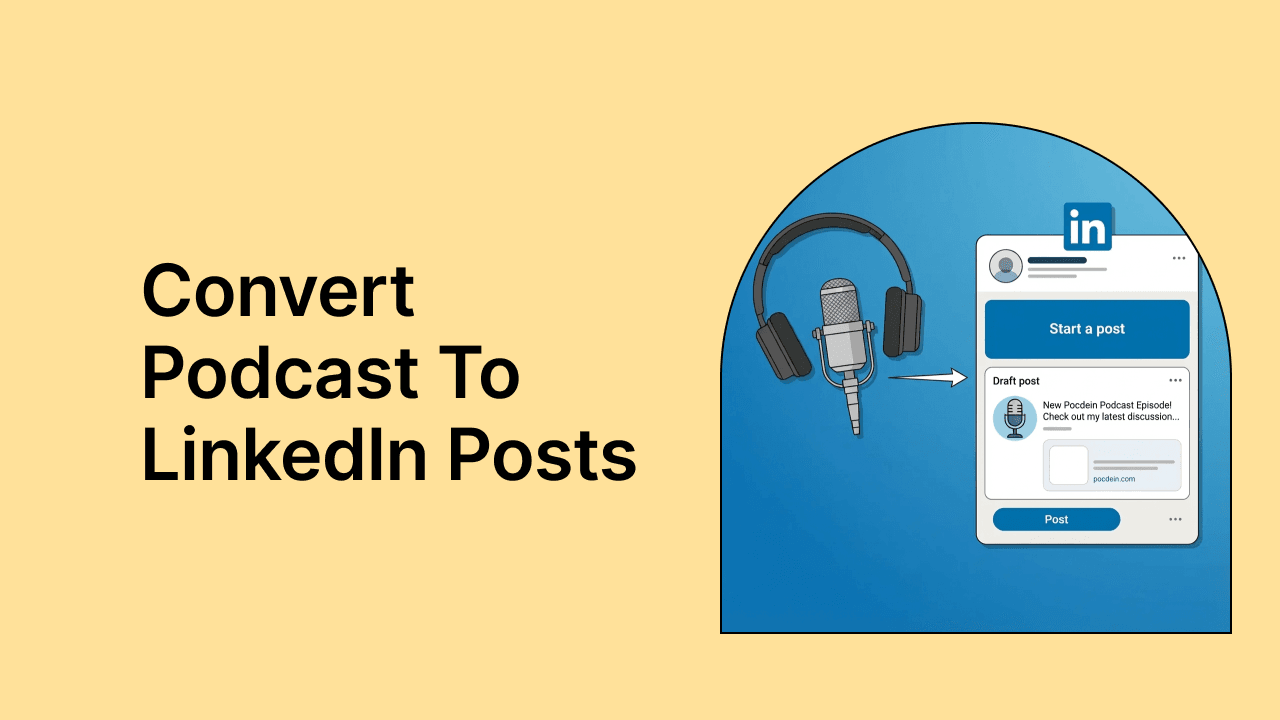
Your podcast episodes contain hours of valuable insights, but most of your LinkedIn audience will never hear them. They are scrolling during a coffee break, not settling in for a 45-minute listen.
Repurposing solves this problem by transforming one long episode into multiple short clips that meet professionals where they already spend time. This guide walks through the complete workflow for turning podcast content into LinkedIn posts and Shorts automatically—from AI-powered clip selection to scheduling and analytics.
Why repurposing your podcast for LinkedIn drives growth
You can convert a podcast episode into LinkedIn-ready short clips by uploading your video or audio file to an AI-powered tool, generating a transcript, selecting the best moments, adding captions and branding, then scheduling posts directly to LinkedIn. The entire process takes minutes instead of hours when you use automation.
LinkedIn favors native video content over external links. When you upload clips directly to the platform rather than sharing a Spotify or Apple Podcasts link, the algorithm gives your content more visibility. That means more people see your clips in their feeds.
Here's the other thing: most professionals do not have 45 minutes to listen to a full episode. But they will watch a 60-second clip while scrolling during lunch. Repurposing lets you meet your audience where they already are.
Video clips, audiograms, or text posts for LinkedIn
The format you choose depends on what you have to work with. If you record your podcast on camera, video clips are the obvious choice. If you only have audio, audiograms work well. And if you want variety, text posts pulled from your transcript add another layer.
Video clips from podcast episodes
Video clips are short excerpts showing you or your guest speaking on camera. For LinkedIn's Shorts feed, vertical format (9:16 aspect ratio) performs best. Square format (1:1) works well in the main feed.
The ideal length sits between 30 and 90 seconds. Long enough to deliver a complete thought, short enough to hold attention.
Audiograms for audio-only podcasts
An audiogram is a video created from audio content. It typically features a waveform animation, a static background image, and captions. The waveform gives viewers something to watch while the captions deliver your message.
Audiograms work particularly well for podcasters who do not record video but still want to share clips on LinkedIn.
Text posts and carousels from transcripts
Sometimes video is not the right fit. You can pull standout quotes or key insights from your episode transcript and turn them into text posts or carousel slides. This format reaches people who prefer reading over watching and adds variety to your content mix.
| Format | Best for | What you need |
|---|---|---|
| Video clips | Video podcasts | Source video file |
| Audiograms | Audio-only podcasts | Audio file + static image |
| Text posts | Any podcast | Transcript |
How to automate your podcast to LinkedIn workflow
Automation handles the repetitive parts of repurposing so you can focus on creating great conversations. The goal is not to remove yourself entirely but to eliminate the manual steps that eat up hours each week.
Set up automatic clip generation with AI
AI-powered tools analyze your full episode and identify moments likely to perform well as standalone clips. Instead of scrubbing through an hour of footage yourself, you upload the file and let the software surface potential highlights.
quso.ai uses Intelliclips technology to detect engaging segments based on speech patterns, topic shifts, and emotional peaks. The AI does the heavy lifting; you make the final selection.
Connect your podcast feed to LinkedIn
Some platforms let you link your podcast RSS feed directly. When a new episode publishes, the tool automatically pulls it in and starts processing. This removes the manual step of downloading and re-uploading files every time you release an episode.
Enable auto-publish for hands-free posting
Once clips are generated, you can publish them automatically or queue them for review first. Full automation saves the most time. A review step lets you maintain quality control.
- Full automation: Clips publish to LinkedIn without manual review
- Semi-automation: Clips queue for approval before posting
- Manual with AI assist: AI generates clips, but you handle posting yourself
Most creators start with semi-automation, then move toward full automation as they trust the system.
How to turn your podcast into LinkedIn Shorts step by step
Here is the practical walkthrough for each stage of the process.
Step 1. Upload or import your podcast episode
Start by uploading your video file. Formats like mp4, mov, and webm all work. You can also import directly from YouTube if your episode is already published there. Audio files work too if you plan to create audiograms.
Step 2. Generate a transcript with AI
Automatic transcription converts your spoken words into searchable text. This matters because it enables caption generation, keyword searching, and clip selection based on what was said rather than guessing at timestamps.
Step 3. Select high-performing moments with Intelliclips
AI analyzes your transcript and audio to identify segments with strong potential. Bold statements, clear insights, and emotional peaks all get flagged. quso.ai's Intelliclips technology handles this automatically, surfacing the moments most likely to grab attention.
Step 4. Edit and enhance your clips
Trim the beginning and end for clean cuts. Remove filler words like "um" and "uh" using AI-powered tools. Adjust the length to fit LinkedIn's preferences, typically under 90 seconds for Shorts.
Step 5. Export in LinkedIn-ready formats
Export your clips in vertical (9:16) format for the Shorts feed or square (1:1) for standard feed posts. Resolution of 1080p or higher keeps your content looking sharp on all devices.
Step 6. Schedule or publish directly to LinkedIn
Use scheduling tools to queue clips for optimal posting times. quso.ai's Social Media Scheduler lets you set dates and times across multiple platforms with a few clicks, so one session can fill your content calendar for the week.
How to identify the best podcast moments for LinkedIn clips
Not every minute of your podcast makes a good short clip. The best moments share a few characteristics that help them perform on LinkedIn specifically.
What makes a strong hook for LinkedIn
A hook is the opening three to five seconds that stops someone from scrolling. LinkedIn audiences respond to professional insights, bold statements, and practical advice. Start with the most compelling part of the quote, not the setup that came before it.
How to find quotable insights and stories
Look for statements that make sense without additional context. Personal stories with clear lessons, contrarian opinions, and tactical how-to explanations tend to perform well.
Avoid clips that require viewers to have heard the previous five minutes of conversation. If the clip does not stand alone, it will not work.
Using AI to detect high-engagement moments
AI tools analyze speech patterns, topic changes, and emotional intensity to surface potential clips. This reduces hours of manual review to minutes. You still make the final decision, but the software narrows down your options significantly.
Tip: Look for moments where the speaker's energy shifts. Laughter, surprise, or emphasis often signal clip-worthy content.
LinkedIn Shorts specs and video best practices
Getting the technical details right ensures your clips display correctly and reach the widest audience.
Optimal video length for LinkedIn Shorts
LinkedIn Shorts perform best between 30 and 90 seconds. Shorter clips work for quick insights, while slightly longer ones suit educational content. The algorithm favors videos that viewers watch to completion, so tighter is usually better.
Aspect ratio and resolution requirements
Use 9:16 vertical for the Shorts feed and 1:1 square for standard feed posts. Minimum resolution of 1080p keeps your content looking professional on both mobile and desktop.
Why captions are essential for LinkedIn video
Most LinkedIn users scroll with sound off, especially in professional settings. Captions ensure your message reaches viewers even when they cannot listen.
Animated caption styles, where words appear in sync with speech, tend to increase watch time. quso.ai offers caption styles used by top creators, with options for font, color, and animation speed.
How to add captions and branding to your LinkedIn clips
Visual customization makes your clips recognizable and professional.
Adding animated captions for muted autoplay
Word-by-word or sentence-by-sentence caption animation keeps viewers engaged. Choose readable fonts with good contrast against your video background.
Applying your brand colors, logos, and fonts
Upload your brand assets once to a Brand Kit, then apply them to every clip with a single click. This ensures visual consistency across all your content without redesigning each video.
Using templates for consistent styling
Pre-built templates include caption placement, logo positioning, and color schemes. Templates speed up production and help your audience recognize your content instantly in their feed.
How to write LinkedIn captions that drive engagement
The text caption accompanying your video post matters as much as the video itself. LinkedIn's algorithm considers engagement signals from caption interaction.
- Opening hook: The first line appears before "see more," so make it compelling enough to expand
- Value statement: Tell viewers what they will learn or gain from watching
- Call to action: Ask a question, invite comments, or link to the full episode
- Hashtags: Include two to three relevant industry or topic tags
How to batch produce and schedule LinkedIn clips
Batch processing means producing multiple clips in one session rather than creating them one at a time. This approach saves hours each week.
Batch processing multiple podcast episodes
Upload several episodes at once, generate clips from all of them, then review and edit in bulk. You spend less time switching between tasks and more time in a focused creative flow.
Scheduling posts for peak LinkedIn engagement
Queue your clips for times when your audience is most active. quso.ai's scheduling tools let you set posts across seven or more platforms simultaneously, so one planning session covers your entire week.
Managing multiple clips from one episode
A single episode can yield three to seven clips. Space them throughout the week rather than posting all at once. This maintains consistent visibility without overwhelming your audience.
Get Started Free and see how quso.ai can turn your next podcast episode into a week of LinkedIn content.
Which metrics to track for LinkedIn podcast clips
Measuring performance helps you refine your approach over time.
- Views: Total reach of your clip
- Watch time: Indicates whether content holds attention
- Engagement rate: Likes, comments, and shares relative to views
- Click-throughs: Traffic to your full episode or website
- Follower growth: Long-term audience building from consistent posting
Best AI tools for podcast to LinkedIn repurposing
Several tools can help with this workflow. Here is how they compare.
quso.ai
quso.ai combines clip generation, editing, captions, Brand Kit, and multi-platform scheduling in one platform. Intelliclips technology identifies engaging moments automatically. CutMagic handles scene detection. The AI Filler Word Removal feature eliminates verbal fillers like "um" and "uh."
The platform replaces multiple tools, saving both time and the cost of separate subscriptions.
Repurpose.io
Repurpose.io focuses on automation and distribution. It connects your podcast RSS feed to social platforms and handles auto-publishing. However, editing capabilities are limited compared to all-in-one solutions.
Other podcast repurposing tools to consider
Headliner specializes in audiograms. Opus Clip offers AI-powered clipping. Descript provides transcript-based editing. Using multiple tools increases cost and complexity, which is why consolidated platforms often make more sense for busy creators.
Start turning your podcast into LinkedIn content today
Your podcast already contains valuable content. The workflow is straightforward: upload your episode, let AI identify the best moments, add captions and branding, then schedule your clips.
What once took hours now takes minutes. The only question is whether that content reaches the professionals scrolling LinkedIn every day or stays locked in hour-long episodes most people do not have time to finish.
{{cta-richtext}}