How to Find Drafts on Instagram: Step-by-Step
We’ve all been there—you’re working on the perfect Instagram post, saving it as a draft, and then… it disappears. You forget where you saved it or how to find it, and suddenly you’re wasting time when you should be posting.
For your business, losing a draft isn’t just annoying; it’s a missed opportunity. You don’t want to spend precious minutes hunting through Instagram when you're ready to share something important with your audience.
But don’t worry! If you're wondering how to find drafts on Instagram, it's simpler than you think. Let’s walk through the steps so you can quickly get back to posting and growing your business.
How to Find Drafts on Instagram
How to Find Post Drafts on Instagram
Here’s a simple step-by-step guide to finding your drafts on Instagram:
Step 1: Open the Instagram app on your mobile device.
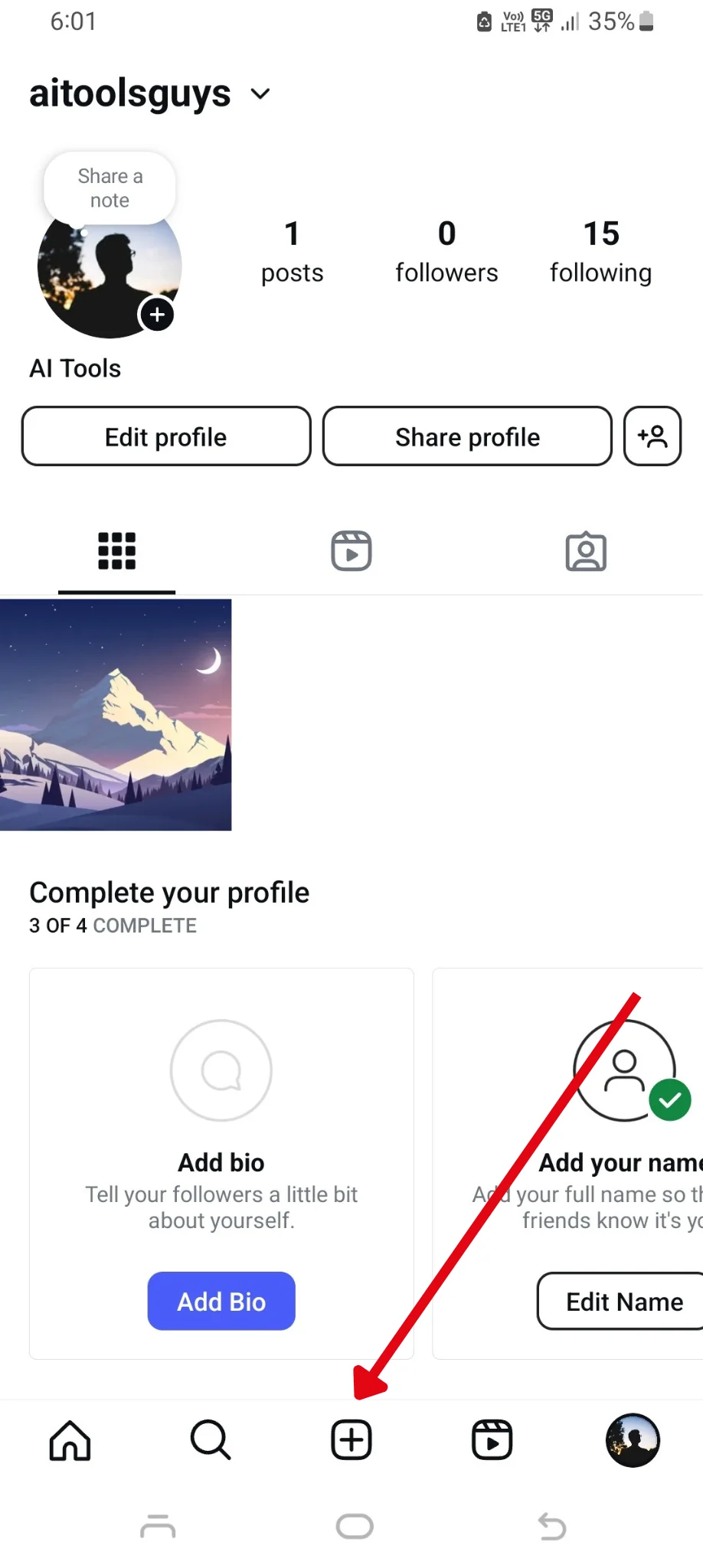
Step 2: Tap the "+" icon at the bottom of your screen to start creating a new post.
Step 3: Select "Post" to move forward, where you'll see your recent media and options to browse your gallery.
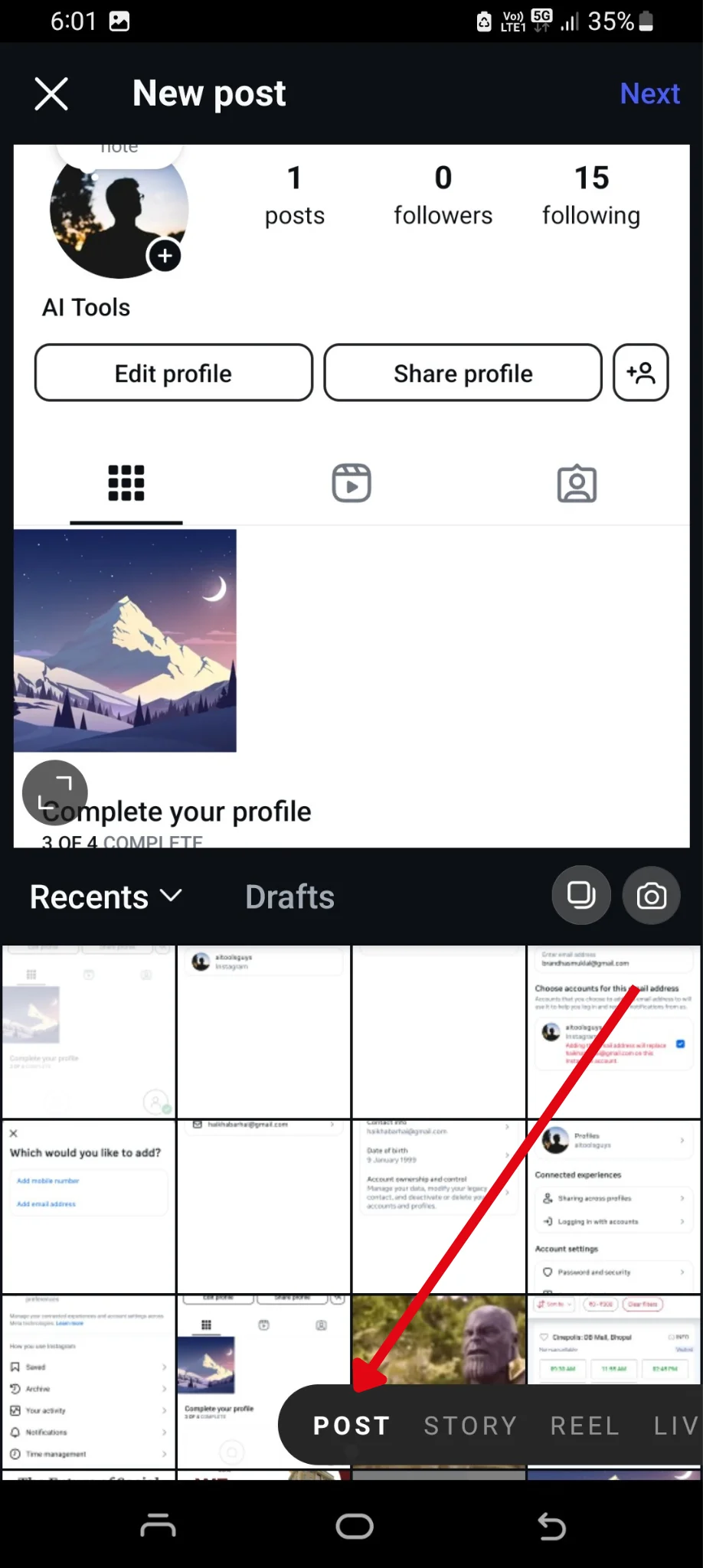
Step 4: At the top of the screen, look for the "Drafts" tab. Tap on it to view all your saved drafts.

Step 5: From there, you can revisit, edit, and either publish or delete your drafts whenever you're ready.
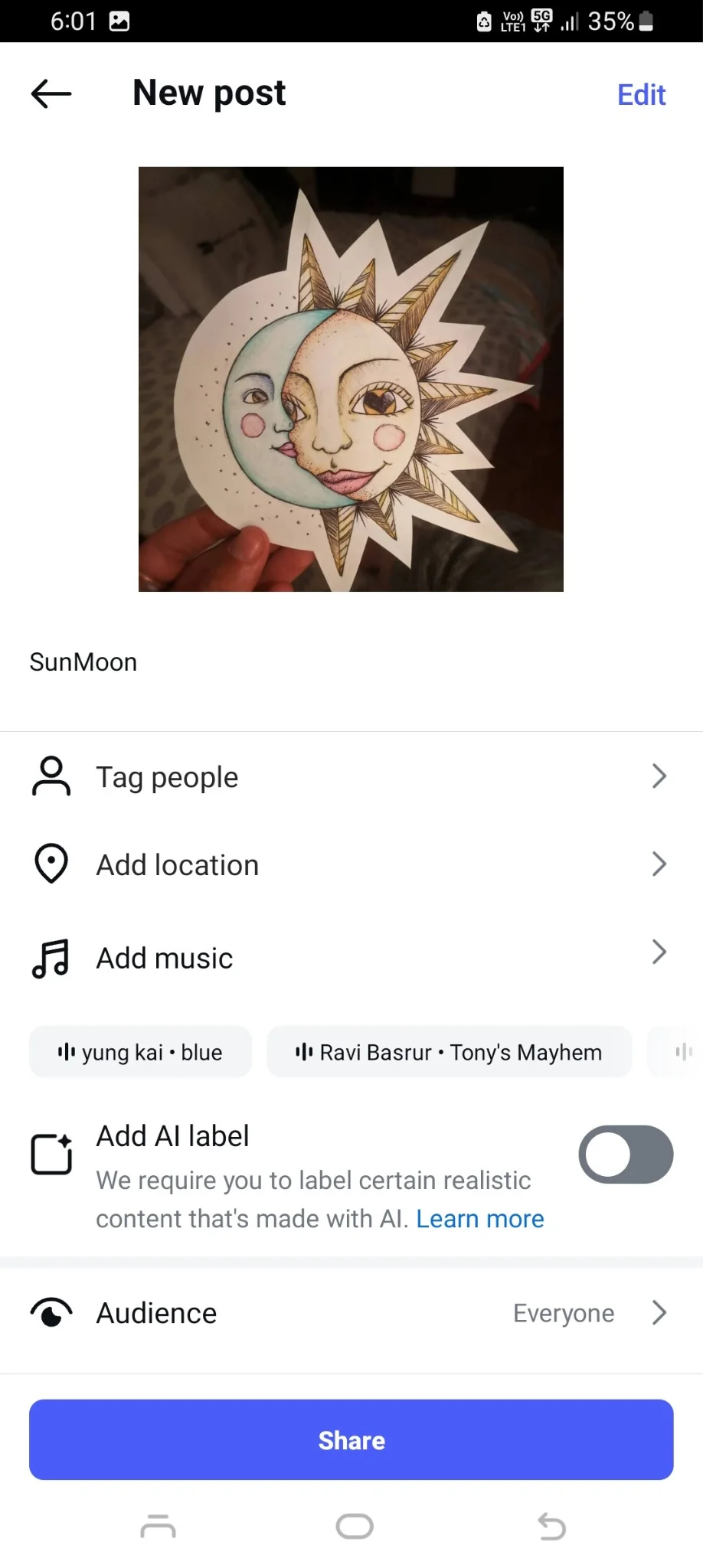
How to Find Reels Drafts on Instagram
Here’s a simple step-by-step guide to accessing your reel drafts on Instagram:
Step 1: Open the Instagram app and go to your profile by tapping the profile icon in the lower right-hand corner of your screen.
Step 2: Tap the "+" icon at the bottom of your screen to start creating a new post.
Step 3: Choose the "Reels" option from the bottom menu.
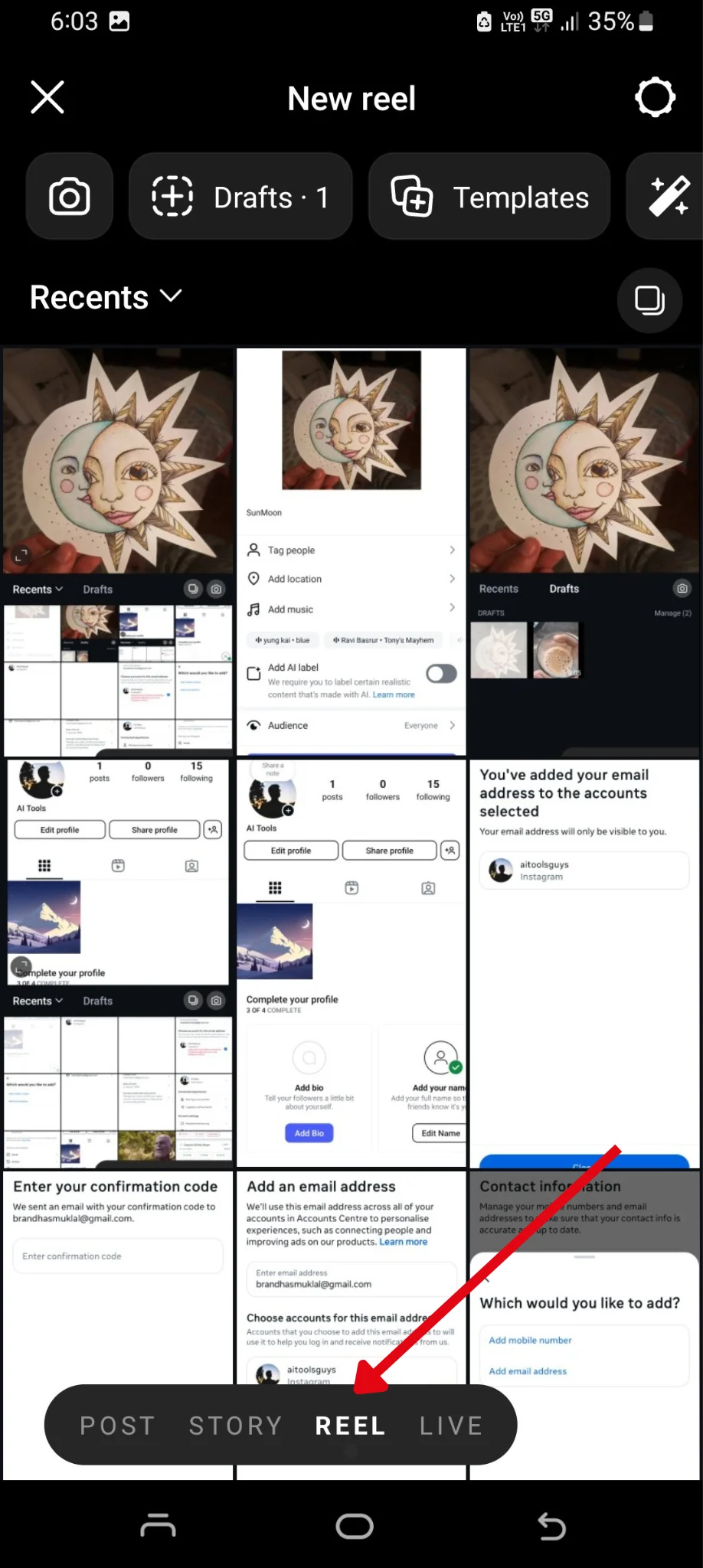
Step 4: Look for the "Drafts" section within this area. Here, you'll find your saved but unpublished reels.
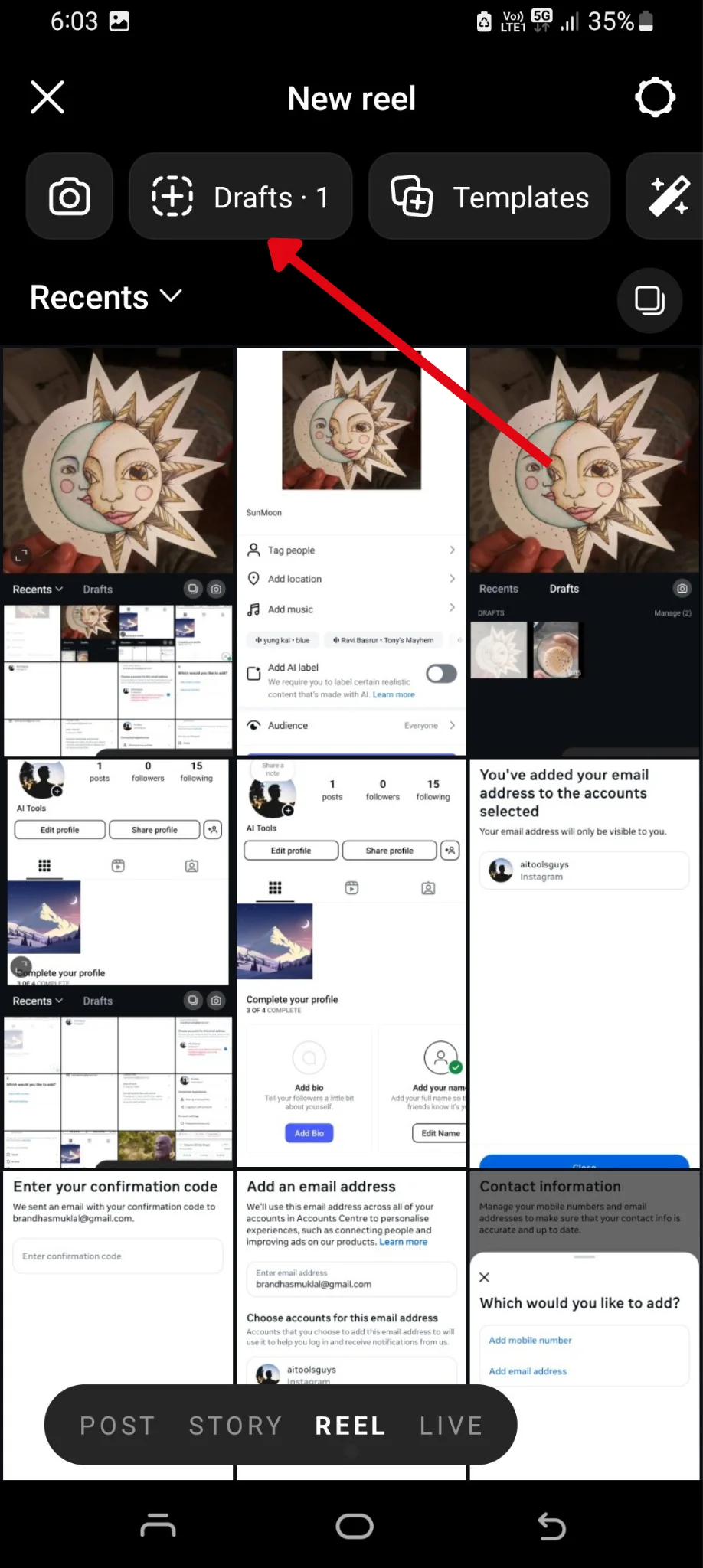
Step 5: Tap on the drafts section to view and adjust your reel drafts.
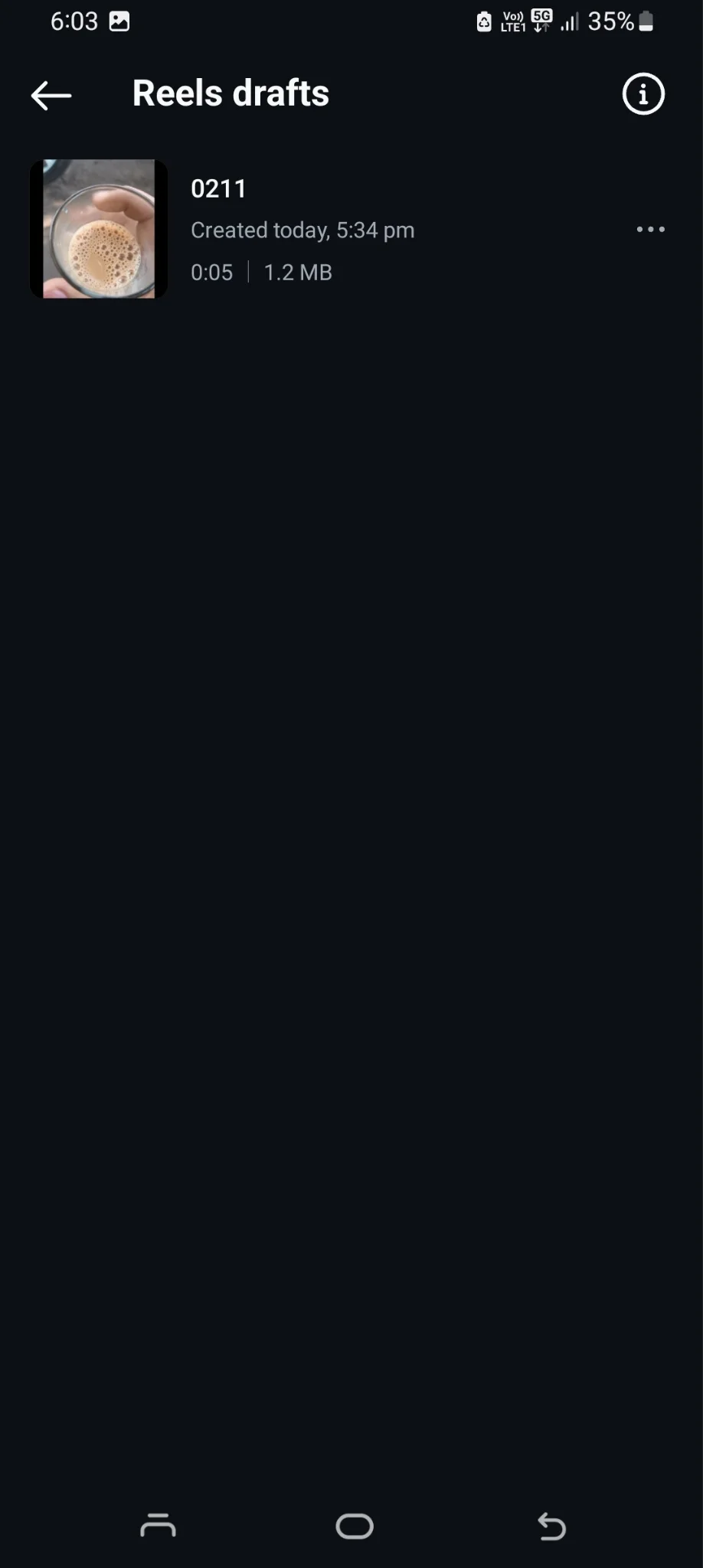
Step 6: You can edit, refine, or delete them as needed.

How to Find Stories Drafts on Instagram
Here’s an easy step-by-step guide to locating your story drafts on Instagram:
Step 1: Open the Instagram app and tap the "+" icon at the bottom of your screen to start creating a new post.
Step 2: Choose the "Story" option from the bottom menu to open the Stories camera.
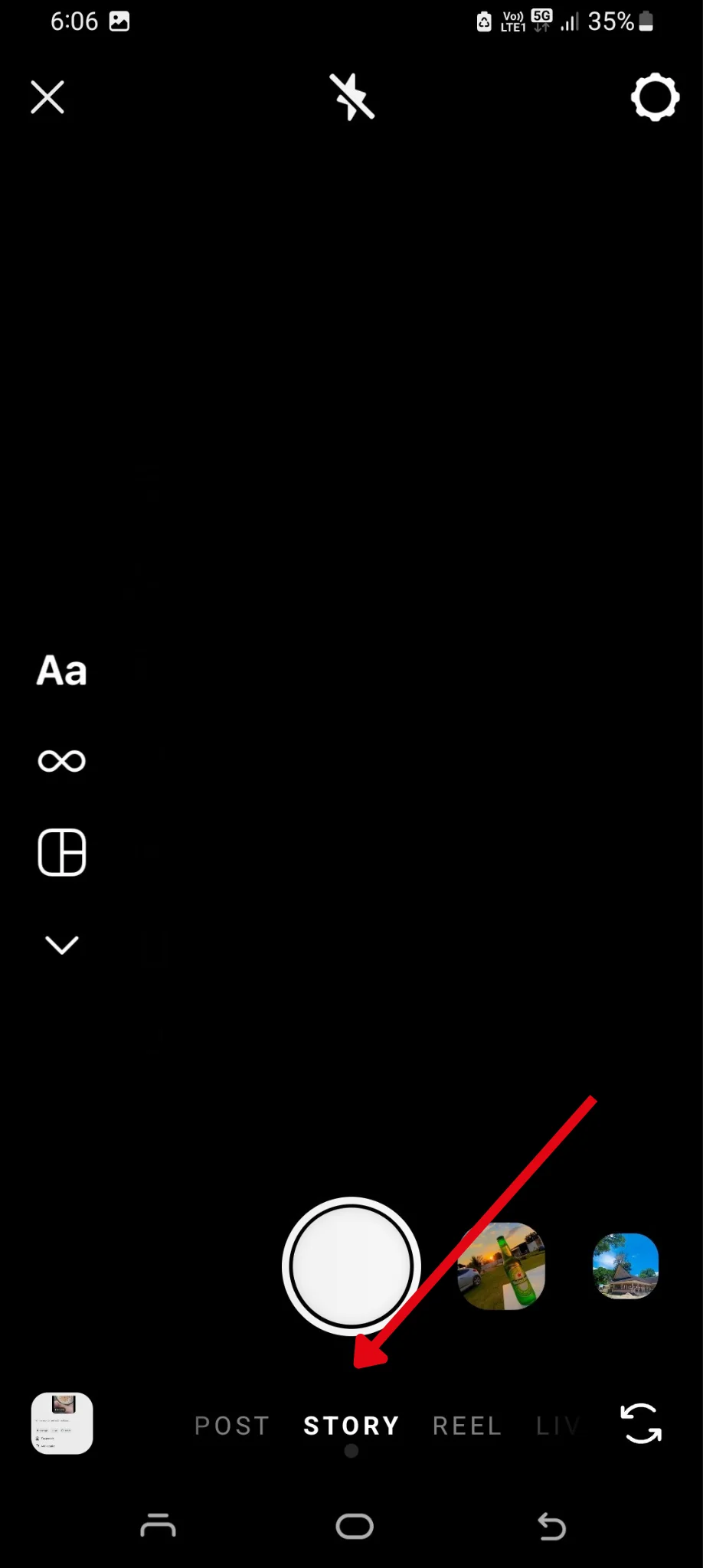
Step 3: Tap the Gallery Option in the bottom left of the screen.
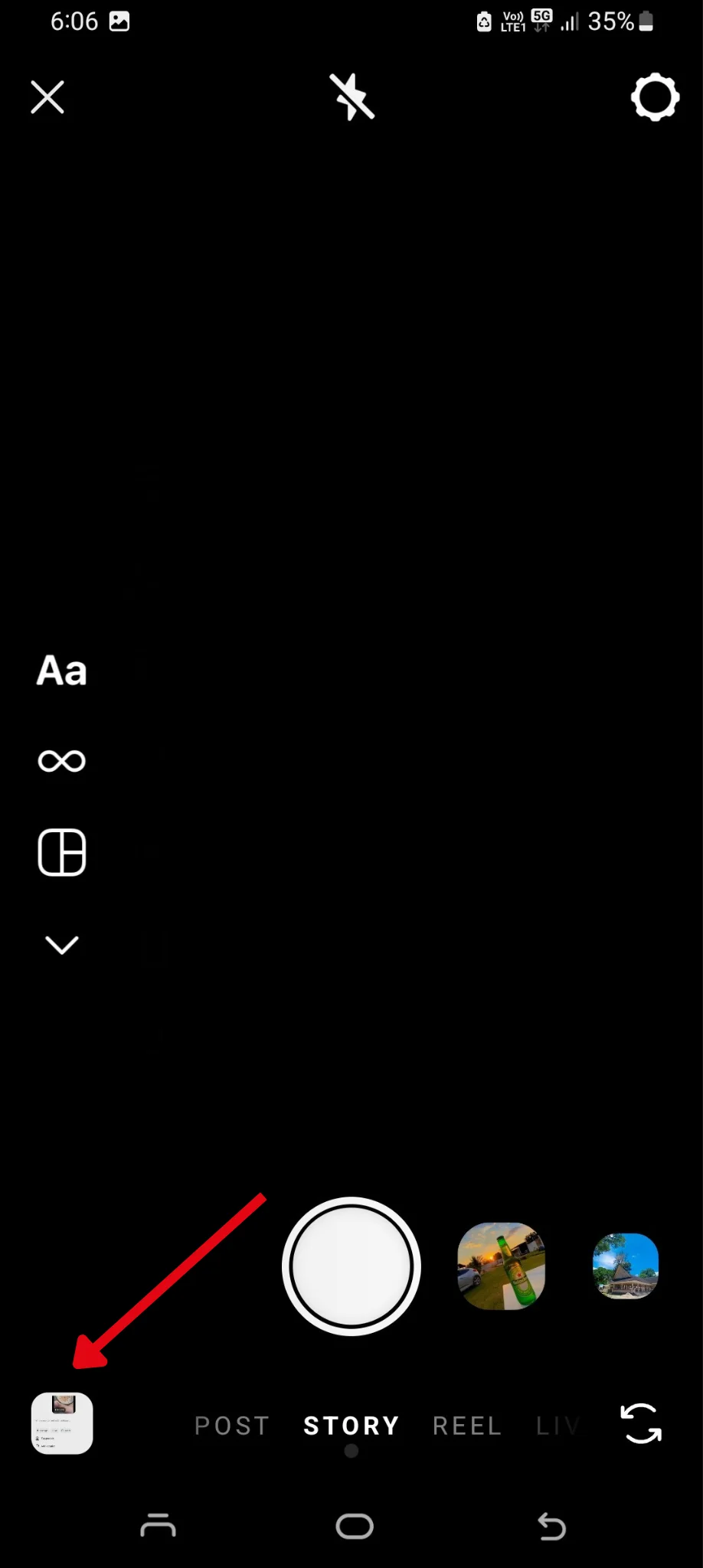
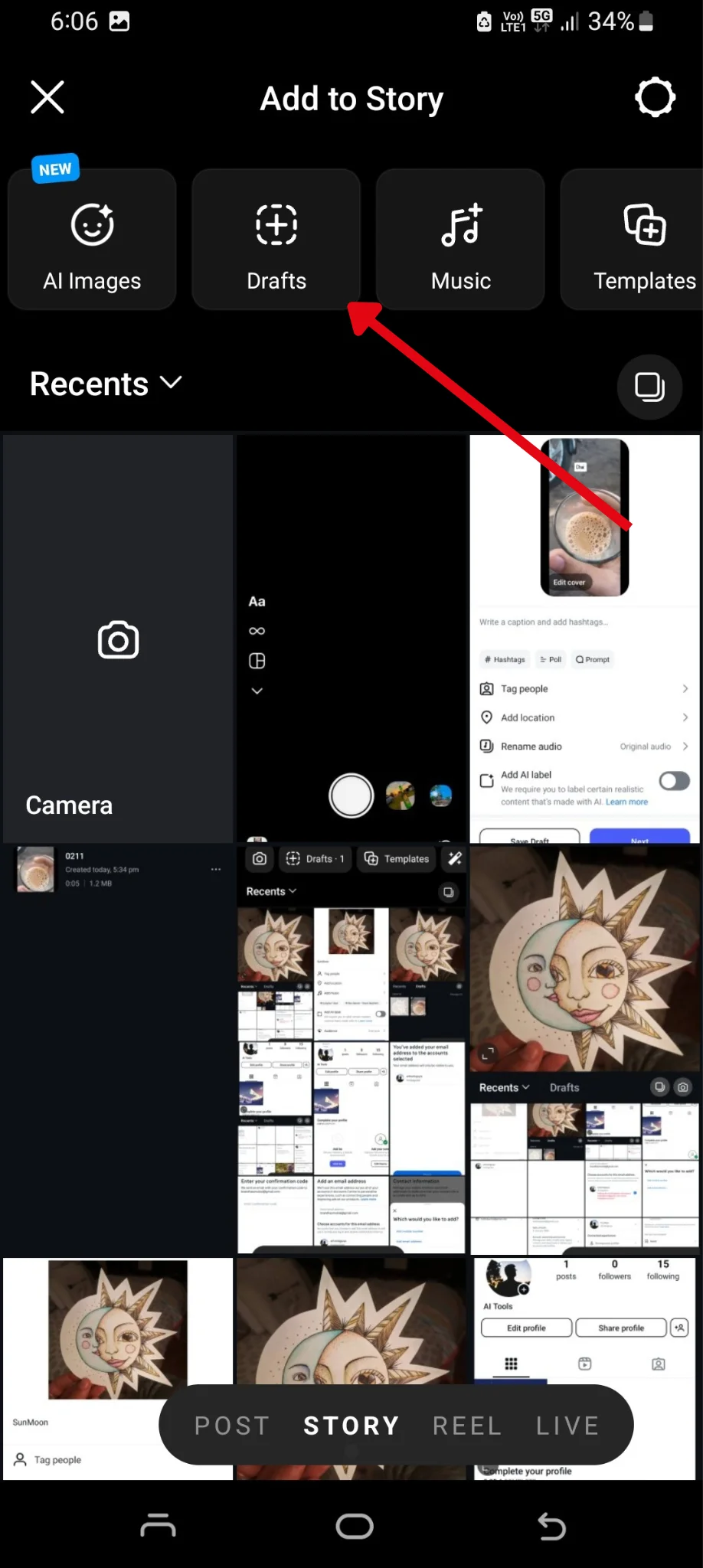
Step 4: Tap the "Drafts" tab to see all your saved story drafts.
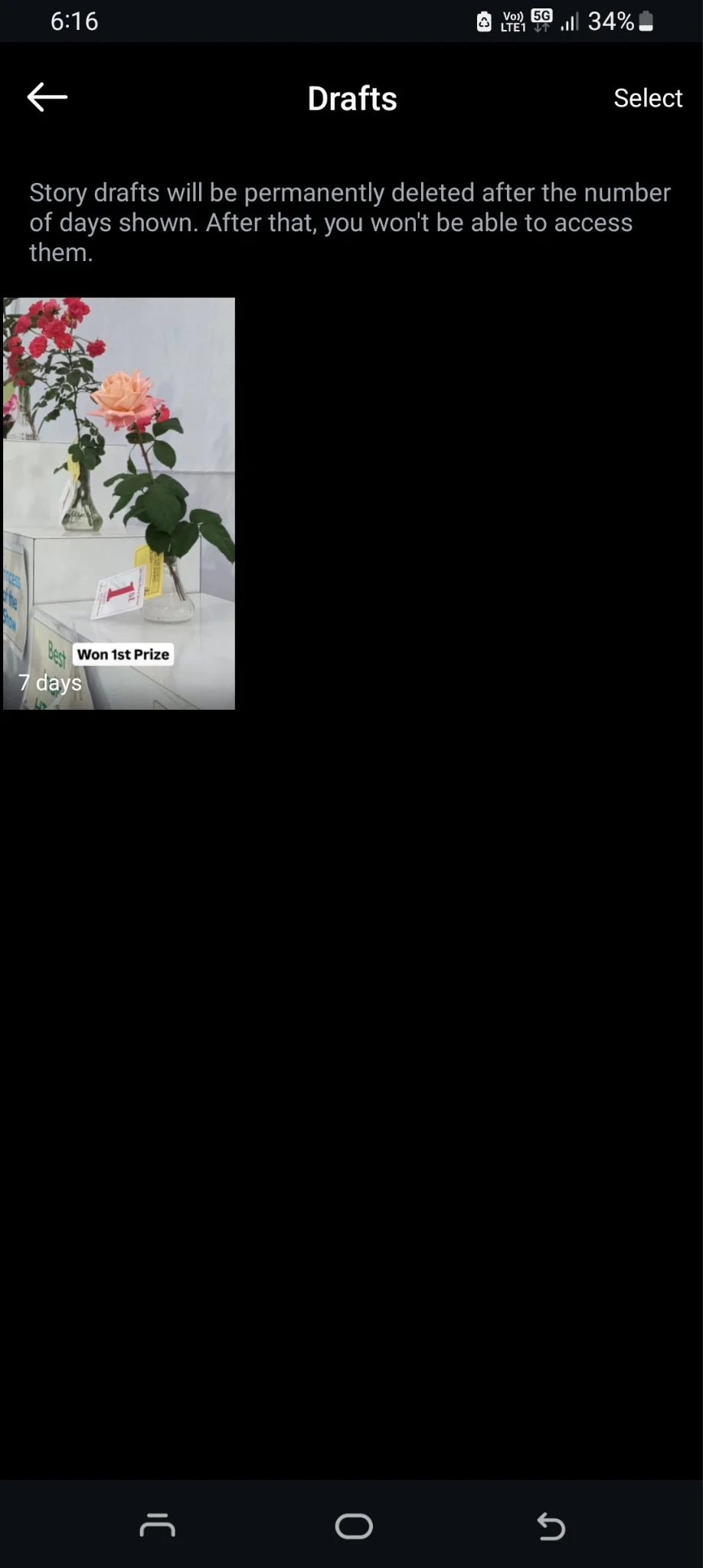
Step 5: From here, you can edit, refine, or delete them as needed.
Leverage Instagram Drafts to Plan Content Ahead
Instagram drafts are more than just a convenient feature—they’re a powerful tool for you to stay organized and consistent with your content. By saving and refining your posts, reels, and stories, you give yourself the flexibility to plan ahead, ensure quality, and maintain a cohesive brand presence. Now that you know how to find your drafts, you can use this feature to keep your content pipeline flowing smoothly.
And if you need any help creating or managing content for your Instagram, log in or sign up for quso.ai and let us help you take your Instagram marketing to the next level.
Managing your Instagram content? quso's social media scheduler lets you plan and auto-publish Instagram and Facebook posts from one calendar.