Best AI Video Description Generator
Paste a video link or upload a video or audio file. quso.ai's AI Writer returns a summary, timestamps, and show notes from the recording; you combine them into the description, check names and timestamps against the video, and paste the result into YouTube. The free plan covers about 75 minutes of video a month, no card required.
Free to start, no credit card required.
Trusted by 4M+ users
Why people use quso.ai to write video descriptions
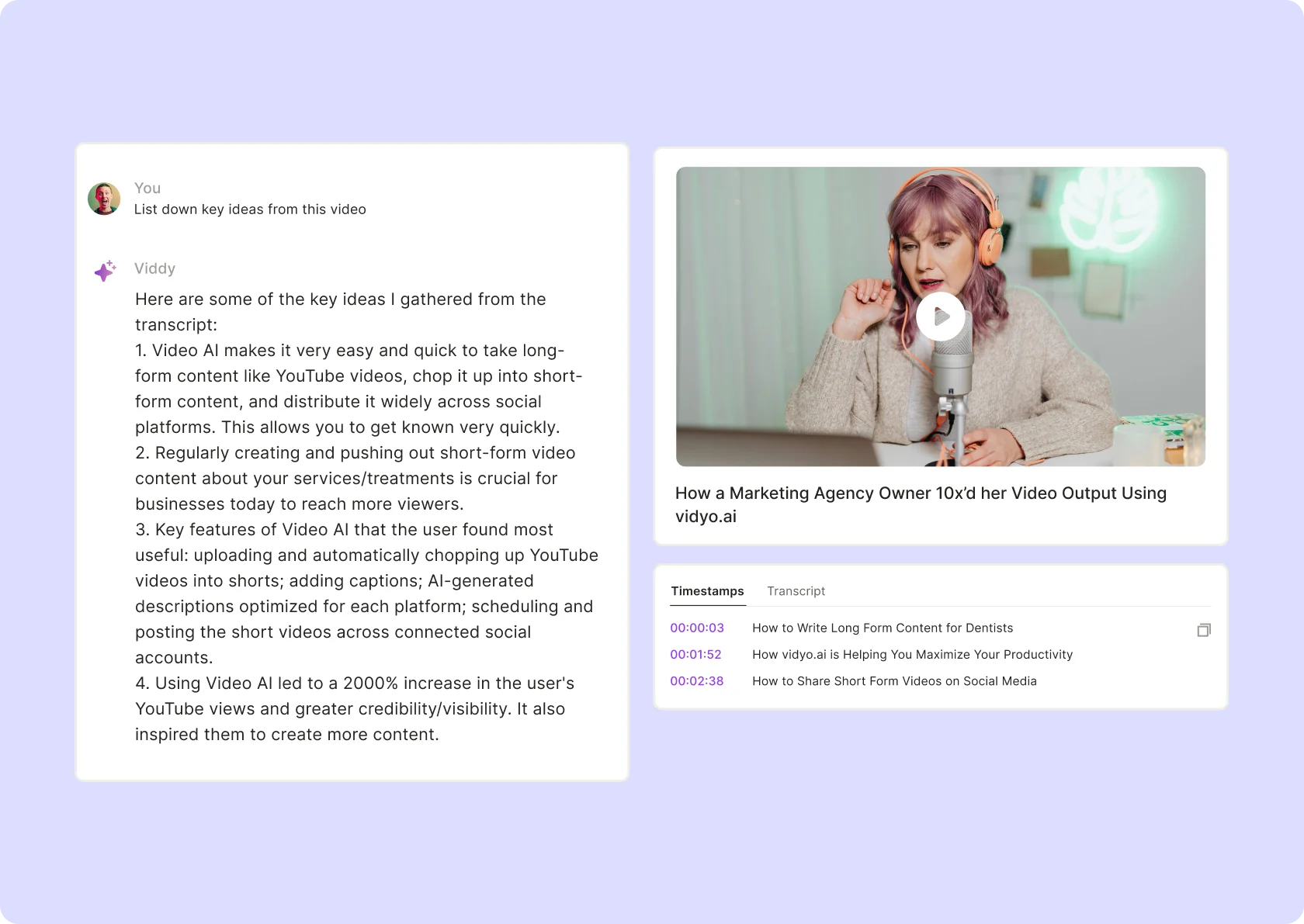
Three outputs from one upload
The AI Writer transcribes the recording once and returns a summary, a timestamp list, and show notes from that transcript. For a 20-minute tutorial that gives you a paragraph for the top of the description, a chapter list, and the talking points underneath. Nothing has to be typed from memory after the edit.
Timestamps taken from the recording
Each timestamp is placed where the topic changes in the transcript, with a short label for the segment. Play the video at each one before you publish. A chapter that starts a few seconds early, or a label that names the wrong feature, is the check the software leaves to you.
About one credit per minute of video
Each minute of video uses about one credit. The free plan includes 75 credits a month with no card required, so a 20-minute tutorial fits several times over. Processing usually takes a few minutes, longer for a long recording, and the description work happens after that, in your own editor.
What quso.ai's description generator includes, and what it leaves out
No one-click "YouTube description" type
Per-platform AI Description for clips, on paid plans
Links, video files, or audio files in; copied text out
How to generate a video description with quso.ai
- Sign up and import the recording. Paste the link or upload the file in the box at the top of this page; it opens the AI Writer in the app. Signup is required, and the free plan needs no card.
- Wait for processing. It usually takes a few minutes, longer for a long recording. Each minute of video uses about one credit, and the free plan includes 75 a month.
- Generate the summary, timestamps, and show notes. Run each output type on the same video and copy each one to the clipboard as it finishes. Quotes are available too if you want a pull quote near the top.
- Assemble and check the description. Paste the summary first, then the timestamp list, then the show notes, into a text editor. Play the video at each timestamp and confirm it lands on that topic. Fix people's names, product names, and spoken numbers, then add your own links, sponsor text, and hashtags.
- Paste it into the platform's description box. Do this while uploading, or edit an existing video's details. Reread it once in the platform's preview; line breaks sometimes need adjusting after the paste.
Frequently Asked Questions
Is it free?+
What does the description include?+
Does it work from a YouTube link?+
Can it write descriptions for TikTok or Shorts?+
How long does it take?+
Best AI Video Description Generator
Generate a description freeA worked example: a 20-minute spreadsheet tutorial into a YouTube description
A bookkeeping coach records a 20-minute tutorial on building a cash-flow sheet and uploads the mp4 to quso.ai before it goes on YouTube. Processing uses about 20 credits and finishes within a few minutes. She runs three AI Writer outputs on it: summary, timestamps, and show notes.
The summary comes back as a short paragraph on what the sheet does and who it is for. She trims one sentence, fixes a lowercased product name, and pastes it at the top of the description. The timestamp list has eight entries, one per formula. Playing the video at each one, she finds two that start a few seconds before the formula appears on screen and nudges them forward. One label reads "X lookup" and gets corrected to "XLOOKUP". The show notes list the same eight formulas with a line each; she keeps four and deletes the rest to stay short.
Then the parts the software cannot supply: a link to the template download, a link to last month's related video, and her newsletter signup, each typed in by hand. She pastes the finished text into the description box during upload, following the steps in the guide on how to upload a video to YouTube, and checks the line breaks in the preview.
The same run leaves the full transcript available to copy, which is the workflow covered on the video to text page, and the AI Writer can turn that transcript into a LinkedIn post or a newsletter issue; the AI content repurposing page describes those outputs. This is an example, not a guarantee. A recording with two people talking over each other, or a screen share with the presenter off mic, will need more correction than this one did.
Want the full workflow? This free tool is part of quso.ai's AI Content Repurposing: clip, edit, caption, and schedule in one place.

quso.ai Research
The Short Form Video Performance Report
We measured 508,000 posts from 1,900 creators across 80 countries to separate what actually changes reach from what only sounds like it does.