> ## Documentation Index
> Fetch the complete documentation index at: https://helpdesk.quso.ai/llms.txt
> Use this file to discover all available pages before exploring further.
# How to Generate Transcript?
> Generate a video transcript in quso.ai with Viddy and export it as text for captions, show notes, or a blog draft.
The **Viddy 2.0** feature in Quso.ai allows you to automatically generate transcripts from your uploaded videos. This makes it easy to extract dialogue, create captions, or repurpose your content for blogs and posts.
### 🧭 Step-by-Step Guide
### **Step 1: Open the Viddy Feature**
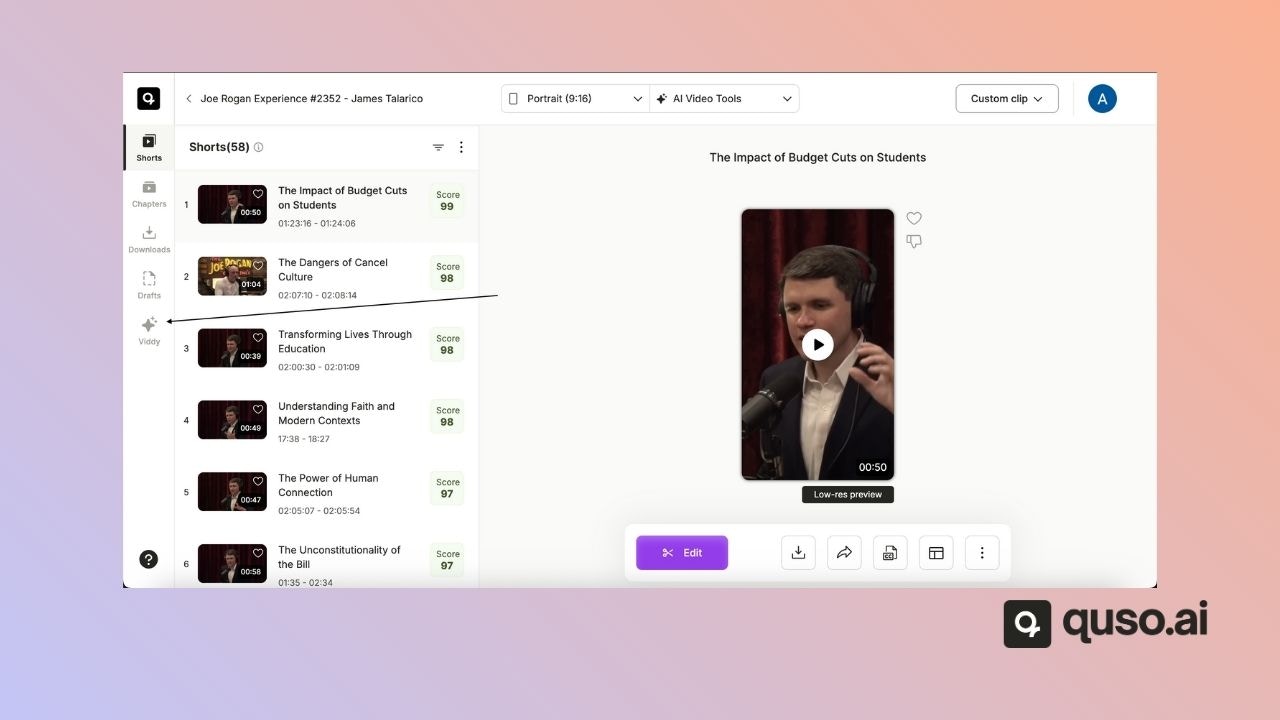
* Navigate to any of your projects in Quso.ai.
* From the side menu, click on **Viddy**.
 ### **Step 2: Select Transcript Option**
* In the Viddy interface, you can either:
* Enter your own **prompt**, or
* Choose the **Transcript** option from the available presets.
### **Step 2: Select Transcript Option**
* In the Viddy interface, you can either:
* Enter your own **prompt**, or
* Choose the **Transcript** option from the available presets.
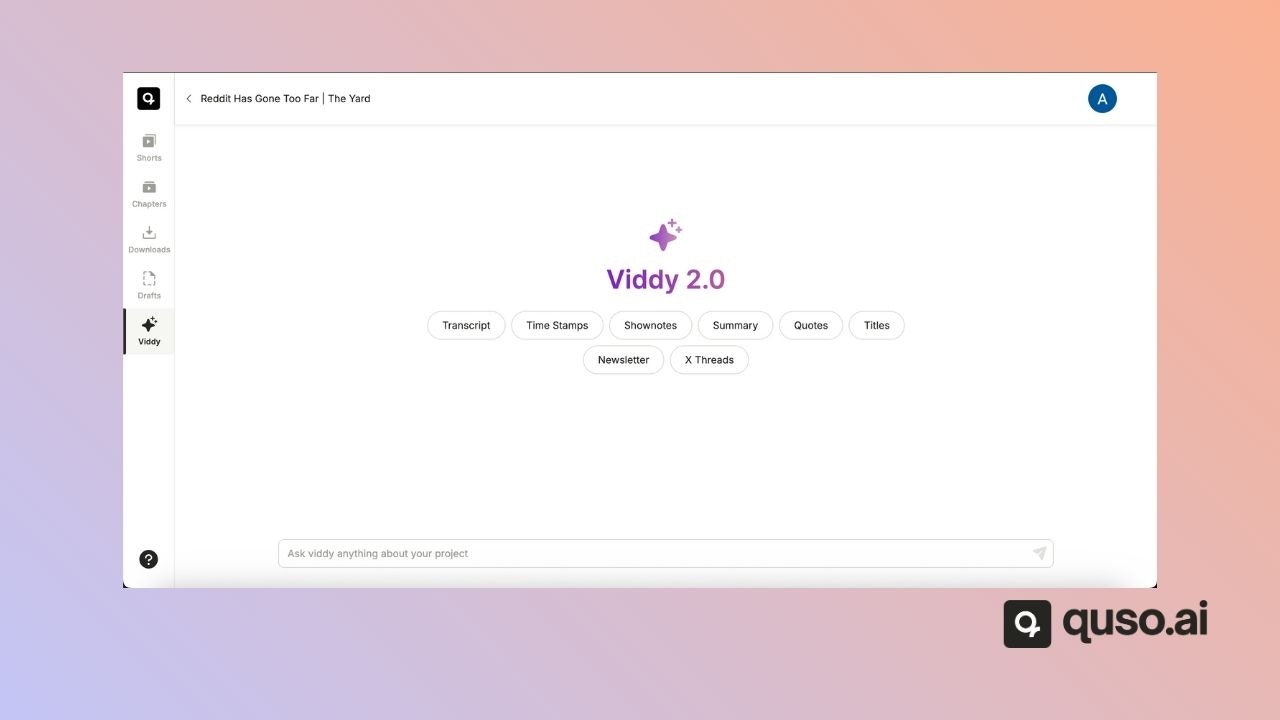 Once selected, Quso.ai will process your video and automatically generate the transcript.
💡 **Note:** There is currently no option to export the transcript directly. To save it, use the **Copy** button available at the end of the generated prompt.
Once selected, Quso.ai will process your video and automatically generate the transcript.
💡 **Note:** There is currently no option to export the transcript directly. To save it, use the **Copy** button available at the end of the generated prompt.